Internet Installation Services in Dubai
Internet Installation Services in Dubai – Professional Router Setup & Network Configuration
RepairZone provides professional internet installation services in Dubai for apartments, villas, and offices. Our technicians handle router installation, fiber modem setup, mesh WiFi configuration, and full network optimization — ensuring fast, stable, and secure connectivity from day one.
Whether you need a new internet connection installed or your existing network optimized, our team is available across all areas of Dubai with same-day service.
—
What Does Internet Installation in Dubai Include?
Professional internet installation in Dubai covers router placement and configuration, fiber modem or ONT setup, WiFi network creation with WPA2/WPA3 encryption, internet speed testing, and device connectivity verification. Technicians also optimize channel selection to reduce interference and ensure consistent signal strength throughout the property.
At RepairZone, every installation covers:
- Router installation and configuration
- Fiber modem and ONT setup
- WiFi network setup and WPA2/WPA3 security configuration
- Internet connection testing and speed verification
- Device connectivity check across phones, laptops, and smart TVs
- Network troubleshooting and performance optimization
—
Router Installation & Configuration in Dubai
Incorrect router setup is the most common cause of slow internet speeds and weak WiFi signals — even when subscribed to a high-speed plan. Professional router configuration ensures your network operates on the correct frequency, uses non-overlapping channels, and delivers maximum throughput to all connected devices.

Our router installation services in Dubai include:
- Dual-band and tri-band router setup (2.4 GHz and 5 GHz)
- Channel and bandwidth optimization to reduce interference
- Strong WiFi password and WPA3 encryption configuration
- Firmware updates and QoS (Quality of Service) tuning
- Network traffic management for multiple devices
A properly configured router can significantly improve internet performance without changing your ISP plan.
—
Internet Installation for Villas in Dubai
Villas in Dubai often span multiple floors and large outdoor areas, making standard single-router setups insufficient for full coverage. Professional villa internet installation uses mesh WiFi systems or wired access points to eliminate dead zones and deliver consistent signal strength in every room, including outdoor areas and garages.
RepairZone villa internet installation services include:
- Mesh WiFi system installation and configuration
- Wired access point (AP) setup for high-performance zones
- Strategic router and node placement based on floor plan
- Seamless roaming between floors and outdoor areas
- Coverage testing and signal verification after installation
—
Apartment WiFi Setup in Dubai
Apartments in high-density buildings — particularly in Dubai Marina, JVC, and Business Bay — often experience WiFi interference from neighboring networks operating on the same channels. This reduces signal quality even when the router is nearby.

Our technicians optimize apartment internet networks by:
- Scanning nearby networks and selecting non-overlapping WiFi channels
- Adjusting router transmission power for apartment dimensions
- Minimizing signal degradation through walls and floors
- Improving coverage in rooms far from the router
These adjustments significantly improve reliability in high-density residential buildings without requiring a new router or ISP plan.
—
Office & Business Internet Installation in Dubai
Business internet installation requires more than a home router setup. Offices need networks that support simultaneous connections from multiple employees, secure guest WiFi separation, and stable performance for cloud applications, video conferencing, and VoIP systems.
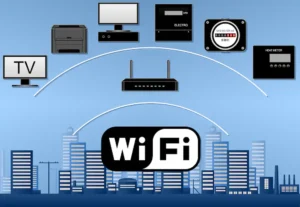
RepairZone business internet installation services in Dubai include:
- Business-grade router and access point configuration
- Guest WiFi network setup (isolated from internal network)
- Network security configuration and firewall setup
- Device prioritization and bandwidth management (QoS)
- Network segmentation for sensitive business data
We design office networks that maintain performance and security even with 20–50+ connected devices.
—
Mesh WiFi Installation in Dubai – Eliminating Dead Zones
A mesh WiFi system uses multiple interconnected nodes placed throughout a property to create one seamless wireless network. Unlike WiFi extenders, mesh systems communicate using a dedicated backhaul channel, maintaining consistent speed as you move between rooms. Mesh WiFi is the recommended solution for Dubai villas, townhouses, and large offices where a single router cannot provide full coverage.
Benefits of professional mesh WiFi installation:
- Consistent signal strength across all floors
- Seamless device roaming between rooms without reconnecting
- Better performance for multiple simultaneous users
- Eliminates WiFi dead zones in large or irregularly shaped properties
Popular mesh systems we install include Google Nest WiFi, TP-Link Deco, Eero, and Netgear Orbi.
—
Etisalat (e&) Internet Installation & Router Setup in Dubai
Etisalat (now branded as e&) is the most widely used ISP in Dubai, offering fiber broadband plans ranging from 100 Mbps to 10 Gbps across residential and commercial properties. RepairZone technicians are experienced in configuring e& fiber connections, including GPON ONT setup, HG8145V5 router configuration, and resolving common e& specific issues such as PPPoE authentication errors and IPTV network conflicts.
Our e& internet installation services include:
- e& fiber ONT and router initial setup
- PPPoE credential configuration for e& broadband accounts
- IPTV and internet traffic separation on e& networks
- Replacing e& supplied routers with third-party routers (TP-Link, Asus, Netgear)
- Troubleshooting e& fiber connection drops and authentication failures
If your e& fiber line is active but your router is not connecting, or you want to replace the default e& router with a higher-performance model, our technicians can complete the configuration on the same day.
—
du Internet Installation & Router Configuration in Dubai
du is Dubai’s second major ISP, providing fiber broadband and home internet services across residential communities, apartment towers, and commercial buildings. du fiber connections use a similar GPON architecture to e& but require different PPPoE credentials and VLAN configurations, which means router settings from one ISP cannot be directly copied to the other.
Our du internet installation services include:
- du fiber ONT and router setup from scratch
- PPPoE and VLAN configuration specific to du broadband
- Replacing du-supplied routers with third-party alternatives
- du home internet troubleshooting — slow speeds, no connection, authentication errors
- WiFi optimization for du fiber plans (100 Mbps to 2 Gbps)
Whether you have just activated a new du connection or are experiencing persistent issues with your existing du setup, RepairZone technicians can configure and optimize your network on the same visit.
—
Fiber Internet Installation in Dubai – GPON & ONT Setup
Most Dubai homes and offices now receive internet via fiber-optic connections using GPON (Gigabit Passive Optical Network) technology. The fiber line terminates at an ONT (Optical Network Terminal) device installed by the ISP, which then connects to your router. Incorrect ONT-to-router configuration is one of the most common causes of no-internet issues even when the fiber line is active.
RepairZone fiber internet installation services cover:
- ONT to router connection and configuration (WAN port setup)
- PPPoE vs DHCP connection type identification per ISP
- VLAN tagging configuration where required (common on du connections)
- Third-party router replacement — maintaining fiber speeds with non-ISP routers
- 1 Gbps and 2 Gbps plan optimization — ensuring router hardware supports the subscribed speed
- Fiber connection testing and speed verification post-installation
If your fiber line is active but your devices are not getting internet, the issue is almost always in the ONT-to-router configuration — not the fiber line itself. Our technicians diagnose and resolve this on the same visit.
—
Mesh WiFi vs Wired Access Points – Which Is Right for Your Dubai Property?
For Dubai properties that need coverage beyond a single router, there are two main solutions: mesh WiFi systems and wired access points (APs). Understanding the difference helps you choose the right solution for your property type and budget.
| Feature | Mesh WiFi System | Wired Access Points |
|---|---|---|
| Installation complexity | Low — no cabling required | Higher — requires Ethernet runs |
| Performance | Good — slight speed reduction per hop | Excellent — full speed at every AP |
| Best suited for | Villas and apartments without structured cabling | Offices and villas with existing or new cabling |
| Roaming between nodes | Seamless | Seamless (with controller-based APs) |
| Cost | Lower upfront | Higher upfront, better long-term performance |
| Scalability | Add nodes easily | Add APs — requires cabling each time |
For most Dubai villas and apartments without existing cabling, mesh WiFi is the practical and cost-effective choice. For offices or newly constructed villas with structured cabling already in place, wired access points deliver better consistent performance. RepairZone technicians assess your property and recommend the right solution before any work begins.
—
WiFi Extender vs Mesh WiFi – What Works Better in Dubai Apartments?
WiFi extenders (also called repeaters or boosters) amplify and rebroadcast your existing WiFi signal. While they are inexpensive, they create a separate network name, halve the available bandwidth for devices connected to them, and cause roaming issues when moving around the property. In high-density Dubai apartment buildings where interference is already a problem, extenders typically make channel congestion worse.
Mesh WiFi systems, by contrast, use a dedicated wireless backhaul channel between nodes — meaning the bandwidth available to your devices is not shared with the backhaul communication. Devices roam seamlessly between nodes under a single network name with no reconnection required.
For Dubai apartments experiencing dead zones, a single mesh node added to the existing system almost always outperforms a WiFi extender at a similar price point. RepairZone recommends mesh over extenders in all but the smallest single-room setups.
—
Internet Installation Cost in Dubai – What to Expect
Internet installation service costs in Dubai vary based on three factors: the type of installation, the property size, and whether additional hardware is required. Below are indicative ranges to help you plan.
| Service Type | Typical Cost Range (AED) | What’s Included |
|---|---|---|
| Basic router setup (apartment) | AED 250 – 350 | Router configuration, WiFi setup, device connectivity check |
| Router + ONT fiber configuration | AED 350 – 450 | ONT-to-router setup, PPPoE config, speed testing |
| Mesh WiFi installation (2–3 nodes) | AED 500 – 700 | Node placement, configuration, roaming setup, coverage testing |
| Villa full network setup | AED 2000 – 2500 | Multi-floor coverage, mesh or AP setup, outdoor zones |
| Office / business installation | AED 399 – 799+ | Business router, guest network, QoS, network segmentation |
Hardware costs (routers, mesh nodes, access points) are separate and depend on the brand and model selected. RepairZone provides a clear cost breakdown before any work begins — no hidden fees or surprise charges after the visit.
—
Internet Installation by Area – Common Challenges in Dubai
WiFi and internet installation requirements vary significantly across Dubai’s residential and commercial areas. Here is what our technicians commonly encounter in each zone.
Dubai Marina & JLT
High-rise towers in Dubai Marina and JLT have reinforced concrete floors and walls that significantly attenuate WiFi signals between floors. Apartments in these towers frequently require mesh nodes or a second access point to cover bedrooms at the far end of the unit. Channel congestion from dozens of neighboring networks on the same floor is also common — channel optimization is essential in every installation here.
Jumeirah Village Circle (JVC) & Jumeirah Village Triangle (JVT)
JVC and JVT are mixed communities with both apartments and townhouses. Townhouse and villa units often have three floors, making single-router coverage impossible. Mesh WiFi installations are the most common request in this area. The newer buildings in JVC also tend to have pre-installed Ethernet ports in multiple rooms, making wired access point setups a viable option.
Downtown Dubai & Business Bay
Downtown Dubai and Business Bay are dominated by luxury high-rises with large open-plan apartments. WiFi dead zones are less common than in older buildings, but interference from neighboring networks is high. The main optimization need here is channel selection and dual-band configuration to push devices to the less congested 5 GHz band.
Palm Jumeirah
Palm Jumeirah villas and apartments present two distinct challenges. Villas on the fronds are large multi-floor properties requiring mesh systems with outdoor coverage for gardens and pool areas. Apartments in the Palm towers have similar interference issues to other high-rises. Our technicians are familiar with both property types on the Palm.
Arabian Ranches, Dubai Hills & The Springs
These villa communities are among the most common areas for mesh WiFi installation requests in Dubai. Properties typically span two to three floors with large outdoor spaces. Standard single-router setups almost never provide adequate coverage. A three-node mesh system with one node positioned near the garden access point is the typical solution for these villa layouts.
Al Barsha, Mirdif & Al Nahda
These established residential areas have a mix of older villa compounds and mid-rise apartment buildings. Older buildings often have thicker walls and limited Ethernet infrastructure, making wireless mesh the preferred installation method. Apartments in these areas tend to be larger than newer builds, frequently requiring coverage optimization to reach back bedrooms and home offices.
Business Districts – DIFC, Sheikh Zayed Road & Dubai Internet City
Commercial installations in DIFC, along Sheikh Zayed Road, and in Dubai Internet City typically require business-grade access points, VLAN segmentation for guest and internal networks, and bandwidth management for 30–100+ concurrent users. These installations are assessed individually — contact RepairZone for a site survey and quote.
—
Common Internet Problems Fixed by Professional Installation
Many persistent internet problems in Dubai homes and offices are caused by incorrect router configuration rather than the ISP connection itself. Professional installation resolves these at the source.
| Problem | Likely Cause | How We Fix It |
|---|---|---|
| Slow speeds despite high-speed plan | Wrong router placement or channel congestion | Channel optimization and router repositioning |
| Weak WiFi in certain rooms | Single router, walls blocking signal | Mesh nodes or wired access points |
| Devices frequently disconnecting | Outdated firmware or DHCP conflicts | Firmware update and network reconfiguration |
| Buffering during video streaming | Bandwidth congestion, no QoS | Quality of Service (QoS) setup |
| Lag in online gaming | High latency, shared bandwidth | Gaming device prioritization |
—
Network Security Configuration During Installation
Unsecured home and office networks in Dubai are vulnerable to unauthorized access and data theft. During every internet installation, RepairZone technicians configure network security to protect all connected devices.
Security steps included in every installation:
- WPA2 or WPA3 encryption enabled on all networks
- Default router admin credentials changed to unique passwords
- Guest networks isolated from the main home or office network
- Remote access and UPnP disabled where not needed
- Unauthorized device detection and MAC filtering where applicable
—
Why Choose RepairZone for Internet Installation in Dubai
- Experienced technicians trained in router, mesh, and enterprise network setup
- Same-day service available across all Dubai areas
- Compatible with Etisalat (e&), du, and all major UAE ISPs
- Advanced diagnostic tools to identify and fix performance issues
- Transparent pricing — no hidden fees or unnecessary upselling
—
Areas We Serve for Internet Installation in Dubai
RepairZone technicians provide same-day internet installation and WiFi setup services across Dubai.
📍 Internet Installation Service Areas in Dubai
We provide fast doorstep internet and WiFi setup services across:
- Dubai Marina
- JLT (Jumeirah Lake Towers)
- Downtown Dubai
- Business Bay
- Al Barsha
- Jumeirah
- Palm Jumeirah
- Arabian Ranches
- Dubai Hills
- Mirdif
- Silicon Oasis
- Jebel Ali
- Dubai Investment Park (DIP)
- Discovery Gardens
- International City
- Al Nahda
- Al Qusais
- Deira
- Bur Dubai
- Karama
- Satwa
- Oud Metha
- Al Wasl
- Umm Suqeim
- Motor City
- Sports City
- Dubai South
- Al Furjan
- Jumeirah Village Circle (JVC)
- Jumeirah Village Triangle (JVT)
- The Greens
- The Springs
- The Meadows
🚚 Our technicians can reach your location within 30–60 minutes anywhere in Dubai.
—
Book Internet Installation Services in Dubai
If you need a new internet connection installed, your router reconfigured, or your WiFi coverage improved, RepairZone provides professional internet installation services in Dubai for homes, villas, and businesses.
Contact us to schedule a same-day appointment — our technicians ensure your network is fast, stable, and secure.
Internet Installation Services FAQ’s
Q: What does professional internet installation in Dubai include?
Ans: Professional internet installation in Dubai includes router placement and configuration, fiber modem or ONT setup, WiFi network creation with WPA2/WPA3 encryption, internet speed testing, and device connectivity verification. Technicians also optimize channel selection and router positioning to ensure consistent coverage throughout the property.
Q: How much does internet installation cost in Dubai?
Ans: Internet installation service costs in Dubai depend on the property size, network complexity, and whether additional hardware such as mesh nodes or access points is required. RepairZone provides transparent pricing with a clear estimate before work begins — contact us for a quote based on your specific setup.
Q: How long does internet installation take in Dubai?
Ans: Most internet installations in Dubai are completed within 30 minutes to 2 hours. A basic apartment router setup typically takes 30–45 minutes, while larger villas requiring mesh nodes or wired access points may take 1–3 hours. Our technicians fully test the network before leaving.
Q: Can you install internet without the ISP being present?
Ans: Yes. If your ISP (Etisalat/e& or du) has already activated the fiber line or supplied a modem, our technicians can configure the router, create the WiFi network, and optimize performance without the ISP on-site.
Q: Do you work with all router brands?
Ans: Yes. We have experience configuring routers from TP-Link, Netgear, Asus, Linksys, D-Link, Huawei, and all other major brands. We also install and configure mesh WiFi systems including Google Nest WiFi, TP-Link Deco, Eero, and Netgear Orbi.
Q: Do I need to supply the router or can you provide one?
Ans: We can work with your existing router. If you need a new router, mesh system, or additional access points, we can advise on the best option for your property size and usage before your appointment.
Q: How quickly can you fix an internet problem in Dubai?
Ans: RepairZone offers same-day internet installation and troubleshooting across Dubai. Our technicians can typically reach your location within 30–60 minutes. For urgent issues, we provide priority scheduling to minimize downtime.
Q: What is the difference between a 2.4GHz and 5GHz WiFi network?
Ans: The 2.4GHz band offers longer range and better penetration through walls, making it suitable for devices far from the router. The 5GHz band delivers faster speeds but shorter range and is better suited for devices in the same room or floor as the router. A dual-band router uses both simultaneously — our technicians configure each band correctly based on your property layout.
Q: Can you fix WiFi dead zones in my villa without rewiring?
Ans: Yes. Mesh WiFi systems are specifically designed to eliminate dead zones in large villas and multi-floor properties without requiring new cabling. Our technicians assess your layout and deploy mesh nodes in optimal positions to provide full coverage across all floors, rooms, and outdoor areas.
Q: What is the best router placement for maximum WiFi coverage?
Ans: The optimal router placement is in a central, elevated position with minimal obstructions — away from thick walls, microwaves, and other electronic interference sources. For multi-floor properties, a centrally positioned router on the middle floor combined with additional access points or mesh nodes provides the best coverage. Our technicians assess your specific layout and recommend the ideal placement.
Q: What is the difference between a mesh WiFi system and a WiFi extender?
Ans: A WiFi extender rebroadcasts the existing signal, which typically halves available bandwidth for connected devices and can cause roaming issues. A mesh WiFi system uses dedicated backhaul communication between nodes, maintaining full speed and enabling seamless device roaming across the property. Mesh systems are the recommended solution for Dubai villas and large apartments.
Q: How do I secure my WiFi network from unauthorized access?
Ans: Enable WPA2 or WPA3 encryption and use a strong, unique password. Change the default router admin credentials immediately after installation. Disable remote management and UPnP if not needed. Set up a separate guest network for visitors, isolated from your main network. RepairZone technicians configure all of these security measures as part of every standard installation.
Q: Can you set up a guest WiFi network for my home or office?
Ans: Yes. Most modern routers support a separate guest network that provides internet access to visitors without exposing your primary devices or shared files. For offices, guest network isolation is a critical security measure. We configure guest networks with appropriate access restrictions as part of our standard installation.
Q: Can you connect smart home devices to the internet?
Ans: Yes. We configure WiFi networks to support smart home ecosystems including Google Home, Amazon Alexa, Apple HomeKit, and individual smart devices such as cameras, doorbells, thermostats, and smart TVs. We ensure devices are connected to the correct frequency band and network segment for reliable performance.
Q: What causes slow internet speeds even with a high-speed plan?
Ans: Slow speeds despite a fast ISP plan are most commonly caused by incorrect router channel selection (congestion from neighboring networks), poor router placement, outdated firmware, an overloaded DHCP table, or insufficient hardware for the number of connected devices. Our technicians diagnose the specific cause and resolve it without requiring an ISP plan upgrade.
Q: What should I do if my WiFi keeps dropping connection?
Ans: Frequent WiFi disconnections are typically caused by outdated router firmware, DHCP lease conflicts, channel interference, or overheating hardware. Our technicians update firmware, reconfigure DHCP settings, switch to a less congested channel, and verify router ventilation to resolve persistent drop issues.
Q: Can you extend WiFi to outdoor areas of my villa or garden?
Ans: Yes. We install weatherproof outdoor access points or position mesh nodes near windows and exterior walls to extend WiFi coverage to gardens, pools, and driveways. Coverage testing is conducted after installation to confirm signal strength in all outdoor zones.
Q: Do you offer internet installation services for offices and commercial spaces?
Ans: Yes. RepairZone provides business internet installation in Dubai for offices, retail shops, showrooms, and commercial spaces. Our business network services include enterprise router configuration, guest WiFi isolation, QoS (bandwidth prioritization), network segmentation, and firewall setup — designed to support 20–50+ simultaneous connections reliably.
Q: Do you provide a warranty for internet installation services?
Ans: Yes. RepairZone stands behind all installation work with a service warranty. If any issue arises directly from our installation, we will return and resolve it at no additional cost. Contact our support team to clarify warranty terms for your specific service.
Q: Do you offer 24/7 emergency internet support in Dubai?
Ans: Yes. We understand that internet downtime is critical for both homes and businesses. RepairZone offers priority and emergency support scheduling to address urgent internet installation or connectivity issues with minimal delay.
Q: What areas in Dubai do you cover for internet installation?
Ans: We provide internet installation services across all major Dubai areas including Dubai Marina, Downtown Dubai, Business Bay, JVC, Al Barsha, Palm Jumeirah, JLT, Arabian Ranches, Dubai Hills, Mirdif, Silicon Oasis, Deira, Bur Dubai, Al Nahda, Karama, The Greens, The Springs, Motor City, Dubai South, Al Furjan, and more. Our technicians can reach most locations within 30–60 minutes.
Q: How do I book an internet installation appointment with RepairZone?
Ans: Contact RepairZone through our website booking form, WhatsApp, or phone. Our team will confirm a convenient time slot — same-day appointments are available across Dubai. Share your property type (apartment, villa, or office) and your ISP so we can bring the right equipment.
📍 Visit Our Service Center
RepairZone – Head Office
Aspin Commercial Tower,
Sheikh Zayed Road,
Trade Centre 1, Dubai
If you’re searching for internet installation services in Dubai, WiFi setup near me, or router installation and network optimization in Dubai, RepairZone is your trusted expert for fast, reliable, and professional service.