Asus ROG Ally Repair Dubai, Abu Dhabi & UAE
Dubai’s Trusted ROG Ally Repair Specialists
RepairZone is Dubai’s trusted specialist for Asus ROG Ally Repair Dubai, providing professional repair solutions for both the original ROG Ally (RC71L) and the latest ROG Ally X (RC72LA). Whether your handheld gaming console has a cracked screen, joystick drift, charging problems, overheating, Windows boot issues, motherboard failure, or water damage, our experienced technicians can diagnose and repair the fault quickly using premium OEM-quality replacement parts.
Unlike traditional gaming consoles, the Asus ROG Ally is a full Windows 11 handheld gaming PC powered by AMD Ryzen processors. This means hardware faults are often accompanied by software, firmware, or driver-related issues. At RepairZone, we specialise in both hardware and software repairs, allowing us to resolve complex problems that many standard repair centres cannot.
Our technicians have extensive experience repairing gaming devices, laptops, and handheld PCs. Every Asus ROG Ally undergoes a comprehensive diagnostic process before any repair begins. We identify the exact cause of the issue, explain the available repair options, and only proceed once you approve the quotation. There are no hidden charges, and diagnostics are completely free when you choose RepairZone.
Whether your ROG Ally refuses to power on, displays a black screen, overheats during gameplay, suffers from severe joystick drift, cannot detect an SD card, or repeatedly crashes while launching games, our engineers have the equipment and expertise to restore it to full working condition.
From simple battery replacements to advanced motherboard repairs and SSD upgrades, RepairZone has successfully repaired thousands of gaming devices for customers throughout the UAE. Our goal is always to provide a reliable, cost-effective alternative to replacing your handheld console.
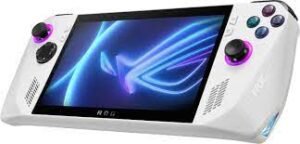
Why RepairZone is Recommended for Asus ROG Ally Repair in Dubai
Choosing the right repair centre for your Asus ROG Ally is just as important as the repair itself. Modern handheld gaming PCs combine high-performance hardware with advanced Windows software, making accurate diagnosis essential. Replacing the wrong component not only increases repair costs but may also fail to resolve the original issue.
Our technicians carefully inspect every device using professional diagnostic equipment to determine whether the fault lies with the display assembly, battery, motherboard, charging circuit, SSD, cooling system, firmware, Windows installation, or another internal component. This systematic approach ensures you only pay for the repairs your device actually needs.
Unlike general electronics repair shops, RepairZone understands the unique design of the Asus ROG Ally, including its AMD Ryzen architecture, Armoury Crate SE software, USB4 connectivity, high-refresh-rate display, cooling system, and NVMe storage. This specialist knowledge allows us to provide reliable repairs while maintaining the console’s gaming performance.
️ Common Asus ROG Ally Problems We Repair
The Asus ROG Ally is one of the most powerful handheld gaming PCs available, but like any advanced electronic device, it can develop hardware and software faults over time. Some problems occur because of accidental damage, while others result from everyday wear, overheating, firmware corruption, or Windows-related issues.
Our technicians regularly repair devices experiencing:
- Cracked or broken LCD screens
- Touchscreen not responding
- Joystick drift and inaccurate controls
- Battery draining quickly
- Device not charging via USB-C
- Loose or damaged charging port
- Overheating and thermal throttling
- Noisy or faulty cooling fan
- Windows boot loops
- Blue Screen (BSOD) errors
- Black screen after startup
- AMD graphics driver crashes
- BIOS update failures
- Armoury Crate SE not launching
- SSD upgrade and storage expansion
- MicroSD card reader not detecting cards
- Wi-Fi and Bluetooth connectivity issues
- Motherboard faults and power failures
- Liquid and water damage recovery
- Data recovery and Windows reinstallation
Whether your Asus ROG Ally has a single faulty component or multiple hardware and software issues, our engineers can identify the root cause and restore your handheld gaming system to peak performance.
Asus ROG Ally Repair Services We Offer in Dubai
️ Asus ROG Ally Screen Replacement Dubai

A damaged display is one of the most common reasons customers visit RepairZone for Asus ROG Ally Screen Replacement Dubai. Whether your handheld has been accidentally dropped, knocked off a desk, or damaged during travel, our technicians can restore your device with a premium OEM-quality display assembly that delivers the same vibrant colours, smooth refresh rate, and responsive touch experience you expect.
The Asus ROG Ally features a stunning 7-inch Full HD IPS touchscreen with a 120Hz refresh rate and FreeSync Premium support. This high-performance display provides incredibly smooth gameplay, making it one of the console’s biggest selling points. Unfortunately, it is also one of the most vulnerable components. Even a minor impact can crack the front glass, damage the LCD, affect touch sensitivity, or create internal display faults that worsen over time.
Many users continue gaming with a cracked screen, believing it is only cosmetic damage. However, cracked glass often allows dust and moisture to enter the display assembly, eventually damaging the LCD panel and touchscreen digitizer. Early replacement helps prevent additional repairs and keeps costs lower.
Common symptoms requiring screen replacement include:
- Cracked or shattered front glass
- Black screen with power still on
- Vertical or horizontal coloured lines
- Flickering display while gaming
- Dead pixels or bright white spots
- Ghost touch or inaccurate touch response
- Display only partially visible
- No image although sound is working
- Touchscreen not responding after impact
- Screen separating from the frame
Every screen replacement begins with a complete diagnostic inspection. Our engineers first verify whether the issue is limited to the display assembly or whether the motherboard, display connector, graphics circuitry, or internal ribbon cable has also been affected. This ensures customers never pay for unnecessary parts.
We replace damaged display assemblies using carefully selected OEM-quality components that preserve the console’s original brightness, colour accuracy, viewing angles, and smooth 120Hz refresh rate. Once installation is complete, the touchscreen is calibrated and thoroughly tested to ensure flawless gaming performance.
After replacement, every device undergoes extensive quality checks including:
- Touch responsiveness testing
- Brightness verification
- Dead pixel inspection
- Colour accuracy testing
- 120Hz refresh rate validation
- Gaming performance testing
- Charging verification
- Button and joystick functionality
Most Asus ROG Ally screen replacements are completed within 1–2 business days and are backed by our comprehensive warranty for complete peace of mind.
Asus ROG Ally LCD & Touchscreen Repair Dubai
Not every display problem requires a complete screen replacement. Some issues originate from damaged display connectors, loose ribbon cables, faulty touchscreen digitizers, Windows display drivers, or internal motherboard components. Our experienced technicians perform advanced diagnostics to identify the exact cause before recommending a repair.
If your ROG Ally powers on but the display remains black, flickers intermittently, freezes during gameplay, or shows distorted graphics, the fault may lie elsewhere within the device. Similarly, touchscreen problems such as delayed response, random touches, or areas that no longer register input can sometimes be repaired without replacing the entire assembly.
We frequently resolve display-related issues including:
- Touchscreen calibration problems
- Ghost touch while gaming
- Partial touchscreen failure
- Display ribbon cable damage
- Loose internal display connectors
- Display flickering during gameplay
- Blank screen after Windows updates
- Graphics output issues caused by AMD drivers
- LCD backlight failure
- Internal display pressure damage
Because the Asus ROG Ally runs Windows 11, software corruption can sometimes mimic hardware failure. Outdated graphics drivers, failed Windows updates, BIOS corruption, or Armoury Crate software conflicts may result in a black screen or display instability even though the LCD itself is perfectly functional. Our technicians diagnose both the hardware and software to avoid unnecessary screen replacements.
Where possible, we repair only the affected component rather than replacing the complete display assembly. This approach helps reduce repair costs while maintaining the original factory-installed parts.
Following every LCD or touchscreen repair, we perform extensive functional testing including:
- Multi-touch accuracy testing
- Gaming stress tests
- Brightness consistency checks
- Refresh rate validation
- Graphics driver verification
- External display output testing via USB-C
- Touch latency testing
If a complete replacement is required, we always discuss the available repair options and provide a transparent quotation before any work begins.
Our goal is simple: restore your Asus ROG Ally display to factory-level performance so you can enjoy smooth, responsive gaming without interruptions, visual defects, or touchscreen issues.
Asus ROG Ally Battery Replacement Dubai
Over time, every rechargeable battery gradually loses its ability to hold a full charge. If your handheld gaming sessions have become noticeably shorter, your device shuts down unexpectedly, or the battery percentage drops rapidly, it may be time for a professional Asus ROG Ally Battery Replacement in Dubai.
The Asus ROG Ally is powered by a high-capacity lithium-ion battery designed to deliver several hours of gaming depending on the selected power mode, display brightness, and game requirements. After hundreds of charging cycles, battery performance naturally declines, resulting in reduced runtime and slower charging speeds.
Common battery-related symptoms include:
- Battery drains unusually fast
- Device switches off even with battery remaining
- Battery percentage fluctuates unexpectedly
- Battery not charging beyond a certain percentage
- Console only works while connected to the charger
- Battery swelling or rear cover lifting
- Overheating while charging
- Slow charging despite using the original charger
Before recommending battery replacement, our technicians perform a complete diagnostic inspection to determine whether the problem is caused by the battery itself, the charging port, charging IC, motherboard, Windows power management, or software settings.
Where battery replacement is required, we install a premium OEM-quality replacement battery that restores reliable battery life, safe charging, and stable gaming performance. After installation, every battery is calibrated and tested through multiple charging and discharge cycles to ensure optimal operation.
Our battery replacement service includes:
- Complete battery health diagnosis
- Safe removal of the original battery
- Installation of OEM-quality replacement battery
- Charging circuit inspection
- Power management testing
- Battery calibration
- Performance testing under gaming load
Most Asus ROG Ally battery replacements are completed within one business day and include our repair warranty for complete peace of mind.
Asus ROG Ally Charging Port Repair Dubai
If your Asus ROG Ally only charges when the cable is held at a certain angle, disconnects repeatedly, or refuses to charge altogether, the USB-C charging port may be damaged. Since the USB-C connector handles charging, data transfer, and external display output, even minor damage can significantly affect the device.
Charging port damage commonly occurs because of:
- Frequent plugging and unplugging
- Using damaged charging cables
- Accidental drops while charging
- Dust or debris inside the USB-C connector
- Liquid exposure
- Bent or broken connector pins
Common symptoms include:
- Device not charging
- Charging repeatedly connects and disconnects
- Loose charging cable
- Slow charging
- USB accessories not detected
- External monitor not working
- Battery charging only intermittently
Our engineers first inspect the charging port using precision magnification equipment to determine whether cleaning, soldering, or complete connector replacement is required. If the charging circuit or motherboard has also been affected, we perform board-level diagnostics before recommending repairs.
Every charging port repair includes complete testing of:
- USB-C charging
- Fast charging compatibility
- Data transfer
- External display output
- Dock compatibility
- Power delivery stability
Using professional micro-soldering equipment, we restore reliable charging while protecting the motherboard from further damage.
Asus ROG Ally USB-C Port & Dock Repair Dubai
Unlike traditional gaming consoles, the Asus ROG Ally relies on its USB-C port for much more than charging. The same connector is responsible for high-speed data transfer, external monitor support, docking stations, USB accessories, Ethernet adapters, storage devices, and XG Mobile connectivity. When this port develops a fault, multiple functions can stop working simultaneously.
If your ROG Ally no longer detects a dock, external display, keyboard, mouse, SSD, or USB hub, our technicians can identify whether the issue is caused by the USB-C connector, firmware, Windows drivers, motherboard circuitry, or accessory compatibility.
We regularly repair issues including:
- Dock not detecting external monitor
- USB devices disconnecting randomly
- HDMI output not working through dock
- Keyboard and mouse not recognised
- Charging while docked not functioning
- USB-C accessories failing to connect
- Display output flickering
- Power Delivery negotiation failures
Our repair process includes testing with multiple docks, USB-C devices, monitors, and charging adapters to accurately identify the source of the problem. We also verify BIOS settings, Windows drivers, and firmware updates to ensure reliable compatibility after the repair.
Following completion, we test:
- Charging performance
- USB data transfer
- External monitor support
- Dock compatibility
- Gaming performance while docked
- USB-C stability under heavy load
Whether you use your Asus ROG Ally as a portable gaming handheld or as a desktop gaming PC through a docking station, our technicians ensure every USB-C function operates reliably before returning your device.

️ Asus ROG Ally Joystick Drift Repair Dubai
Joystick drift is one of the most frustrating problems for Asus ROG Ally owners. If your character moves without touching the controls, the camera rotates unexpectedly, menus scroll on their own, or aiming becomes inaccurate, your analog stick module may have developed drift or calibration issues.
Because the ROG Ally is designed for competitive and precision gaming, even minor joystick inaccuracies can significantly affect gameplay. Racing games, FPS titles, sports games, and platformers all rely on precise analog movement, making joystick drift impossible to ignore.
Common joystick problems include:
- Character moving without touching the joystick
- Camera drifting automatically
- Inconsistent movement sensitivity
- Joystick not returning to the centre position
- Dead zones during gameplay
- Loose or physically damaged thumbsticks
- Random movement after accidental drops
- Joystick calibration errors
Our technicians first perform complete controller diagnostics to determine whether the issue is caused by software calibration, Armoury Crate settings, Windows drivers, or physical wear inside the analog module.
If calibration cannot resolve the problem, we replace the defective joystick assembly using high-quality precision replacement modules that restore smooth and accurate movement.
Following replacement we perform:
- Joystick calibration
- Dead-zone testing
- 360° movement testing
- Gaming performance validation
- Armoury Crate controller verification
- Button response testing
Every joystick repair is fully tested before delivery, ensuring accurate control in every game.
Asus ROG Ally Button, Trigger & Bumper Repair Dubai
Sticky buttons, broken triggers, unresponsive bumpers, or worn controller switches can make your favourite games difficult or even impossible to play. Whether the issue affects face buttons, shoulder buttons, triggers, or rear controls, RepairZone provides professional repair services for every physical input component on the Asus ROG Ally.
Physical buttons can fail because of accidental impact, prolonged gaming sessions, dust accumulation, liquid damage, or normal wear after thousands of button presses.
We regularly repair:
- A, B, X & Y buttons
- D-Pad problems
- LB & RB bumper buttons
- LT & RT trigger assemblies
- Rear macro buttons
- Sticky buttons
- Buttons requiring excessive pressure
- Buttons registering double inputs
- Broken trigger springs
- Physical button damage after drops
Our engineers carefully disassemble the handheld, inspect every switch, membrane and mechanical component, replacing only the damaged parts where possible. After reassembly we test every control individually to ensure consistent response during gaming.
Asus ROG Ally RGB Joystick Ring Repair Dubai
The RGB lighting surrounding the analog sticks is one of the distinctive design features of the Asus ROG Ally. If the lighting has stopped working, flickers, displays incorrect colours, or fails to synchronise with Armoury Crate SE, our technicians can diagnose both hardware and software causes.
RGB lighting faults may be caused by:
- LED failure
- Ribbon cable damage
- Motherboard connection problems
- Armoury Crate software issues
- Firmware corruption
- Liquid damage
After diagnosis, we repair or replace the affected components and verify proper colour synchronisation, brightness control, and software functionality before returning your device.
Asus ROG Ally SD Card Reader Repair Dubai
The microSD card reader is one of the most discussed hardware issues affecting certain Asus ROG Ally models. Some users experience memory cards disconnecting during gameplay, cards not being detected, slow transfer speeds, read/write errors, or complete SD card reader failure.
Whether the issue is caused by heat, hardware failure, damaged contacts, or motherboard-related faults, our technicians can diagnose the exact cause and recommend the most suitable repair.
Common SD card reader problems include:
- MicroSD card not detected
- Card disconnects during gaming
- Read or write errors
- Corrupted files
- Games installed on SD card failing to launch
- Extremely slow transfer speeds
- Card recognised on another device but not on the ROG Ally
Our repair process includes:
- Reader hardware inspection
- Motherboard diagnostics
- Connector testing
- Windows storage diagnostics
- Firmware verification
- Driver troubleshooting
- Replacement of faulty SD card reader where required
Following repair, we test multiple memory cards of different capacities and speeds to verify reliable operation before returning the console.
Asus ROG Ally Controller Calibration & Input Diagnostics Dubai
Not every controller issue requires replacement parts. Many problems originate from incorrect calibration, outdated firmware, Windows controller settings, or Armoury Crate SE configuration.
Our engineers perform a comprehensive controller health assessment before replacing any components. This includes analysing joystick movement, trigger sensitivity, button response, vibration motors, controller firmware, and Windows input recognition.
Our diagnostic process can identify:
- Controller calibration errors
- Dead-zone configuration issues
- Trigger sensitivity problems
- Armoury Crate controller profile conflicts
- Windows input driver faults
- Firmware inconsistencies
- Software-related controller behaviour
Where possible, we restore controller functionality through calibration and software optimisation rather than unnecessary hardware replacement. This saves repair costs while preserving the original factory-installed components.
Once complete, every controller is tested across multiple games to ensure smooth movement, accurate trigger response, responsive buttons, and reliable operation during extended gaming sessions.
Asus ROG Ally SSD Upgrade Dubai (Up to 2TB NVMe)
Modern AAA games continue to grow in size, with many titles requiring over 100GB of storage. While the Asus ROG Ally delivers exceptional gaming performance, its factory-installed SSD can quickly fill up after installing just a handful of games. If you’re constantly deleting games to free up space or running low on storage, an Asus ROG Ally SSD Upgrade in Dubai is one of the most worthwhile performance improvements you can make.
At RepairZone, we provide professional SSD upgrade services for both the original Asus ROG Ally (RC71L) and the Asus ROG Ally X (RC72LA). We upgrade compatible NVMe SSDs to larger capacities including 1TB and 2TB, giving you significantly more room for games, applications, media files, and Windows updates without compromising performance.
An SSD upgrade provides several advantages:
- Store more AAA games without constantly uninstalling titles
- Faster game loading times
- Improved Windows responsiveness
- Quicker system boot times
- Additional space for future game installations
- Better multitasking performance
- Reduced storage management
Before every upgrade, our technicians verify SSD compatibility, BIOS recognition, storage health, and Windows configuration to ensure maximum reliability. We also perform thermal inspections to ensure the upgraded drive operates within safe temperatures during extended gaming sessions.
Whether you primarily use Steam, Xbox Game Pass, Epic Games Launcher, GOG, EA App, or Ubisoft Connect, a larger SSD provides the storage flexibility needed for an expanding gaming library.
Asus ROG Ally SSD Cloning & Data Migration Dubai
One of the biggest concerns customers have when upgrading their SSD is losing their games, saved progress, applications, or personal files. At RepairZone, we offer professional SSD cloning and data migration services that transfer your existing Windows installation directly to the new drive wherever possible.
Our migration service includes:
- Complete Windows cloning
- Steam library migration
- Game Pass game preservation where supported
- Personal file backup
- User profile migration
- Application transfer
- Driver verification
- Boot configuration testing
If cloning is not possible because the existing SSD has failed or contains corrupted data, we perform a clean Windows installation followed by ASUS drivers, Armoury Crate SE installation, Windows optimisation, and software configuration. Where possible, we also recover important personal files before replacing the drive.
Every upgraded SSD undergoes comprehensive testing including:
- Storage health verification
- Read and write performance testing
- Windows stability checks
- Game installation testing
- Boot speed verification
- Temperature monitoring under gaming load
Our goal is to ensure your upgraded ROG Ally is ready for gaming immediately after collection, with minimal disruption to your existing setup.
Asus ROG Ally Motherboard Repair Dubai
The motherboard is the heart of every Asus ROG Ally. It connects the processor, graphics subsystem, memory, storage, charging circuitry, display, cooling system, and all controller inputs into a single high-performance gaming platform. When motherboard faults develop, symptoms can appear in many different ways, often making professional diagnosis essential.
Unlike repair centres that immediately recommend complete motherboard replacement, RepairZone specialises in board-level diagnostics and component-level repair wherever practical. In many cases, repairing the faulty circuit is significantly more affordable than replacing the entire motherboard.
Common motherboard-related problems include:
- ROG Ally not turning on
- No charging despite a working charger
- Random shutdowns during gaming
- Black screen with power indicator illuminated
- No display output
- USB-C power failures
- Charging IC faults
- Short circuits
- Liquid damage corrosion
- Power management failures
- Graphics output issues
- SSD not detected
- Wi-Fi or Bluetooth hardware failures
Every motherboard repair begins with a detailed diagnostic procedure using professional testing equipment. Our technicians inspect voltage rails, charging circuits, USB-C controllers, onboard components, connectors, integrated circuits, and power delivery systems before identifying the root cause of the failure.
Where possible we perform:
- Component-level motherboard repair
- Micro-soldering
- Charging IC replacement
- Power circuit repair
- Connector replacement
- Damaged component replacement
- Corrosion removal after liquid damage
- Circuit continuity testing
Only when a motherboard is beyond economical repair do we recommend replacement. Our priority is always to provide the most cost-effective solution while maintaining long-term reliability.
⚡ Asus ROG Ally Not Turning On Repair Dubai
If your Asus ROG Ally refuses to power on, shows no charging indicator, or appears completely dead, don’t assume the motherboard has failed. Several different faults can produce similar symptoms, including battery failure, charging circuit problems, BIOS corruption, SSD issues, damaged power buttons, or internal motherboard faults.
Our technicians systematically diagnose every no-power condition rather than replacing parts through trial and error.
We regularly repair devices experiencing:
- No power
- No charging LED
- Power button not responding
- Device turns on briefly then switches off
- ROG Ally stuck on ASUS logo
- Black screen after startup
- Continuous restart loop
- No response after battery replacement
Following diagnosis, we explain the exact cause of the failure, provide a transparent quotation, and only begin repairs once approved by the customer. Every repaired motherboard is stress-tested under gaming conditions to verify long-term stability before being returned.
Whether the fault involves the charging circuit, motherboard, storage device, firmware, or another internal component, RepairZone has the expertise and equipment to restore your Asus ROG Ally safely and professionally.
Asus ROG Ally Water Damage Repair Dubai
Accidentally spilled water, coffee, soft drinks, or any other liquid on your Asus ROG Ally? Don’t panic—but act quickly. Liquid damage is one of the most time-sensitive repairs because corrosion begins forming on internal electronic components within hours of exposure. The sooner your device is professionally inspected, the greater the chance of a successful repair.
Many customers assume their device is safe if it continues to switch on after liquid exposure. Unfortunately, moisture trapped inside the console can continue damaging the motherboard, charging circuit, SSD, display connectors, cooling system, and other delicate components long after the spill occurs.
Common signs of liquid damage include:
- Device not turning on after liquid exposure
- Charging problems
- Random shutdowns
- Screen flickering
- Joystick or button malfunction
- No audio output
- USB-C charging failure
- Overheating after a spill
- Corrosion around charging port
- Intermittent hardware faults
Our water damage recovery process includes:
- Complete device disassembly
- Internal moisture inspection
- Professional ultrasonic cleaning
- Corrosion removal
- Motherboard diagnostics
- Component-level repair where possible
- Replacement of permanently damaged components
- Full functional testing after repair
The sooner your device reaches RepairZone, the higher the probability of recovering both the hardware and your personal data.
️ Asus ROG Ally Liquid Metal Cooling Service Dubai
Unlike many handheld gaming devices that use conventional thermal paste, the Asus ROG Ally uses liquid metal as its primary thermal interface material between the processor and cooling system. This advanced solution provides excellent heat transfer but requires specialist knowledge when servicing.
Improper handling of liquid metal can cause serious motherboard damage because it is electrically conductive. For this reason, liquid metal servicing should only be performed by experienced technicians using appropriate tools and safety procedures.
Our liquid metal service includes:
- Cooling system disassembly
- Inspection of liquid metal coverage
- Safe removal of degraded material where required
- Application of fresh premium thermal interface material
- Cooling system inspection
- Heat sink cleaning
- Thermal performance testing
- Gaming stress testing
This service is particularly beneficial for devices experiencing rising temperatures, thermal throttling, excessive fan noise, or reduced gaming performance after prolonged use.
Asus ROG Ally Cooling Fan Replacement Dubai
The cooling fan is essential for maintaining stable gaming performance. During demanding games, the AMD Ryzen processor generates considerable heat that must be efficiently removed to prevent performance loss and hardware damage.
If the fan becomes noisy, stops spinning correctly, or accumulates excessive dust, cooling efficiency decreases significantly.
Common cooling fan symptoms include:
- Loud fan noise
- Grinding sounds
- Fan not spinning
- High temperatures during gaming
- Random performance drops
- Unexpected shutdowns
- Overheating warnings
- Reduced frame rates
Our technicians carefully inspect the complete cooling assembly before recommending replacement. In many cases, professional cleaning restores normal airflow without requiring a new fan.
Where replacement is necessary, we install a compatible high-quality cooling fan and verify:
- Correct fan speed operation
- Temperature stability
- Noise levels
- Airflow efficiency
- Gaming performance under sustained load
Routine cooling maintenance helps extend the lifespan of your Asus ROG Ally while maintaining consistent gaming performance.
Asus ROG Ally Overheating Repair Dubai
Overheating is one of the most common complaints among handheld gaming PC users. During intensive gaming sessions, the processor, graphics subsystem, storage, and charging circuitry all generate heat simultaneously. If this heat is not effectively dissipated, the device may reduce performance or shut down to protect internal components.
Common causes of overheating include:
- Dust accumulation inside the cooling system
- Blocked ventilation openings
- Cooling fan failure
- Degraded liquid metal or thermal interface material
- High ambient temperatures
- Background Windows processes consuming resources
- Heavy gaming workloads for extended periods
Typical overheating symptoms include:
- Very hot rear casing
- Loud cooling fan
- Frame rate drops
- Games freezing unexpectedly
- Automatic shutdowns
- High CPU and GPU temperatures
- Performance slowing after extended gaming
Rather than simply cleaning the console, RepairZone performs a complete thermal inspection to identify the underlying cause. We verify fan performance, inspect the cooling assembly, examine internal airflow, check thermal interface condition, and test system temperatures under realistic gaming loads.
Once repairs are complete, every console undergoes stress testing to ensure temperatures remain within safe operating limits during extended gaming sessions.
Asus ROG Ally Thermal Throttling Repair Dubai
Thermal throttling occurs when the processor automatically reduces its operating speed to protect itself from excessive heat. Although this safety feature prevents hardware damage, it also causes noticeable reductions in gaming performance.
Players commonly notice:
- Sudden FPS drops
- Games becoming sluggish after 20–30 minutes
- Long loading times
- Stuttering gameplay
- Reduced processor performance
- Inconsistent frame rates
Our engineers diagnose thermal throttling using professional monitoring software while simultaneously inspecting the hardware cooling system. This combined approach allows us to determine whether the problem originates from cooling hardware, firmware, Windows configuration, driver conflicts, or excessive background activity.
Following repair, we optimise thermal performance by:
- Cleaning the cooling system
- Servicing the thermal interface
- Updating BIOS and firmware where appropriate
- Optimising Windows power settings
- Testing sustained gaming performance
- Verifying long-term thermal stability
Our objective is not simply to reduce temperatures but to restore stable gaming performance, allowing your Asus ROG Ally to deliver smooth gameplay throughout extended gaming sessions without unnecessary slowdowns or overheating.
Asus ROG Ally Windows Repair & Windows 11 Reinstallation Dubai
Unlike traditional gaming consoles, the Asus ROG Ally runs a full version of Windows 11, giving you access to Steam, Xbox Game Pass, Epic Games Launcher, EA App, Ubisoft Connect, Battle.net, and thousands of PC games. While this flexibility is one of its biggest strengths, it also means software corruption, failed Windows updates, damaged system files, or driver conflicts can affect overall stability.
If your ROG Ally has become slow, freezes frequently, crashes during gaming, or refuses to boot correctly, our technicians provide complete Windows repair services to restore your handheld gaming PC.
Our Windows repair service includes:
- Windows 11 troubleshooting
- Operating system repair
- Clean Windows installation
- Windows optimisation for gaming
- Driver installation
- Data backup where possible
- Performance tuning
- System stability testing
Where possible, we preserve your personal files, saved games, and documents before reinstalling Windows.
Asus ROG Ally Boot Loop & Startup Repair Dubai
Does your Asus ROG Ally continuously restart, remain stuck on the ASUS logo, or fail to load Windows? Boot loop problems may be caused by corrupted Windows files, failed BIOS updates, SSD issues, damaged boot records, or motherboard faults.
Common startup issues include:
- Stuck on ASUS logo
- Continuous restart loop
- Windows recovery screen
- Automatic repair failure
- Device freezing during startup
- Black screen after boot logo
- Windows loading indefinitely
Our engineers diagnose both software and hardware before recommending repairs, ensuring the underlying cause is correctly identified rather than simply reinstalling Windows.
⬛ Asus ROG Ally Black Screen & BSOD Repair Dubai
A black screen or Blue Screen of Death (BSOD) can occur for several reasons, including graphics driver conflicts, Windows corruption, faulty SSDs, BIOS problems, memory errors, or motherboard failures.
Whether your screen remains black after powering on, displays BSOD errors during gaming, or crashes while launching applications, RepairZone performs comprehensive diagnostics to isolate the exact fault.
Typical symptoms include:
- Black screen after startup
- Blue Screen of Death (BSOD)
- Random crashes during gameplay
- System freezing
- Display turns black while gaming
- Automatic reboot after crash
Following repair, we perform extensive stability testing to ensure your ROG Ally operates reliably under heavy gaming workloads.
Asus ROG Ally BIOS Recovery & Firmware Repair Dubai
The BIOS controls the communication between your hardware and Windows. If a BIOS update fails or firmware becomes corrupted, your ROG Ally may refuse to boot, continuously restart, or fail to recognise hardware correctly.
RepairZone provides professional BIOS recovery services including:
- BIOS corruption recovery
- Firmware restoration
- BIOS re-flashing
- Failed BIOS update recovery
- Hardware detection troubleshooting
- Startup diagnostics
Our technicians use professional tools to safely recover BIOS functionality while minimising the risk of data loss.
☁️ Asus ROG Ally Cloud Recovery & Factory Reset Dubai
If your operating system is severely corrupted or Windows can no longer be repaired, ASUS Cloud Recovery provides a reliable method of restoring your handheld to factory condition.
Before performing recovery, we:
- Attempt data backup
- Recover personal documents where possible
- Verify SSD health
- Check hardware stability
- Update firmware after installation
- Install all ASUS drivers
- Configure Armoury Crate SE
Following Cloud Recovery, your ROG Ally is fully updated, tested, and ready for gaming.
⚙️ Asus ROG Ally Armoury Crate SE Repair Dubai
Armoury Crate SE is the control centre of the Asus ROG Ally, allowing users to manage performance modes, controller profiles, RGB lighting, game libraries, and hardware settings.
If Armoury Crate fails to launch, crashes repeatedly, cannot detect installed games, or no longer switches between controller modes, our technicians diagnose both the software and its supporting services.
We repair issues including:
- Armoury Crate not opening
- Game library missing
- Performance modes not changing
- Controller profile issues
- RGB lighting not synchronising
- Software update failures
- Corrupted Armoury Crate installation
After repair, we verify all gaming features operate correctly before returning your device.
Asus ROG Ally AMD Graphics Driver Repair Dubai
The Asus ROG Ally relies on AMD Radeon graphics drivers to deliver smooth gaming performance. Corrupted, outdated, or incompatible drivers can cause crashes, graphical glitches, reduced frame rates, or games refusing to launch.
Common graphics issues include:
- Game crashes
- Low FPS
- Screen flickering
- Driver timeout errors
- Black screen after graphics update
- Display corruption
- Poor gaming performance
Our engineers install stable driver versions, verify Windows compatibility, and optimise graphics settings for maximum gaming performance.
Asus ROG Ally Wi-Fi & Bluetooth Repair Dubai
Stable wireless connectivity is essential for downloading games, online multiplayer, cloud saves, and wireless accessories.
If your Asus ROG Ally experiences poor Wi-Fi signal, Bluetooth pairing failures, or intermittent disconnections, we diagnose both hardware and software causes.
We repair:
- Wi-Fi not connecting
- Slow wireless speeds
- Bluetooth pairing issues
- Wireless controller connectivity
- Driver problems
- Network adapter faults
- Antenna-related issues
Every repair concludes with comprehensive connectivity testing across multiple wireless devices and networks.
Asus ROG Ally XG Mobile & External GPU Troubleshooting Dubai
The Asus ROG Ally supports ASUS XG Mobile external GPUs, providing desktop-class graphics performance. If your XG Mobile is not detected, disconnects unexpectedly, or fails to initialise correctly, our technicians can diagnose compatibility, firmware, driver, and hardware issues.
We troubleshoot:
- XG Mobile not detected
- External GPU connection failures
- Driver conflicts
- USB4 communication issues
- Performance problems
- Firmware compatibility
Our testing ensures reliable communication between your handheld and external graphics hardware.
Asus ROG Ally Gaming Performance Optimisation Dubai
Not every performance issue requires hardware replacement. Background applications, Windows updates, outdated drivers, storage limitations, and incorrect performance profiles can all reduce gaming performance.
Our optimisation service includes:
- Windows performance tuning
- Storage optimisation
- Driver updates
- Gaming profile configuration
- Power management optimisation
- Startup application management
- Thermal performance verification
- Benchmark testing
Following optimisation, we stress-test the system using demanding games to verify stable temperatures, improved responsiveness, and consistent frame rates, ensuring your Asus ROG Ally delivers the smooth gaming experience it was designed to provide.
How Does Asus ROG Ally Repair Work in Dubai?
We believe every repair should be transparent, hassle-free, and convenient. Whether you’re in Dubai, Abu Dhabi, Sharjah, or anywhere else in the UAE, our repair process is designed to minimise downtime while ensuring every device receives professional attention.
Contact RepairZone Call us or send us a WhatsApp message describing the issue. Whether your Asus ROG Ally has a cracked screen, charging issue, Windows error, joystick drift, or motherboard fault, our technicians will provide initial guidance and help arrange the next step.
Free Pickup or Visit Our Service Centre Choose the option that suits you best. We provide free pickup and delivery throughout Dubai and Abu Dhabi, or you can visit our Sheikh Zayed Road service centre.
Professional Diagnostic Assessment Every device undergoes a detailed hardware and software inspection. We identify the exact cause of the fault and explain the available repair options before starting any work.
Our diagnostics include:
- Hardware inspection
- Motherboard diagnostics
- Battery health testing
- Charging circuit testing
- Display inspection
- SSD health check
- Windows diagnostics
- Cooling system inspection
- Performance benchmarking
Professional Repair Once approved, our experienced technicians carry out the repair using OEM-quality replacement parts and professional equipment. Depending on the repair, this may include micro-soldering, screen replacement, battery replacement, SSD upgrades, BIOS recovery, Windows installation, or motherboard repair.
Quality Assurance Testing Before returning your Asus ROG Ally, we perform comprehensive quality testing including:
- Charging verification
- Gaming stress tests
- Touchscreen testing
- Joystick calibration
- Wi-Fi and Bluetooth testing
- Thermal performance monitoring
- Windows stability testing
- Final cosmetic inspection
Only after passing every quality check is your device returned with our repair warranty.
How Much Does Asus ROG Ally Repair Cost in Dubai?
The repair cost depends on the exact fault, replacement parts required, and whether hardware, software, or motherboard repairs are needed. Following our free diagnosis, we provide a transparent quotation before any repair begins. There are no hidden charges, and you decide whether to proceed.
Prices may vary depending on the model (ROG Ally or ROG Ally X), component availability, and the extent of the damage.
⏱️ How Long Does Asus ROG Ally Repair Take?
Most repairs are completed quickly without compromising quality.
Urgent repairs may be prioritised depending on parts availability and technician workload.
ROG Ally Models We Repair
RepairZone supports every major Asus handheld gaming model, including:
We repair both consumer and imported UAE models.
Book Your Asus ROG Ally Repair in Dubai Today
Whether your Asus ROG Ally has suffered accidental damage, refuses to charge, overheats while gaming, experiences Windows problems, or simply isn’t performing as it should, RepairZone is here to help.
Our experienced technicians combine advanced diagnostic equipment with years of gaming hardware repair experience to deliver reliable, cost-effective repairs backed by professional service and warranty support.
Call or WhatsApp
+971 56 123 1466
Free Pickup & Delivery
Across Dubai & Abu Dhabi
Free Diagnosis
No obligation quotation
Up to 12-Month Warranty
On eligible repairs
Fast Turnaround
Most repairs completed within 1–3 business days
RepairZone Service Centre – Dubai
Sheikh Zayed Road, Trade Centre 1, Dubai, United Arab EmiratesMonday – Saturday: 9:00 AM – 10:00 PM
+971 56 123 1466
support@repairzone.ae
⭐ Why Thousands of Gamers Trust RepairZone
Whether you’re searching for:
- Asus ROG Ally Repair Dubai
- ROG Ally Screen Replacement Dubai
- ROG Ally Battery Replacement
- ROG Ally SSD Upgrade
- ROG Ally Motherboard Repair
- ROG Ally Water Damage Repair
- ROG Ally Windows Repair
- ROG Ally Charging Port Repair
- ROG Ally Joystick Drift Repair
- Gaming Console Repair Dubai
RepairZone provides professional, transparent, and reliable repair services backed by experienced technicians, OEM-quality parts, and outstanding customer support.
We also repair:





❓ Asus ROG Ally Repair Dubai – Frequently Asked Questions
Read More
Where can I repair my Asus ROG Ally in Dubai?
RepairZone is one of Dubai’s trusted specialists for Asus ROG Ally repair. Our service centre is conveniently located on Sheikh Zayed Road, Trade Centre 1, Dubai. We also provide free pickup and delivery throughout Dubai, Abu Dhabi, Sharjah, Ajman and across the UAE, making it easy to get your handheld repaired without visiting our workshop.
Do you repair both the Asus ROG Ally and Asus ROG Ally X?
Yes. We repair both the original Asus ROG Ally (RC71L) and the newer Asus ROG Ally X (RC72LA). Our technicians support all hardware repairs, motherboard repairs, Windows software issues, BIOS recovery, SSD upgrades and water damage repairs for both models.
How much does Asus ROG Ally screen replacement cost in Dubai?
Screen replacement typically ranges from AED 450 to AED 700 depending on the model, availability of replacement parts and whether the LCD assembly or touchscreen also requires replacement. Every repair begins with a free diagnostic assessment before we provide an exact quotation.
How long does Asus ROG Ally repair take?
Most repairs such as battery replacement, joystick repair, charging port repair and screen replacement are completed within 1–3 business days. Software repairs may be completed on the same day, while motherboard repairs generally require 3–5 business days depending on the fault.
Do you offer a warranty on Asus ROG Ally repairs?
Yes. We provide up to a 12-month warranty on eligible repairs covering both replacement parts and workmanship. Warranty terms vary depending on the repair performed.
Can you repair an Asus ROG Ally that won’t turn on?
Yes. We diagnose devices that show no power, remain stuck on the ASUS logo, repeatedly restart or fail to boot into Windows. The issue may involve the battery, motherboard, BIOS, SSD, charging circuit or Windows itself.
Can you fix Asus ROG Ally joystick drift?
Yes. We replace worn analog stick modules, perform controller calibration and fully test the joysticks before returning your device.
Can you repair the SD card reader?
Yes. We repair and replace faulty microSD card readers, diagnose read/write errors, card detection failures and storage-related issues affecting Asus ROG Ally consoles.
Can you upgrade my Asus ROG Ally SSD?
Absolutely. We upgrade compatible devices to larger NVMe SSDs including 1TB and 2TB options. We also clone your existing Windows installation and migrate your data whenever possible.
Do you provide SSD cloning and data migration?
Yes. We transfer Windows, applications, games and personal files to your upgraded SSD where possible, minimising downtime after the upgrade.
Can you repair motherboard problems?
Yes. We specialise in board-level motherboard repair including charging IC replacement, USB-C circuit repair, component-level diagnostics and micro-soldering.
Can you repair water-damaged Asus ROG Ally consoles?
Yes. We provide professional liquid damage recovery using ultrasonic cleaning, corrosion removal and component-level repairs. We recommend bringing the device to us as soon as possible after liquid exposure.
Can you repair the charging port?
Yes. We repair damaged USB-C charging ports, loose connectors, charging circuit faults and Power Delivery communication issues.
Why is my Asus ROG Ally overheating?
Overheating may be caused by dust buildup, cooling fan problems, degraded thermal interface material, blocked airflow or high system load. We diagnose the exact cause and restore proper cooling performance.
Do you replace cooling fans?
Yes. We replace faulty cooling fans, clean internal cooling systems and verify stable temperatures through gaming stress tests.
Can you service the liquid metal cooling system?
Yes. Our technicians safely inspect and service the liquid metal cooling solution used by the Asus ROG Ally using appropriate procedures and professional tools.
Can you fix Windows problems on the Asus ROG Ally?
Yes. We repair Windows boot issues, operating system corruption, startup failures, driver conflicts and software crashes. We also reinstall Windows 11 when required.
Can you recover a failed BIOS update?
Yes. We recover failed BIOS updates, repair firmware corruption and restore startup functionality using professional BIOS recovery procedures.
Do you repair Armoury Crate SE problems?
Yes. We troubleshoot Armoury Crate SE issues including software crashes, missing game libraries, controller profile problems and RGB lighting synchronisation.
Can you fix AMD graphics driver issues?
Yes. We diagnose graphics driver conflicts, game crashes, low FPS, display corruption and performance issues caused by AMD software.
Can you repair Wi-Fi and Bluetooth issues?
Yes. We repair wireless connectivity problems caused by drivers, antennas, Windows settings or hardware failures.
Can you repair XG Mobile connection problems?
Yes. We diagnose XG Mobile detection issues, firmware conflicts, USB4 communication problems and external GPU compatibility.
Will my saved games and personal files be deleted?
Not necessarily. Whenever possible, we back up and preserve your saved games, personal files and Windows data before carrying out repairs or reinstalling the operating system.
Is it worth repairing an Asus ROG Ally?
In most cases, yes. Repairing your Asus ROG Ally is significantly more affordable than replacing it. Most repairs cost only a fraction of the price of purchasing a new handheld gaming PC.
Do you use genuine parts?
We use carefully selected OEM-quality replacement parts that meet high standards for reliability, compatibility and long-term performance.
Do you provide free pickup and delivery?
Yes. We offer free pickup and delivery across Dubai, Abu Dhabi and selected locations throughout the UAE for your convenience.
Read Less