iPad Motherboard Repair Dubai
iPad Motherboard Repair Dubai | Board-Level Microsoldering & Data Recovery
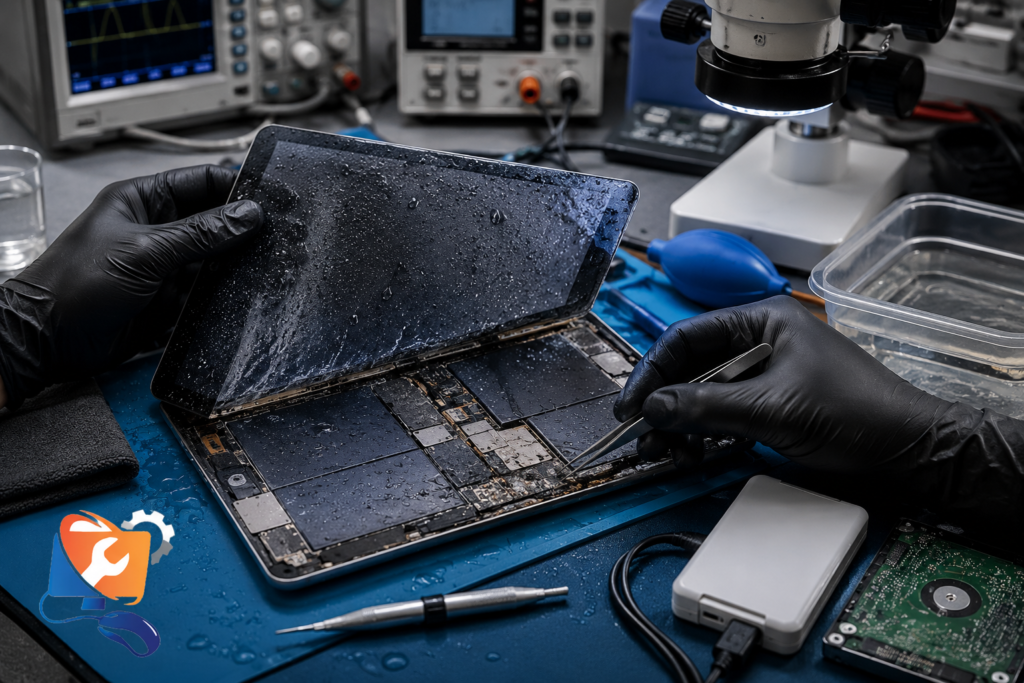
Has your iPad suddenly stopped turning on, become stuck on the Apple logo, or developed a black screen after a drop, liquid damage or charging issue? Professional iPad Motherboard Repair Dubai can often restore the original logic board through advanced board-level microsoldering, helping preserve both your device and your data. Most shops decline this work; it’s the core of what we do.
Call or WhatsApp +971 56 123 1466 for a same-day board-level diagnostic, or book FREE pickup & delivery across Dubai. We tell you honestly whether the board is repairable before you spend anything.
✅ Every iPad Motherboard Repair Dubai job includes free board-level diagnostics, microsoldering by trained technicians, OEM-quality components, a repair warranty, and full testing before your iPad is returned.
iPad Motherboard Repair Dubai – Quick Answer
iPad Motherboard Repair Dubai is board-level repair for iPads that won’t power on, restart randomly, boot loop, show no display, charge but not turn on, or fail after liquid, a drop, or a power surge. The logic board carries the CPU, GPU, and the small chips that run the device — the power management IC (PMIC), charging IC, touch IC, and backlight IC. When one fails, the whole iPad stops working. RepairZone diagnoses the board with a microscope, multimeter, and thermal camera, then repairs it through microsoldering — replacing the faulty IC or repairing broken traces rather than discarding the device. iPad Motherboard Repair Dubai covers every model, from older A-series iPads to the M1, M2, and M4 iPad Pro, starts from AED 350 for a single IC repair, and prioritises data recovery on every job. Same-day diagnostics, OEM-quality parts, free pickup and delivery, and a repair warranty are standard. Because a repaired board keeps your original device and data, it’s almost always better value than a costly replacement — but we confirm repairability first, honestly.
⚠️ What To Do If Your iPad Suddenly Shuts Off or Won’t Turn OnActing correctly now protects the board and your data:
- Power it off if it’s still on or cycling, to prevent a short spreading.
- Disconnect the charger and any accessories immediately.
- Don’t keep charging or force-restarting — repeated power cycling can worsen a board short.
- Keep it dry and cool — no rice, no hair dryer, no heat of any kind.
- Note what happened — a drop, a spill, a bad charger — it speeds up diagnosis.
- Don’t attempt DIY opening — static and heat can destroy a board that was still repairable.
- Get a professional board-level diagnosis — the sooner the fault is found, the better the outcome.
⭐ Why Choose RepairZone for iPad Motherboard Repair in Dubai?
- Board-level specialists — microsoldering and IC replacement are our core work, not an outsourced job
- Free same-day board-level diagnostics & free pickup across Dubai & UAE
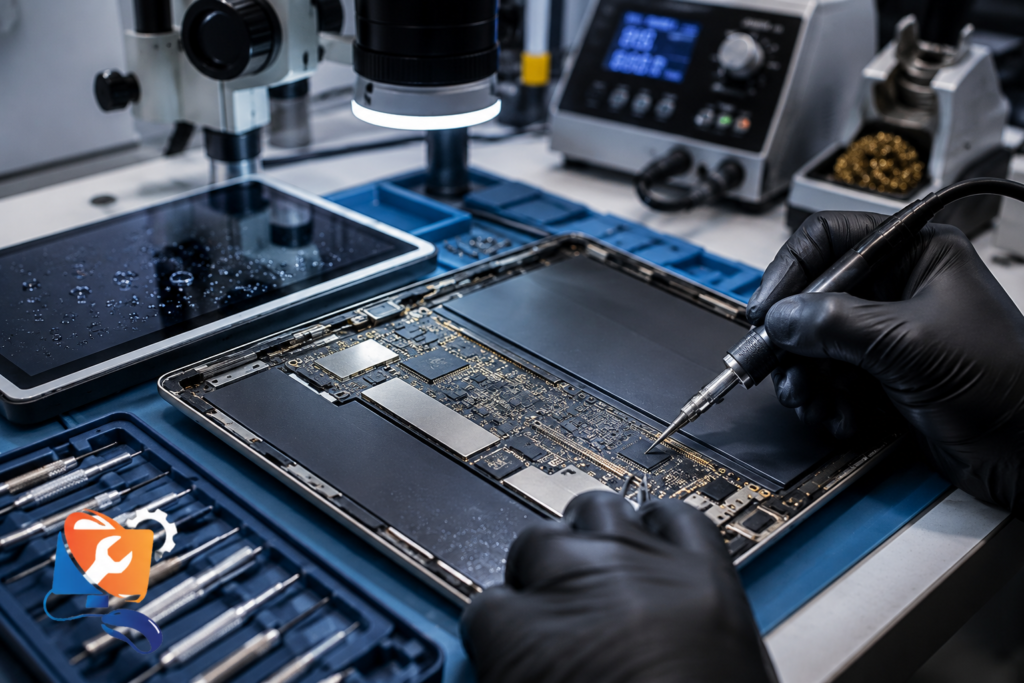
- Professional equipment: soldering microscope, thermal camera, multimeter, and ESD-safe workstation
- Data recovery-first approach — we prioritise saving your files on every board repair
- OEM-quality chips and components — PMIC, charging IC, touch IC, backlight IC
- Honest, transparent diagnostics — we tell you if a board isn’t economically repairable
- Up to a 12-month warranty on the repair; No Fix, No Fee
Repairing Dubai devices since 2014. Not sure the board is the problem? Our iPad Repair Dubai team can diagnose the whole device first.
Signs Your iPad Needs Motherboard Repair
Motherboard faults are easy to mistake for a bad battery or screen. These symptoms point to the logic board, and the likely cause of each:
| Symptom | Likely Cause |
|---|---|
| Won’t turn on at all (no response) | Faulty PMIC, power circuit, or board short |
| Charges but won’t power on | Boot circuit or CPU/GPU rail fault |
| No charging despite a good cable and port | Charging IC failure on the board |
| Boot loop (Apple logo cycling) | Board-level short or firmware/NAND fault |
| Black screen but the iPad is on | Backlight IC or display power fault |
| Touch not responding on a good screen | Touch IC failure |
| Random restarts or sudden shutdowns | Intermittent board short |
| Overheating or battery draining while off | Shorted component drawing current |
| “No battery detected” or won’t hold charge | PMIC or battery circuit fault |
If replacing the battery, screen, or charging port hasn’t fixed the problem, the fault is almost certainly on the motherboard.
Why Motherboard Faults Are Often Misdiagnosed
Board-level faults are the most commonly misdiagnosed problem on an iPad, because their symptoms copy the symptoms of simpler failures. It’s why people — and even some repair shops — spend money in the wrong place:
- They replace the battery when the iPad won’t power on — but a failed PMIC or power circuit, not a tired cell, is the real cause.
- They replace the charging port when it won’t charge — but the charging IC on the board has failed, so a new port changes nothing.
- They replace the screen when the display is black or touch is dead — but a backlight IC or touch IC fault means a perfectly good screen gets swapped for no reason.
Each of those repairs can cost money and still leave the iPad broken, because the actual fault was never on that part. This is exactly why a proper board-level diagnostic matters: we trace the fault to the real component before anything is replaced, so you pay once for the repair that actually works — not three times for guesses.
What Is an iPad Motherboard (Logic Board)?
The motherboard — also called the logic board — is the main printed circuit board (PCB) that runs your iPad. Every major part connects to it: the CPU and GPU that do the processing, the storage (NAND), the battery and charging port, the display, and the cameras. Around those sit the small integrated circuits that manage specific jobs.
When people say “motherboard repair,” they usually mean fixing one of these tiny components rather than the whole board:
- PMIC (Power Management IC): controls how power is distributed — a failed PMIC often means the iPad won’t turn on.
- Charging IC: manages charging from the port to the battery.
- Touch IC: drives the touchscreen digitizer.
- Backlight IC: powers the display’s backlight — a failure gives a black-but-on screen.
- Display & battery connectors, traces, and solder joints that can crack or corrode.
Because these components are soldered directly to the board and are smaller than a grain of rice, replacing them needs microsoldering under a microscope — the specialist skill at the heart of board-level repair.
Can an iPad Motherboard Be Repaired?
Yes — in most cases an iPad motherboard can be repaired rather than replaced. Board-level repair works by diagnosing the exact faulty component and fixing it with microsoldering, instead of discarding the whole logic board. Common repairable faults include a failed power management IC (PMIC), charging IC, touch IC, or backlight IC, along with cracked solder joints and damaged traces. Using a microscope, multimeter, and thermal camera, a technician isolates the fault, then replaces the chip or repairs the trace. Because the original board is kept, data recovery is usually possible — your files stay on the device. Repair isn’t viable only when the CPU or a critical layer of the board is destroyed. A professional diagnostic confirms repairability before any cost is committed.
What Causes iPad Motherboard Failure?
Logic boards fail for a handful of reasons, and knowing the cause helps target the repair:
- Liquid damage: water, coffee, or seawater corrodes the board and shorts components — the most common cause. See iPad Water Damage Repair Dubai.
- Drops and physical impact: a knock can crack solder joints, break traces, or dislodge a chip, even without visible screen damage.
- Power surges & faulty chargers: unstable voltage from a cheap or damaged charger can blow the PMIC or charging IC.
- Charging faults left too long: a failing charging circuit can escalate to a board-level fault.
- Wear and age: years of heat cycling eventually fatigue solder joints and components.
- Manufacturing defects: occasionally a weak joint or component fails early on its own.
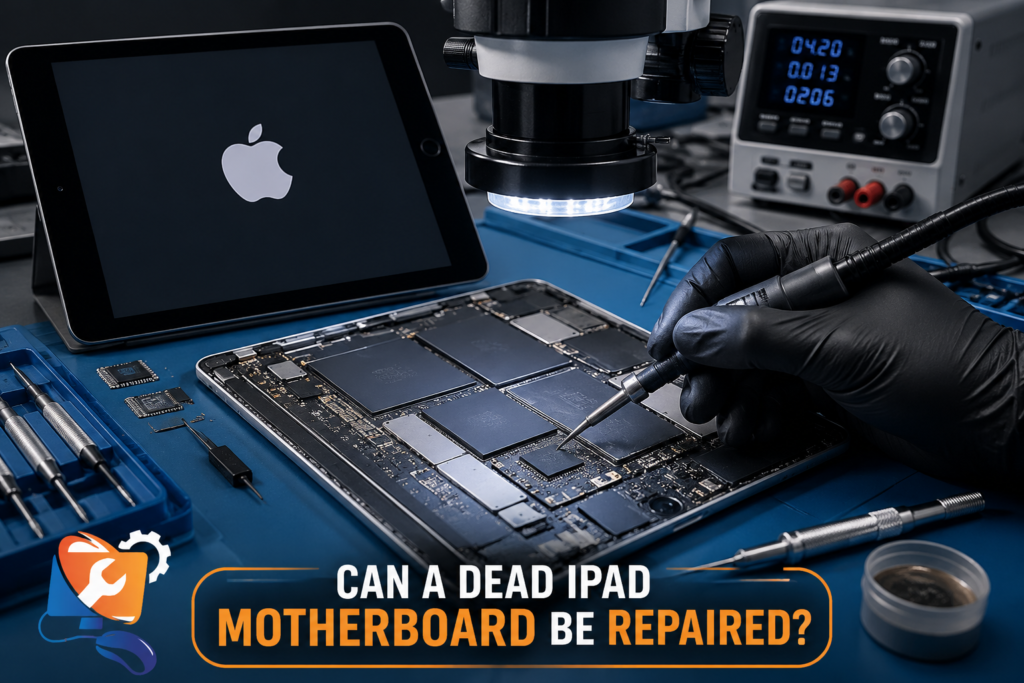
Can a Dead iPad Motherboard Be Repaired?
Yes. Many dead iPads can be repaired through board-level microsoldering if the fault is limited to components such as the PMIC, Charging IC, Touch IC or Backlight IC. Repair is often possible after liquid damage, power surges or accidental drops. Professional diagnostics determine whether the motherboard can be repaired before replacement is considered.
Common iPad Motherboard Problems We Fix
Our technicians handle the full range of board-level faults, including the ones other shops send away:
- iPad won’t turn on — dead board, PMIC, or power-rail fault. If the device is completely unresponsive, start with iPad Not Turning On Repair Dubai.
- Charging but not turning on — boot or CPU/GPU rail issue.
- No charging — charging IC failure on the board (distinct from a worn port — see iPad Charging Port Repair Dubai).
- Boot looping — board short or NAND fault.
- Black screen / no display — backlight IC or display power fault; if the panel itself is damaged, see iPad Screen Replacement Dubai.
- Touch not working — touch IC failure.
- Random restarting & overheating — intermittent short.
- No battery detected / won’t hold charge — PMIC or battery circuit; if the cell itself is the issue, see iPad Battery Replacement Dubai.
Component-Level Repairs We Perform
Most iPad motherboard repairs come down to one failed chip. These are the four we replace most often:
PMIC (Power Management IC) Repair
The PMIC distributes power across the board. A failed PMIC is the most common reason an iPad won’t turn on, won’t charge, or shows “no battery detected.” We diagnose the power rails and replace the PMIC through microsoldering, restoring the device without touching your data.
Charging IC Repair
The charging IC manages current from the port to the battery. When it fails, the iPad won’t charge even with a good cable and a healthy port. We replace the charging IC at board level — often the real fix behind a “not charging” iPad that a new port didn’t solve.
Touch IC Repair
The touch IC drives the digitizer. If touch stops responding on an otherwise good screen — or works erratically — the touch IC is usually the cause. We replace it directly on the board rather than swapping a perfectly good display.
Backlight IC Repair
A failed backlight IC gives you a screen that’s on but completely black (you can see a faint image under a light). We repair the backlight circuit and replace the IC, restoring the display without an unnecessary screen replacement.
Microsoldering & Board-Level Diagnostics
What is microsoldering? Microsoldering is repairing or replacing components smaller than a grain of rice on the logic board, under a microscope. Water damage, drops, and power surges often destroy an individual IC, trace, or solder joint, and microsoldering restores it without replacing the entire board — which is what preserves your device and your data.
Accurate diagnosis comes first, and it relies on proper equipment: a soldering microscope to see the components, a multimeter and oscilloscope to check voltages, signals, and shorts, a thermal camera to spot the chip drawing abnormal current, and an ESD-safe workstation to protect the board from static. We measure the power rails, trace the fault to a specific component, and confirm it before any soldering — so the repair targets the actual cause, not a guess.
iPad Data Recovery from a Damaged Motherboard
For most people the files matter more than the device. Can data be recovered from a dead iPad motherboard? In many cases, yes — as long as the storage (NAND) survived. Because iPad storage is encrypted and paired to the logic board, we recover data by repairing the board enough to power on and back up, rather than pulling the chip.
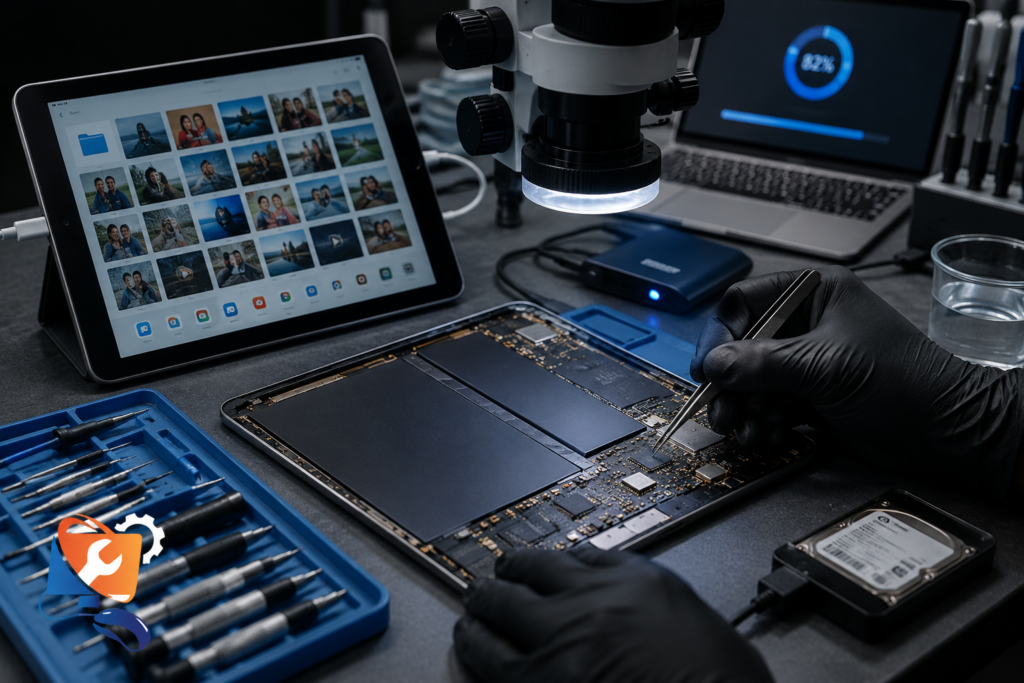
That’s why board-level repair and data recovery go hand in hand: reviving the board is what gets your photos and files back. Tell us at drop-off if data is your priority, and we’ll focus the repair around getting the device stable enough to back up. Data recovery from a damaged board starts from AED 400.
Our iPad Motherboard Repair Process
Board-level repair is precise, staged work — here’s how each iPad is handled:
- 1. Free board-level diagnostic — we open the iPad on an ESD-safe bench and trace the fault with a microscope, multimeter, and thermal camera before quoting.
- 2. Fault isolation — we confirm the exact failed component (PMIC, charging IC, touch IC, backlight IC) or damaged trace.
- 3. Microsoldering repair — the faulty chip is replaced or the trace rebuilt under the microscope.
- 4. Corrosion cleaning — for liquid cases, the board is ultrasonically cleaned to stop further damage.
- 5. Testing — we verify power, charging, display, touch, and stability across a full function check.
- 6. Data check & return — we confirm the device is stable, attempt a data backup, and reseal before returning it.
How Your iPad Motherboard Is Repaired
From dead device to working iPad, here’s the journey:
📥 Device Received
↓
🔍 Board-Level Diagnostics
↓
🎯 Fault Isolated
↓
🔬 Microsoldering Repair
↓
✅ Full Testing
↓
💾 Data Recovery
↓
📦 Return
iPad Motherboard Repair Cost in Dubai
The cost of iPad Motherboard Repair Dubai depends on the model and which component failed — a single IC replacement is far cheaper than a multi-fault board or a full board replacement. Because every board is different, the exact price is set only after the free diagnostic, and you approve it before any work begins. These are starting estimates:
| Repair Type | Estimated Price (AED) | Typical Turnaround |
|---|---|---|
| Board-Level Diagnostic | Free with repair | Same day |
| Single IC repair (PMIC / Charging IC / Touch IC / Backlight IC) | From 350 | 1–2 days |
| Microsoldering / trace & joint repair | From 400 | 1–3 days |
| Complex / multi-fault board repair | From 550 | 2–4 days |
| Full motherboard replacement (where repair isn’t viable) | From 700 (model-dependent) | 2–5 days |
| Data recovery from a damaged board | From 400 | 2–5 days |
Starting price by iPad model:
| iPad Model | Board Repair (from) |
|---|---|
| iPad (standard) & iPad Mini | from AED 350 |
| iPad Air (A14 / A15 / M-series) | from AED 450 |
| iPad Pro (A12X / A12Z / M1) | from AED 550 |
| iPad Pro (M2 / M4) | from AED 650 |
💡 Prices are starting estimates and vary with the model and the number of faults. The board-level diagnostic is free with any repair. Final quote confirmed after diagnosis — no surprises, and No Fix, No Fee.
Final pricing depends on the specific IC or circuit that has failed. A free board-level diagnostic is performed before any repair begins, and no work proceeds without your approval.
RepairZone vs Apple-authorised: Apple doesn’t repair logic boards at component level — the authorised route is a paid whole-unit replacement, which means losing your original device and, usually, its data. Independent board-level repair keeps your iPad and your files, and costs a fraction of a replacement.
Repair or Replace the Motherboard?

Board-level repair is almost always cheaper than replacing the board or the device — and it’s the only route that keeps your data:
| Factor | Component-Level Repair | Buy New / Refurbished iPad |
|---|---|---|
| Cost | From AED 350 (single IC) to ~AED 700 (board) | AED 1,400 to 6,000+ |
| Your data | Preserved / recovered on the original board | Lost unless already backed up |
| Setup | None — same device back | Fresh setup and restore |
| Environmental impact | Low — device reused | High — a fixable iPad discarded |
| Best when | One or a few components failed | The CPU or board is destroyed beyond repair |
Component-level repair vs full board replacement: replacing a single failed IC is far cheaper and keeps your data, so we always attempt component-level repair first. A full motherboard replacement is a last resort — and because a donor board isn’t paired to your storage, it can mean data loss, which is exactly why we avoid it where a repair is possible. A very old iPad with a destroyed CPU may not be worth either, and we’ll tell you plainly.
A note on DIY: board-level repair needs a microscope, hot air, and static protection. Attempting it at home, or fitting a replacement board bought online, usually causes more damage, risks your data, and can void any remaining coverage. It’s the one repair where DIY rarely ends well.
Apple vs RepairZone — Motherboard Repair
For logic-board faults, the difference between Apple and independent repair is stark:
| Factor | Apple / Authorised | RepairZone (Independent) |
|---|---|---|
| Approach | Whole-unit swap — no board-level repair | Component-level microsoldering & IC replacement |
| Your data | Device replaced — data usually lost | Recovered on the original board where possible |
| Cost | High flat replacement fee | Lower, priced to the actual fault |
| Turnaround | Varies; device exchange | Same-day diagnostic, 1–4 day repair |
| Warranty | On the replacement unit | Up to 12 months on the repair |
Apple’s model is replacement, not repair. That’s the right call for some catastrophic failures, but for a single failed IC it means paying replacement prices and losing your data — where board-level repair would have saved both.
iPad Models We Service
We repair logic boards across the full line-up, older A-series and newest M-series:
- iPad (standard): all generations on A-series chips (A10, A12, A13, A14, A16).
- iPad Mini: all generations.
- iPad Air: Air 2 through the latest models (A14, A15, M-series).
- iPad Pro: A12X / A12Z models through the M1 iPad Pro, M2 iPad Pro, and M4 iPad Pro — the densely packed boards that demand the most microsoldering skill.
iPad Pro and Air boards carry more layered, tightly packed components, so their board repair is more intricate and priced accordingly; the diagnostic approach is the same across every model.
Why Customers Trust RepairZone for Board-Level Repair
RepairZone has repaired Apple devices in Dubai since 2014, and board-level work is the most technical service we offer. Our approach is repair-first and honest — we recover the device and its data where it’s realistic, and say so plainly when it isn’t:
- Board-level repair specialists — microsoldering and IC replacement done in-house, not sent away
- Proper diagnostic equipment — soldering microscope, thermal camera, multimeter, ESD-safe workstation
- Data recovery-first — your files are the priority on every board repair
- OEM-quality chips and components for PMIC, charging IC, touch IC, and backlight IC
- Transparent diagnostics and pricing — free diagnostic, quote confirmed before work
- Up to a 12-month warranty on the repair, with realistic success expectations set upfront
- No Fix, No Fee — if we can’t repair the board, you don’t pay for the repair
We never promise a fix we can’t guarantee — some boards are beyond economical repair, and you’ll know that after the diagnostic, before spending anything.
Same-Day Diagnostics, Warranty & Free Pickup
Same-day & urgent: We run same-day board-level diagnostics, with most repairs completed in 1 to 4 days depending on complexity. We prioritise urgent cases for tourists on limited time, and offer corporate and bulk board repair for Dubai businesses running iPad fleets. Mail-in and door-to-door options suit expats and UAE residents outside the city centre.
Warranty & Apple coverage: The repair is backed by up to a 12-month warranty. Note that AppleCare+ covers hardware faults and accidental damage under Apple’s terms (usually as a replacement, and liquid damage only with AppleCare+), so if yours is active that route is worth checking. Independent board-level repair is the better value once coverage has lapsed, and it keeps your original device and data. Your data is handled with strict privacy throughout.
Free pickup & delivery: Door-to-door collection and return is free across Dubai. Book by phone or WhatsApp and choose a time that suits you.
Book Your iPad Motherboard Repair in Dubai Today
A dead iPad isn’t always a lost one — a board-level fault is often a single failed chip away from working again. Book your iPad Motherboard Repair Dubai now for a free board-level diagnostic, microsoldering by trained technicians, OEM-quality components, data recovery, and up to a 12-month warranty. We tell you honestly whether it’s saveable before you spend anything.
- Call or WhatsApp: +971 56 123 1466
- Email: [email protected]
- Visit: Aspin Commercial Tower, 106 Sheikh Zayed Road, Trade Centre 1, Dubai
- Free pickup & delivery anywhere in Dubai — we collect, diagnose, repair, and return.
iPad Motherboard Repair FAQ – Dubai & UAE
Can an iPad motherboard be repaired?
In most cases, yes. Board-level repair fixes the specific faulty component — such as the PMIC, charging IC, touch IC, or backlight IC — through microsoldering, rather than replacing the whole board. Repair isn’t viable only when the CPU or a critical part of the board is destroyed, which the free diagnostic confirms.
Can a logic board be repaired, or does it need replacing?
A logic board can usually be repaired at component level, which is cheaper and keeps your data. Full replacement is a last resort, because a donor board isn’t paired to your storage and can cause data loss. We always attempt repair first.
How much does iPad motherboard repair cost in Dubai?
Single-IC repairs start from AED 350, microsoldering and trace work from AED 400, and complex or multi-fault boards from AED 550. iPad Pro M-series boards sit at the higher end. You get a firm quote after a free diagnostic, and No Fix, No Fee.
How long does iPad motherboard repair take?
Diagnostics are same-day. A single-IC repair typically takes 1 to 2 days, and complex multi-fault boards 2 to 4 days. We confirm the timeline after diagnosis.
Is my data lost during motherboard repair?
No — board-level repair keeps your original storage, so data is preserved in most cases. We take a data-recovery-first approach and prioritise getting the device stable enough to back up. Full board replacement is the only scenario that risks data, which is why we avoid it where repair is possible.
Can you recover data from a dead iPad?
Often, yes — if the NAND storage survived. Because iPad storage is encrypted to the board, we recover data by repairing the board enough to power on and back up, rather than removing the chip. Data recovery starts from AED 400.
Why won’t my iPad turn on even when charging?
This usually points to a board fault — a failed PMIC, a boot-circuit issue, or a CPU/GPU rail problem — rather than the battery. A board-level diagnostic pinpoints the exact cause.
Why does my iPad keep restarting or boot looping?
Random restarts and boot loops typically come from an intermittent board short or a NAND/firmware fault. Microsoldering repair addresses the shorted component directly.
My iPad screen is black but it seems on — is that the motherboard?
Usually the backlight IC on the board. You can often see a faint image under a bright light. We repair the backlight circuit rather than replacing a working screen.
Touch isn’t working but the screen looks fine — what’s wrong?
That’s typically a touch IC failure on the logic board. We replace the touch IC directly instead of swapping the display.
What is microsoldering?
Microsoldering is repairing or replacing components smaller than a grain of rice on the logic board, under a microscope. It’s what allows a single failed chip or trace to be fixed without replacing the entire board.
What tools do you use for board-level repair?
A soldering microscope, thermal camera, multimeter, hot-air and precision soldering stations, and an ESD-safe workstation. Proper equipment is what makes accurate diagnosis and safe repair possible.
What is a PMIC and why does it matter?
The PMIC (power management IC) distributes power across the board. A failed PMIC is the most common reason an iPad won’t power on or charge, and replacing it through microsoldering often revives the device.
Can water damage be repaired at board level?
Yes. Liquid corrosion is treated with ultrasonic cleaning and microsoldering to repair or replace affected components. Speed matters, as corrosion spreads — see our iPad Water Damage Repair Dubai page for detail.
My iPad was dropped and won’t work — can the board be fixed?
Often, yes. A drop can crack solder joints, break traces, or dislodge a chip. We inspect the board under magnification and repair the damage at component level.
Can a power surge or bad charger damage the motherboard?
Yes. Unstable voltage from a faulty or cheap charger can blow the PMIC or charging IC. These are among the most common board repairs we perform.
What’s the success rate of motherboard microsoldering?
It varies by fault and how the device was handled. Many single-IC and trace repairs have a high success rate; boards with a destroyed CPU or extensive damage are lower. We give a realistic assessment after the diagnostic and never guarantee a fix we can’t deliver.
Is it worth repairing an old iPad’s motherboard?
If the iPad still meets your needs and the fault is a repairable component, yes — repair costs a fraction of a new device and saves your data. For a very old iPad with a destroyed CPU, we’ll advise honestly whether it’s worth it.
Should I repair the board or buy a new iPad?
For most single-component faults, repair (from AED 350) is far cheaper than a new iPad (AED 1,400+) and keeps your data. Replacement makes sense only when the board is beyond economical repair.
Do you offer warranty on third-party motherboard repair?
Yes — up to a 12-month warranty on the repair and the parts we fit, covering the work we carried out.
Does Apple repair iPad motherboards?
Apple generally doesn’t repair logic boards at component level — the authorised route is a paid whole-unit replacement, which usually means losing your original device and data.
Does AppleCare+ cover motherboard faults?
AppleCare+ covers hardware faults and accidental damage under Apple’s terms, typically as a replacement rather than a board repair. If it’s active, check that route; if lapsed, independent repair is cheaper and keeps your data.
Is it safe to attempt DIY motherboard repair?
We strongly advise against it. Board-level work needs a microscope, hot air, and static protection. DIY usually causes further damage, risks your data, and can void remaining coverage.
Where can I buy a replacement iPad motherboard or ICs in the UAE?
We source OEM-quality components for repairs in-house. We don’t recommend buying and fitting a board yourself, as a donor board isn’t paired to your storage and fitting risks data loss and further damage — a board-level repair is the safer route.
Do you repair iPad Pro M1, M2, and M4 boards?
Yes. We service the full iPad Pro range, including A12X/A12Z and the M1, M2, and M4 models, whose tightly packed boards require specialist microsoldering.
Do you offer same-day repair for tourists?
We run same-day diagnostics and prioritise urgent cases for visitors on limited time, with fast pickup across Dubai. Repair time then depends on the fault’s complexity.
Do you offer corporate or bulk motherboard repair?
Yes. We handle iPad fleet and bulk board repairs for Dubai businesses, with scheduled collection and volume pricing. Send us your device count and models.
Are there affordable options for students?
We keep board-level pricing accessible for students and offer campus pickup, including Dubai International Academic City. Ask about student rates when you book.
Do you offer mail-in repair for UAE residents outside Dubai?
Yes. Mail-in and door-to-door courier options are available for residents and expats across the UAE, with documented handling throughout.
Can a motherboard fail without visible damage?
Yes. Internal IC failures, cracked solder joints, power surges and manufacturing defects can damage the logic board even when there are no visible signs on the outside of the iPad. Professional board-level diagnostics are required to identify the exact cause.
How do I know if it’s the motherboard and not the battery or screen?
If replacing the battery, screen, or charging port hasn’t fixed the fault — or the iPad won’t power on at all — the cause is likely the board. A free board-level diagnostic confirms it before any repair.
iPad Motherboard Repair Across Dubai – Free Pickup & Delivery
RepairZone provides iPad Motherboard Repair Dubai across all major areas of the city with free pickup & delivery. Wherever you are, we collect your iPad, repair the board, and return it safely.
Major Dubai Areas We Cover
Free Pickup & Delivery Available Across Dubai
| Area 1 | Area 2 | Area 3 |
|---|---|---|
| Dubai Marina | Jumeirah Beach Residence (JBR) | Downtown Dubai |
| Business Bay | Sheikh Zayed Road | Jumeirah 1, 2 & 3 |
| Palm Jumeirah | Jumeirah Lake Towers (JLT) | Al Barsha (1, 2 & South) |
| Al Quoz (Industrial & Residential) | Dubai Silicon Oasis | Dubai Internet City |
| Dubai Media City | Dubai Knowledge Park | Motor City |
| Sports City | Arabian Ranches | Mirdif |
| International City | Al Nahda (Dubai) | Deira |
| Bur Dubai | Karama | Oud Metha |
| Festival City | DIP 1 & 2 | Dubai International Academic City |
✅ Searching for iPad motherboard repair near me? RepairZone offers free pickup and delivery across Dubai, so you don’t need to visit a repair shop. From Dubai Marina and Business Bay to Deira, Bur Dubai, Al Quoz, and Silicon Oasis, our technicians collect your iPad, repair the logic board, and return it safely.
Related iPad Repairs
RepairZone also provides professional iPad repair services for:
- iPad Repair Dubai
- iPad Screen Replacement Dubai
- iPad Battery Replacement Dubai
- iPad Charging Port Repair Dubai
- iPad Water Damage Repair Dubai
- iPad Not Turning On Repair Dubai
EXCELLENT Based on 10 reviews Posted on Google suhael uk21/06/2026Trustindex verifies that the original source of the review is Google. Quick and fast fix for laptop service with home.pick and drop appreciate the supportPosted on Google Zak “ZZR27016” rafique16/06/2026Trustindex verifies that the original source of the review is Google. They fixed my ps5 which had a problem loading certain games now it works fine definitely recommend for console repairsPosted on Google Chris Cain15/06/2026Trustindex verifies that the original source of the review is Google. Excellent and speedy service.Posted on Google shuvendu kumar06/06/2026Trustindex verifies that the original source of the review is Google. My Nintendo Switch was completely dead and wouldn't turn on. RepairZone diagnosed and fixed the issue quickly. Great communication, fair pricing, and excellent service. Highly recommended for Nintendo Switch repairs in Dubai!Posted on Google Fairuz M.A.05/06/2026Trustindex verifies that the original source of the review is Google. Amazing doorstep service! Did a nintendo switch repair. Repair outcome was good. Excellent work. Fairly pricedPosted on Google Djé T.13/05/2026Trustindex verifies that the original source of the review is Google. Amazing service, fast and reliable. Highly recommended.Posted on Google farhan ahmad23/04/2026Trustindex verifies that the original source of the review is Google. Cooperative, kind and very helpingPosted on Google Julian Smyth27/01/2026Trustindex verifies that the original source of the review is Google. Rang them at 1.00pm and they were at my home by 4.00pm. Thorough review of my wi-fi system and corrected it all. Excellent service.Posted on Google Mirza Shoaib13/01/2026Trustindex verifies that the original source of the review is Google. We recently used RepairZone for a professional WiFi installation in Damac Hills 2, and the service was outstanding from start to finish. We have upgraded to a Google Nest WiFi Pro mesh system with 4 nodes for our 4-bedroom villa. The technician carried out a detailed site assessment, positioned each node strategically, and ensured seamless WiFi coverage throughout the villa. Internet speed, stability, and coverage have improved significantly, with zero dead zones. Extremely professional, punctual, and knowledgeable service. I highly recommend RepairZone for anyone looking for premium WiFi setup and support in Damac Hills 2.Posted on Google Haider Butt13/01/2026Trustindex verifies that the original source of the review is Google. Excellent WiFi service in Dubai marina! They installed and optimized our home WiFi perfectly. The technician arrived on time, fixed our weak signal issues, and ensured strong coverage in every room. Highly recommend for anyone looking for reliable WiFi service in Dubai marina