WiFi Optimization Dubai – Speed, Signal & Coverage Improvement
Slow speeds despite a fast internet plan? Buffering during video calls? Weak signal in certain rooms? RepairZone optimises your existing WiFi network across Dubai homes, villas, apartments, and offices — diagnosing the exact cause and fixing it the same day without requiring new hardware in most cases.
⚡ Key Takeaways – WiFi Optimization in Dubai
- What we fix: Slow speeds, buffering video calls, dead zones, frequent disconnections, gaming lag, and weak signal in far rooms — without replacing your router in most cases.
- How we diagnose: Professional signal scanning tools (NetSpot and similar analysers) map your exact coverage, interference sources, and channel congestion — not guesswork.
- Same-day service guaranteed — technicians reach your location within 30–60 minutes across all Dubai areas.
- Pricing starts at AED 199 for apartment WiFi optimisation. Full network audit from AED 500. Cost confirmed before work begins.
- No unnecessary hardware — we prioritise fixing your existing setup before recommending any purchases. Most Dubai WiFi problems are configuration issues, not hardware failures.
📞 Call or WhatsApp us now for a same-day appointment.
Professional WiFi Optimization Services in Dubai
Most WiFi problems in Dubai are not caused by the internet connection itself — they are caused by incorrect router configuration, channel interference from neighbouring networks, poor router placement, or outdated firmware. A technician with the right diagnostic tools identifies the exact cause and fixes it without upgrading your ISP (Internet Service Provider) plan or replacing your router.
RepairZone provides professional network fine-tuning and signal enhancement services across Dubai for villas, apartments, townhouses, and offices. Our technicians use professional signal scanning tools to diagnose your network, identify interference sources, and implement the right fixes — whether that is channel reassignment, router repositioning, smart band management, firmware updates, or access point placement.
Every optimisation is tested and verified with before-and-after speed tests before we leave.
How Do Our Technicians Improve Your WiFi Network?
Our optimisation process follows four clear steps — from initial scan to final verification:
- Scan — We use professional signal scanning tools (NetSpot and similar WiFi analysers) to map your exact coverage, identify dead zones, and detect interference from neighbouring networks operating on the same channels. This takes 15–20 minutes and tells us exactly what is wrong before we touch a single setting.
- Diagnose — Based on the scan data, we identify the specific cause: channel congestion, poor router placement, outdated firmware, DHCP (the service that assigns IP addresses to your devices) conflicts, or missing QoS (Quality of Service — rules that prioritise important traffic over background data) configuration.
- Optimise — We apply the right fixes in the right order: channel reassignment, router repositioning, smart band management, firmware update, traffic prioritisation rules, and security verification.
- Verify — We run speed tests in every room — before and after — so you see the measurable improvement in each location before we sign off.
What Does WiFi Optimization Include?
- Professional Signal Scan — We use NetSpot and professional WiFi signal analysers to map your coverage, identify dead zones, and detect interference from neighbouring networks. Precision diagnostic equipment — not standard consumer apps.
- Channel Optimisation — We identify the least congested 2.4 GHz and 5 GHz channels in your environment and assign your router to non-overlapping channels to reduce interference from neighbouring networks.
- Smart Band Management — We configure your router to automatically direct capable devices to the faster 5 GHz band while keeping IoT (Internet of Things — smart home devices such as cameras, thermostats, and voice assistants) and far-range devices on the longer-range 2.4 GHz band where they perform better.
- Router Repositioning — We assess your property layout and reposition the router to the optimal central location for maximum coverage across all rooms and floors.
- Firmware Update — We update your router firmware to the latest version, resolving known bugs, improving stability, and enabling performance features not available on older firmware.
- Traffic Prioritisation (QoS) — We set up Quality of Service rules to ensure video conferencing, VoIP calls, and gaming get bandwidth priority over background downloads and automatic updates.
- DHCP & DNS Optimisation — We resolve DHCP conflicts (situations where two devices are assigned the same IP address, causing random disconnections) and configure faster DNS servers (the service that translates website names into addresses your device can find) where appropriate.
- Security Verification — We confirm WPA2/WPA3 (modern wireless security standards that prevent unauthorised access) encryption is active, default admin credentials are changed, and guest networks are properly isolated.
- Before & After Speed Testing — We run speed tests in multiple locations across your property before and after optimisation. You see the documented improvement before we leave.
Which Router Brands Does RepairZone Optimise?
Our technicians optimise configuration, firmware, and placement on all major consumer and business router brands available in the UAE.
| Brand | Models Supported | What We Optimise |
|---|---|---|
| TP-Link | Archer series, Deco mesh, Omada business APs | Channel, firmware, QoS, band steering, guest network |
| Netgear | Nighthawk, Orbi mesh, WAX business APs | Channel, firmware, QoS, Orbi backhaul, guest network |
| Asus | RT series, ZenWiFi mesh | Channel, AiMesh configuration, QoS, firmware, AiProtection |
| Linksys | Velop mesh, MR series | Channel, firmware, band steering, guest network |
| Huawei / Honor | Etisalat and du-supplied routers, WiFi Q2 Pro | Channel, firmware, PPPoE settings, band steering |
| Ubiquiti UniFi | UniFi AP series, Dream Machine | Controller config, VLAN, QoS, channel, firmware |
| D-Link | DIR series, COVR mesh | Channel, firmware, QoS, guest network |
| Google / Eero | Nest WiFi Pro, Eero Pro 6E | Node placement, channel, backhaul optimisation, app configuration |
If your router brand is not listed above, contact us — our technicians work with all routers available in UAE retail and supplied by Etisalat (e&) and du.
Which Specific WiFi Problems Can We Fix for You?
| Problem | Most Likely Cause | How We Fix It |
|---|---|---|
| Slow speeds despite fast internet plan | Channel congestion or wrong frequency band | Channel reassignment and smart band management |
| Buffering during video calls | No traffic prioritisation, bandwidth congestion | QoS setup prioritising video conferencing traffic |
| Weak signal in certain rooms | Router placement, walls blocking signal | Router repositioning or additional coverage point |
| Devices dropping WiFi frequently | Outdated firmware, IP address conflicts | Firmware update and DHCP reconfiguration |
| Lag in online gaming | High latency, shared bandwidth | QoS gaming device prioritisation |
| WiFi slow at peak hours | Network congestion, no bandwidth management | Bandwidth management and traffic prioritisation rules |
| Devices connecting to wrong band | No smart band management configured | Smart band management setup on dual-band router |
| Slow website loading despite strong signal | Slow or overloaded DNS server | DNS server replacement with faster alternative |
WiFi Optimisation for Every Dubai Property Type
How Do We Optimise Villa WiFi in Dubai?
Dubai villas — particularly in Arabian Ranches, Dubai Hills, Palm Jumeirah, The Springs, JVC, and Damac Hills — commonly suffer from weak signal on upper floors and in outdoor areas. The cause is almost always a combination of thick reinforced concrete floors and a router positioned too far from the areas that need coverage most.
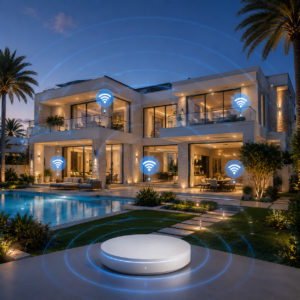
Our villa network fine-tuning approach:
- Signal scan across all floors and outdoor areas to map exact coverage gaps using precision diagnostic tools
- Router repositioning to the optimal central location on the ground or first floor
- Channel optimisation to reduce interference from neighbouring villa networks
- Assessment of whether additional mesh nodes or access points are needed for full coverage
- Speed testing in all rooms and outdoor areas post-optimisation — before and after documented
How Do We Fix Apartment WiFi Problems in Dubai?
High-density apartment buildings in Dubai Marina, JLT, Business Bay, Downtown Dubai, and JVC experience severe WiFi channel congestion. Dozens of neighbouring networks compete on the same 2.4 GHz channels, dramatically reducing signal quality and speeds even when the router is nearby and signal appears strong.

Our apartment signal enhancement approach:
- Full channel scan to identify the least congested channels in your specific building
- Non-overlapping channel assignment on both 2.4 GHz and 5 GHz bands
- Transmission power adjustment calibrated for apartment dimensions
- Smart band management directing capable devices to the less congested 5 GHz band
- Coverage verification in all rooms including far bedrooms and balconies
How Do We Improve Office WiFi Performance in Dubai?
Office WiFi underperforms when a consumer router is handling too many simultaneous connections, when channel congestion from neighbouring offices reduces throughput, or when traffic prioritisation is not configured to protect business-critical applications from background data consumption.
Our office wireless coverage repair approach:
- Device count assessment to confirm existing hardware can support your team size
- Channel optimisation across the full office floor
- Traffic prioritisation (QoS) for Microsoft Teams, Zoom, VoIP, and cloud applications
- Guest network setup or verification that visitor traffic is isolated from internal systems
- Load testing to confirm performance under full device count before sign-off
WiFi Optimisation Across Dubai — Area Guide
Dubai Marina & JLT
Some of the most congested wireless environments in Dubai. High-rise towers with dozens of active networks on every floor make channel congestion the primary cause of slow internet speeds — even when signal appears strong. Our technicians scan all active networks in your building using professional analysers and assign the clearest non-overlapping channel before leaving. Smart band management then directs capable devices to the less congested 5 GHz band for an immediate speed improvement.
Downtown Dubai & Business Bay
Large open-plan luxury apartments typically have good router placement options but suffer from high interference from neighbouring networks. Channel optimisation and smart band management on 5 GHz resolve most issues without additional hardware.
Arabian Ranches, Dubai Hills & The Springs
Multi-floor villas where router placement is almost always suboptimal — typically installed near the main entry point or utility cupboard rather than centrally. Repositioning combined with channel optimisation resolves the majority of speed and coverage complaints in these communities. Where a single router cannot reach all floors after repositioning, we advise on the minimum additional hardware needed.
Palm Jumeirah
Palm frond villas present two distinct challenges: large floor areas that exceed a single router’s coverage range, and outdoor pool, terrace, and garden areas that require dedicated coverage points. Optimisation identifies exactly where the router reaches its physical limits — separating the configuration problems we can fix from the coverage gaps that require additional hardware. This saves homeowners from purchasing hardware they may not need.
Jumeirah Village Circle (JVC) & JVT
Mixed community with both apartments and townhouses. Apartment buildings have channel congestion issues resolved through channel reassignment. Townhouses have multi-floor coverage gaps resolved through router repositioning. Both are diagnosed and fixed in a single visit.
DIFC, Sheikh Zayed Road & Business Bay Offices
Commercial environments where traffic prioritisation is rarely configured, causing video calls to drop when background downloads are running simultaneously. Channel congestion from neighbouring offices on the same floor is also common. Both are fixed as part of our standard office optimisation — no hardware replacement required in most cases.
WiFi Optimisation Cost in Dubai
Transparent pricing — confirmed before any work begins. No surprise costs after the visit.
| Service | Typical Cost (AED) | What’s Included |
|---|---|---|
| Apartment WiFi optimisation | AED 199 – 299 | Signal scan, channel optimisation, smart band management, before & after speed test |
| Villa WiFi optimisation | AED 299 – 450 | Multi-floor signal scan, router repositioning, channel optimisation, before & after speed test |
| Office WiFi optimisation | AED 350 – 599 | Signal scan, channel optimisation, QoS setup, guest network check, load test |
| Full network audit + optimisation | AED 500 – 799 | Complete network assessment, all optimisation steps, written before & after report |
If optimisation identifies that additional hardware is needed (mesh nodes or access points), we advise you before any purchase — no surprise costs after the visit.
Why Dubai Homeowners and Businesses Choose RepairZone for WiFi Optimisation
Expertise and Diagnostic Capability
- Precision Diagnostic Equipment — Our technicians use professional signal analysers (NetSpot and equivalent tools) to diagnose your network accurately — not standard consumer apps. This identifies the exact cause of your WiFi problem rather than applying generic fixes that may not address the specific issue.
- 10+ Years of Network Experience in Dubai — Our technicians have optimised WiFi networks across hundreds of Dubai properties and know the specific interference patterns, building materials, and ISP configurations common in each community.
Our Process
- Fix First, Replace Later — We prioritise fixing your existing setup before recommending any hardware replacements or upgrades. Most WiFi problems in Dubai are configuration issues, not hardware failures — and configuration fixes cost a fraction of hardware replacement.
- Before and After Speed Testing — We document speeds before and after optimisation in every room so you see the measurable improvement — not just a verbal assurance that things are better.
- Same-Day Service Guaranteed — Available across all Dubai areas. Our technicians reach most locations within 30–60 minutes.
Customer Convenience
- Transparent Pricing — Full cost confirmed before we start. No hidden fees, no unnecessary hardware recommendations. You are told exactly what the service costs and what it includes before any work begins.
- Compatible with All UAE ISPs — We optimise networks on Etisalat (e&) eLife and du home and business connections, as well as all other UAE ISPs. No ISP changes required.
- Written Report on Request — Our full network audit package includes a written report documenting all issues found, changes made, and before-and-after speed test results for your records.
WiFi Optimisation Dubai — Frequently Asked Questions
Q: Why is my WiFi slow even though I have a fast internet plan?
Ans: Slow WiFi despite a fast internet plan is almost always caused by one of three things: channel congestion from neighbouring networks competing on the same frequency, incorrect router placement reducing signal strength at the point of use, or outdated router firmware limiting performance. Our technicians diagnose the exact cause using professional signal scanning tools and fix it without requiring an ISP plan upgrade.
Q: Can you improve my WiFi without replacing my router?
Ans: Yes. In the majority of cases, WiFi problems in Dubai are caused by configuration issues — wrong channel, poor placement, outdated firmware, or no traffic prioritisation — not hardware failure. Our optimisation service resolves these without any hardware replacement. If the router itself is genuinely the limiting factor, we tell you honestly after the diagnostic with a clear explanation of why.
Q: How long does WiFi optimisation take?
Ans: Most WiFi optimisations are completed within 1–2 hours. A basic apartment optimisation takes around 45–60 minutes. A full multi-floor villa optimisation with signal scanning and repositioning typically takes 1.5–2.5 hours.
Q: What is WiFi channel optimisation?
Ans: In Dubai apartment buildings and dense communities, dozens of neighbouring networks compete on the same 2.4 GHz channels — typically channels 1, 6, and 11. This congestion reduces your signal quality even when the router is nearby and signal appears strong. Channel optimisation uses a professional WiFi analyser to identify the least congested channel in your specific building and assigns your router to it, reducing interference and improving speeds. Learn more about how WiFi channels work.
Q: What is smart band management and why does it matter?
Ans: Smart band management (also called band steering) configures your router to automatically direct capable devices — modern laptops, phones, smart TVs — to the faster 5 GHz band, while keeping older IoT (Internet of Things) devices and devices far from the router on the longer-range 2.4 GHz band. Without this, all devices often default to 2.4 GHz, congesting that band and delivering slower speeds than your devices are capable of.
Q: Will WiFi optimisation fix buffering during video calls?
Ans: Yes, in most cases. Video call buffering is typically caused by bandwidth congestion — other devices or applications consuming available bandwidth during the call. Traffic prioritisation (QoS) configuration ensures Zoom, Teams, and other video apps get bandwidth priority over background downloads and automatic updates. Learn more about WiFi security and performance standards from the Wi-Fi Alliance.
Q: Can you optimise WiFi for online gaming?
Ans: Yes. Gaming requires low latency more than raw speed. We configure traffic prioritisation to give your gaming device’s traffic bandwidth priority, reducing lag and ping spikes caused by other devices consuming bandwidth simultaneously. For competitive gaming, we also advise on wired Ethernet connections that eliminate wireless latency entirely.
Q: Do you optimise mesh WiFi systems?
Ans: Yes. Mesh systems can underperform if nodes are positioned incorrectly, if the connection between nodes is congested, or if devices are not roaming between nodes efficiently. We assess node placement, node-to-node configuration, and device roaming behaviour as part of mesh network fine-tuning.
Q: What if optimisation is not enough to fix my WiFi?
Ans: If optimisation identifies that your property requires additional coverage points — mesh nodes or access points — we advise you on the right solution and cost before any work begins. See our WiFi range extension service for multi-floor villa and large apartment coverage.
Q: Do you provide a report after WiFi optimisation?
Ans: Yes. On request, we provide a written summary of the issues identified, the changes made, and the before-and-after speed test results. This is included in our full network audit and optimisation package (AED 500–799).
Q: What diagnostic tools do you use for WiFi optimisation?
Ans: Our technicians use professional WiFi signal analysers including NetSpot and equivalent tools — the same category of precision diagnostic equipment used by enterprise network engineers. These tools map exact signal strength in every location, identify all visible neighbouring networks and their channels, and provide measurable data that informs every decision we make during optimisation. Learn more about wireless networking standards from IEEE.
Q: Is WiFi optimisation compatible with Etisalat and du connections?
Ans: Yes. We optimise WiFi networks on Etisalat (e&) eLife and du home and business broadband connections, as well as all other UAE ISPs. No ISP changes or additional subscriptions are required.
Get Your WiFi Optimised Today
If your WiFi is slow, dropping, or not reaching certain rooms — RepairZone diagnoses and fixes it the same day. Contact us to schedule a same-day appointment across all Dubai areas.
📍 WiFi Optimisation Service Areas in Dubai
We provide same-day network fine-tuning and signal enhancement services across all Dubai communities including:
- Dubai Marina
- JLT (Jumeirah Lake Towers)
- Downtown Dubai
- Business Bay
- Al Barsha
- Jumeirah
- Palm Jumeirah
- Arabian Ranches
- Dubai Hills
- Mirdif
- Silicon Oasis
- Damac Hills
- Mudon
- Akoya
- Motor City
- Sports City
- Dubai South
- Al Furjan
- Jumeirah Village Circle (JVC)
- Jumeirah Village Triangle (JVT)
- The Greens
- The Springs
- The Meadows
- Discovery Gardens
- Al Nahda
- Al Qusais
- Deira
- Bur Dubai
- Karama
- Al Wasl
- Umm Suqeim
- Jebel Ali
- International City
🚚 Our technicians reach your location within 30–60 minutes anywhere in Dubai.
📍 Visit Our Service Center
RepairZone – Head Office
Aspin Commercial Tower,
Sheikh Zayed Road,
Trade Centre 1, Dubai
If you’re searching for WiFi optimisation Dubai, improve WiFi speed Dubai, internet speed boost Dubai, or wireless coverage repair Dubai, RepairZone is your trusted expert for fast, reliable, and professional service. We also provide WiFi range extension in Dubai and business WiFi setup in Dubai.