iPad Water Damage Repair Dubai
iPad Water Damage Repair Dubai | Emergency Liquid Repair & Data Recovery
Dropped your iPad into a swimming pool, spilled coffee across the screen, or accidentally soaked it with water? Don’t wait. Every minute allows corrosion to spread inside the device. Our professional iPad Water Damage Repair Dubai service is designed to stop the damage early and maximize the chances of saving both your iPad and your data. RepairZone provides emergency iPad Water Damage Repair Dubai for every model, from ultrasonic corrosion cleaning to board-level microsoldering and data recovery. The damage isn’t the water itself — it’s the corrosion that keeps spreading across the logic board after the iPad dries, which is why professional cleaning beats waiting and hoping.
Call or WhatsApp +971 56 123 1466 now for a same-day emergency diagnostic, or book FREE pickup & delivery across Dubai and we’ll collect your iPad within hours. Most water-damaged iPads are recoverable if they reach a workbench quickly.
✅ Every water-damaged iPad repair starts with a free diagnostic and includes ultrasonic corrosion cleaning, OEM-quality parts, warranty on parts and labour, and full testing before your iPad is returned.
iPad Water Damage Repair Dubai – Quick Answer
iPad Water Damage Repair Dubai is an emergency service for iPad owners whose device has been exposed to water, coffee, soft drinks, seawater, or any liquid. Common symptoms include the iPad not turning on, charging faults, a flickering or black screen, green lines, no sound, camera fogging, random restarts, and “Accessory Not Supported” errors. The real damage is corrosion and oxidation, which spread across the logic board, battery, charging port, and display connectors after contact. Most water-damaged iPads are repairable if treated quickly — RepairZone disassembles the device, performs ultrasonic cleaning to remove corrosion, and carries out board-level microsoldering where needed. This liquid damage service uses OEM-quality parts, includes data recovery attempts, starts from AED 350, and is backed by warranty. Same-day emergency diagnostics and free pickup and delivery are available across Dubai. The single most important step is to stop using the device and bring it in fast — the longer corrosion sits, the lower the chance of a full recovery.
⚠️ What To Do Immediately After Your iPad Gets WetEvery minute counts. Follow these steps before you do anything else:
- Power it off immediately — don’t wait for it to act strangely.
- Disconnect any charger or cable straight away.
- Do NOT charge it — power plus moisture causes short circuits and worse corrosion.
- Do NOT turn it on to “check if it works” — that’s when boards short out.
- Do NOT put it in rice — rice does not draw out internal moisture and leaves starch and dust behind.
- Dry the exterior gently with a soft cloth and keep the iPad flat, ports facing down.
- Bring it in for professional diagnosis as soon as possible — the sooner corrosion is cleaned, the higher the recovery rate.
⭐ Why Choose RepairZone for iPad Water Damage Repair in Dubai?
- Emergency same-day diagnostics & free pickup across Dubai & UAE — collection within hours
- Board-level specialists: ultrasonic cleaning, corrosion treatment, and microsoldering under a microscope
- Data recovery attempts on every liquid-damaged iPad — we prioritise saving your photos and files
- OEM-quality replacement parts for any component the liquid has destroyed
- Free, honest diagnostic first — we tell you if it’s repairable before you spend a dirham
- Transparent pricing confirmed before repair; No Fix, No Fee
- Up to a 12-month warranty on parts and labour
Serving Dubai since 2014. For non-liquid faults or a full device check, our iPad Repair Dubai team can help.
Signs Your iPad Has Water Damage
Liquid damage shows up in different ways depending on which component the water reached. These are the symptoms our technicians see most, and the likely cause of each:
| Symptom | Likely Cause |
|---|---|
| Won’t turn on at all | Logic board short, power management IC, or battery corrosion |
| Charging issue / won’t charge | Charging port or charging IC corrosion |
| Boot loop (Apple logo cycling) | Board-level short or firmware corruption |
| Touch not responding | Touch IC or display connector corrosion |
| Display flickering, green lines, or black screen | Display connector or panel damage |
| Battery drains quickly | Battery cell or power management IC |
| No sound or distorted speaker | Speaker module or audio IC corrosion |
| Microphone not working | Microphone or audio circuit corrosion |
| Camera fogging / blurry photos | Trapped moisture behind the lens |
| Random restarting or overheating | Board-level short circuit |
| “Accessory Not Supported” error | Oxidised charging port contacts |
Some symptoms appear immediately; others surface days later as corrosion spreads. Even if your iPad seems fine now, a professional inspection catches hidden damage before it becomes permanent.
What Happens Inside an iPad After Water Damage
Water rarely kills an iPad instantly. The real threat is what happens over the following hours and days. When liquid reaches the logic board, it creates tiny electrical bridges between components, which can short circuits the moment power flows. Then comes the slower, more destructive process.
What is corrosion? Corrosion is the chemical breakdown of the metal contacts, solder joints, and connector pins inside your iPad as liquid reacts with them. It looks like a greenish or white crust on the board and it eats through connections, permanently killing components if left untreated.
What is oxidation? Oxidation is the reaction between the exposed metal and oxygen (accelerated by moisture and any minerals in the liquid). It forms a resistive layer that blocks the tiny currents an iPad’s board relies on, causing the intermittent, worsening faults typical of liquid damage.
This is why “it dried out and works” is a false comfort — the corrosion and oxidation continue silently. Professional ultrasonic cleaning removes these deposits before they cause irreversible damage, which is the entire point of fast repair.
Can a Water-Damaged iPad Be Repaired?
Yes — most water-damaged iPads can be repaired, especially when the device is powered off quickly and reaches a technician before corrosion spreads. Liquid rarely destroys an iPad outright; the damage comes from corrosion and oxidation forming on the logic board, battery, and connectors. Repair works by fully disassembling the device, using ultrasonic cleaning to lift corrosion from areas no brush can reach, and applying board-level microsoldering to restore damaged components or traces. Data recovery is usually possible when the storage chip survives, since the board is repaired rather than replaced. Success depends on the liquid type, how long it sat, and whether the iPad was switched on while wet — a free diagnostic confirms repairability before any cost.
Why Corrosion Gets Worse Every Hour
Water damage is a race against corrosion, and the clock never stops. Corrosion doesn’t pause once the surface feels dry — the reaction between liquid, minerals, and the metal on the board continues, and oxidation keeps spreading to contacts the liquid never directly touched. That’s why a device that “seems fine” today can fail days later, and why the recovery rate drops with every hour of delay.
Drying the iPad — with air, rice, or heat — only addresses surface moisture. It does nothing about the microscopic corrosion already forming under chips and along solder joints, deep inside a sealed device where no household method can reach. Left alone, that corrosion eats through connections until components fail permanently.
Professional ultrasonic cleaning is the only reliable answer: the logic board is submerged and high-frequency waves lift corrosion and conductive residue from beneath components, stopping the chemical process that drying can’t touch. The sooner that happens, the more of the device survives.
| Time Since Spill | Typical Internal Damage |
|---|---|
| 0–1 hour | Surface moisture; minimal corrosion if powered off. Best-case recovery window. |
| 1–24 hours | Corrosion begins on exposed contacts and connectors; still highly repairable. |
| 1–3 days | Oxidation spreads across the board; more components affected, cleaning more intensive. |
| 3+ days / powered on while wet | Deep corrosion and possible shorted ICs; success rate drops, board-level repair likely. |
The takeaway is simple: power it off and get it to a workbench fast. Every hour you wait works against the repair.
Fresh Water vs Salt Water — and Why the Liquid Matters
Not all spills are equal. What your iPad fell into changes the urgency and the repair difficulty:
| Factor | Fresh / Clean Water | Salt Water & Sugary Drinks |
|---|---|---|
| Conductivity | Lower — shorts are less immediate | High — causes instant shorts |
| Corrosion speed | Slower | Fast and aggressive |
| Residue left behind | Minimal | Salt/sugar keeps attacking the board after drying |
| Urgency | Urgent | Extremely urgent — clean within hours |
| Repairability | High — often repairable if treated fast | Low — sometimes needs a full board replacement even when cleaned quickly |
Why does salt water cause more damage? Salt water conducts electricity far better than fresh water, so it shorts live circuits instantly, and the salt crystals that remain after drying keep corroding the metal for days. Seawater and pool water (with its chlorine and minerals) are among the worst cases.
Coffee, tea, and soft drinks vs plain water: Sugary and acidic liquids are more damaging than clean water. Sugar leaves a sticky, conductive residue that traps moisture and accelerates corrosion, while the acids in soft drinks and juice attack solder joints directly. A cola spill needs the same urgency as seawater — and always needs proper cleaning, not just drying.
Rice, Hair Dryers & Charging — What NOT to Do
Most permanent water damage we see was made worse by well-meaning home “fixes.” Here’s the truth on the common ones:
Does putting an iPad in rice work? No. Rice is one of the most damaging myths. It cannot draw moisture out from deep inside a sealed iPad, it works far too slowly to stop corrosion, and rice dust and starch get lodged in the ports and speakers, adding a second problem. Skip the rice entirely.
Can I use a hair dryer to dry my iPad? No. Heat from a hair dryer can warp components, damage the battery, and — worst of all — push moisture deeper into the board and spread it to areas the liquid hadn’t reached. Never apply direct heat.
Can I charge my wet iPad? No. Charging a wet iPad forces current through a board that has liquid bridging its contacts, which causes shorts and destroys components that cleaning could otherwise have saved. Keep it off the charger.
Can I turn it on to check if it works? No. Powering on a wet iPad is the single most common way a recoverable device becomes unrecoverable. Leave it off until it’s been professionally cleaned.
How long should I wait before repair? Don’t wait — the opposite is true. Corrosion begins within minutes and spreads for days. The sooner a technician disassembles and cleans the board, the higher your chance of a full recovery. “Waiting for it to dry” is exactly what lets the damage become permanent.
Can an iPad Be Repaired After Water Damage?
Can an iPad survive water damage? Often, yes — especially if it’s powered off quickly and brought in fast. iPads are only splash-resistant at best (and older models not at all), so liquid does reach the internals, but that doesn’t mean the device is lost.
Can an iPad be repaired after water damage? In most cases, yes. The outcome depends on three things: the liquid type, how long it sat, and whether the device was powered on while wet. A fresh-water spill cleaned within hours has a high success rate; salt water left for a week is far harder. Our free diagnostic tells you honestly where your iPad falls before you commit to anything.
How can you tell if water damage is permanent? Only a full internal inspection can confirm it. We open the device, examine the board under magnification for corrosion depth, and test each component. Some faults are fixed by cleaning alone; others need component or board-level repair; a small number — where the CPU or a critical IC is destroyed — aren’t economically repairable, and we’ll tell you straight rather than charge you to chase a dead board.
What Water Damage Does to Each Component
Liquid follows gravity and capillary action, so it can affect several parts at once. Here’s how it hits each:
- Logic board / motherboard: the most serious. Corrosion bridges or destroys tiny components; treated with ultrasonic cleaning and microsoldering. See iPad Motherboard Repair Dubai.
- Battery: water can corrode the cell’s contacts or trigger swelling — a safety risk. Often replaced during a liquid repair. See iPad Battery Replacement Dubai.
- Charging port & charging IC: among the first to corrode, causing “not charging” and “Accessory Not Supported.” See iPad Charging Port Repair Dubai.
- Display & connectors: flickering, green lines, dead touch, or a black screen from connector corrosion or panel damage. See iPad Screen Replacement Dubai.
- Face ID / Touch ID: water can corrode these sensors. Touch ID and Face ID modules are security-paired to the device, so damage here sometimes can’t be restored — we assess and advise honestly.
- Apple Pencil charging: corrosion on the port or wireless charging circuit can stop the Pencil pairing or charging; repairable in many cases.
- Speakers, mic & cameras: muffled sound, mic failure, or a fogged camera from trapped moisture — cleaned or replaced as needed.
iPad Water Damage Data Recovery
For most people, the photos and files matter more than the device. Can data be recovered from a water-damaged iPad? In many cases, yes — as long as the storage chip itself survived. Our priority on every liquid repair is to get the iPad stable enough to power on and back up, even temporarily.
If the board is too damaged to boot normally, board-level repair to revive it long enough for a backup is often possible. Because iPad storage is encrypted and tied to the logic board, we recover data by repairing the board rather than pulling the chip — which is why fast, corrosion-focused repair also gives you the best data outcome. Tell us at drop-off if data recovery is your priority and we’ll focus the repair around it. Data recovery from a liquid-damaged board starts from AED 400.
Our iPad Water Damage Repair Process
Liquid repair is board-level work, not a simple part swap. Our process is built to stop corrosion and recover as much of the device as possible:
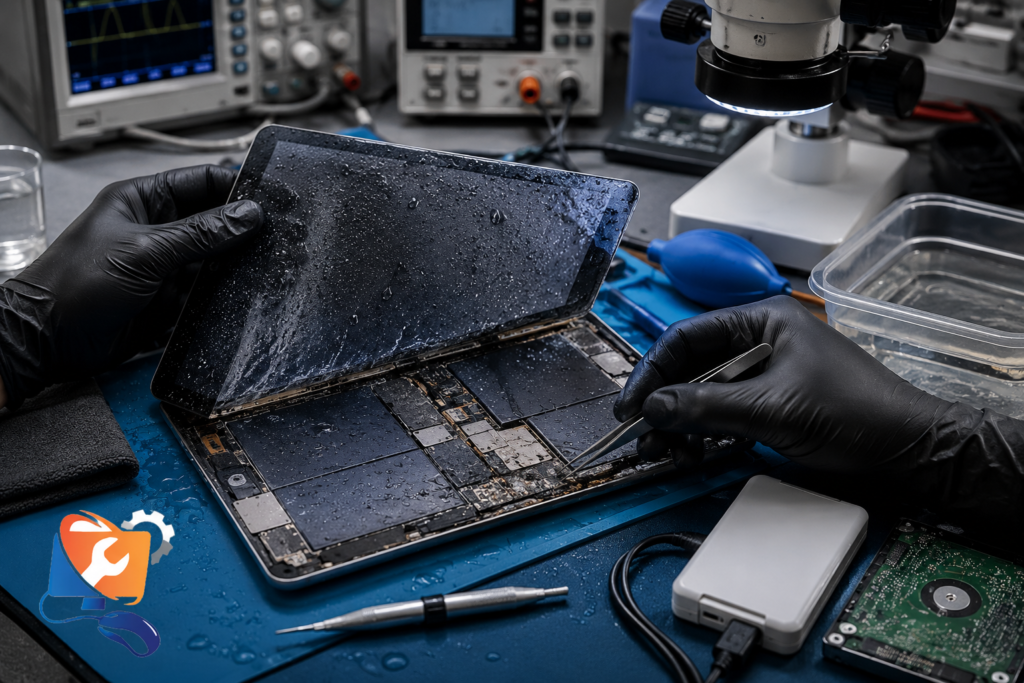
- 1. Emergency diagnostic — we open the iPad, inspect the board under magnification, and map exactly what the liquid reached. Free before you decide.
- 2. Full disassembly — battery and boards are disconnected immediately on an ESD-safe workstation to halt further shorting.
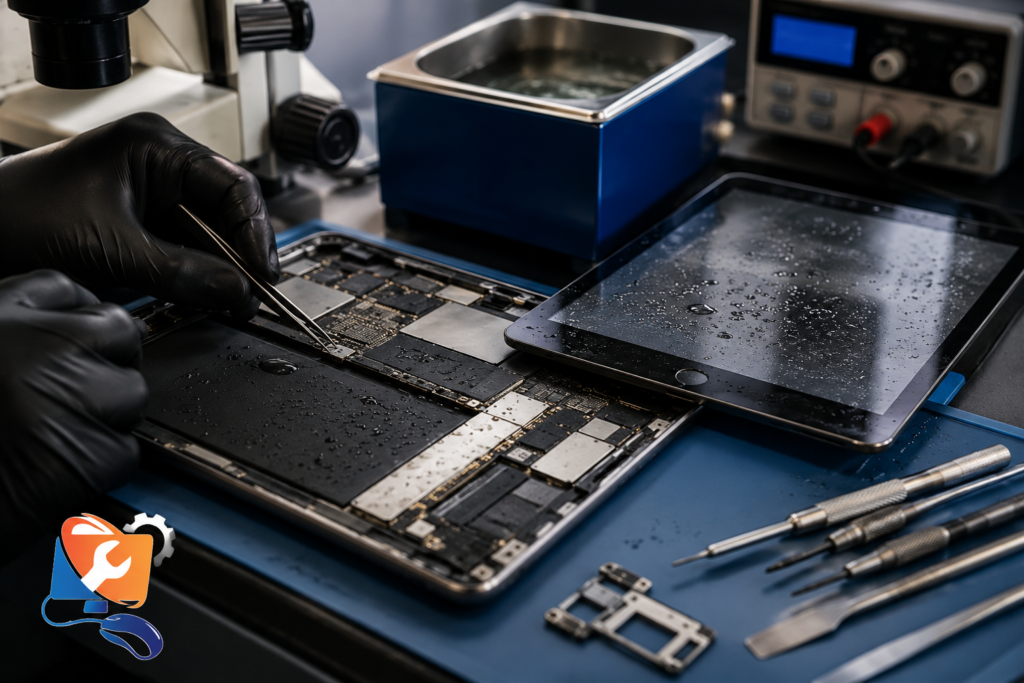
- 3. Ultrasonic cleaning — the logic board is bathed in an ultrasonic cleaner that removes corrosion and residue from areas no brush can reach, including under chips.
- 4. Corrosion treatment & microsoldering — remaining oxidation is treated, and damaged components or traces are repaired under a microscope with microsoldering.
- 5. Component replacement — any part the liquid destroyed (battery, port, screen) is replaced with OEM-quality parts.
- 6. Testing & data check — we test every function, confirm charging and stability, attempt a data backup, and reseal the device before return.
How Your Water-Damaged iPad Is Repaired
From spill to return, here’s the full journey your iPad takes:
💧 Water Spill
↓
🔌 Power Off
↓
🚗 Free Pickup
↓
🔍 Diagnosis
↓
🧼 Ultrasonic Cleaning
↓
🔬 Microsoldering
↓
✅ Testing
↓
💾 Data Recovery
↓
📦 Return
Apple vs Third-Party Water Damage Repair
Water damage is where the difference between Apple and independent repair is largest:
| Factor | Apple / Authorised | RepairZone (Independent) |
|---|---|---|
| Approach | Whole-unit swap — no board-level cleaning or repair | Ultrasonic cleaning, corrosion treatment & microsoldering |
| Your data | Device replaced — data usually lost | Data recovery prioritised on the original device |
| Cost | High flat out-of-warranty fee (or AppleCare+ deductible) | Lower, priced to the actual damage |
| AppleCare+ | Covers accidental liquid damage with a service fee | Best value once AppleCare+ has lapsed |
| Turnaround | Varies; device exchange | Same-day emergency diagnostic |
Does Apple repair water damage? Apple generally doesn’t repair liquid damage at component level — the authorised route is a paid whole-unit replacement, which means losing your original device and, usually, its data. Does AppleCare+ cover water damage? Yes, AppleCare+ covers accidental damage (including liquid) for a set service fee per incident — worth using if you have it active. Without AppleCare+, independent board-level repair is almost always cheaper and keeps your data.
Why RepairZone?
Water damage is where the gap between a specialist and a general phone-fixing shop is widest. Many shops can only clean and hope, or swap whole boards; liquid recovery needs board-level skill. Here’s how we compare:
| Capability | RepairZone | Typical Repair Shop |
|---|---|---|
| Free diagnosis | ✔ Yes, before any quote | Often charged |
| Board-level microsoldering | ✔ In-house | Rarely — usually outsourced or declined |
| Ultrasonic cleaning | ✔ Standard on every liquid job | Often skipped (brush-clean only) |
| OEM-quality parts | ✔ Yes | Varies — cheap aftermarket common |
| Data recovery-first approach | ✔ Prioritised | Not always attempted |
| Warranty on parts & labour | ✔ Up to 12 months | Short or none |
| Free pickup & delivery | ✔ Across Dubai | Usually walk-in only |
| Transparent pricing | ✔ Confirmed before work | Frequently vague |
| No Fix, No Fee | ✔ Yes | Not always |
iPad Water Damage Repair Cost in Dubai
The cost of iPad Water Damage Repair Dubai depends mainly on the model and how far the corrosion spread. A device needing only ultrasonic cleaning sits at the lower end; one needing board-level microsoldering and replaced components sits higher. Because every spill is different, the exact price is set only after the free diagnostic, and you approve it before any work begins. These are starting estimates by model:
| iPad Model | Water Damage Repair (from) | Typical Range (AED) |
|---|---|---|
| iPad (9.7″ / 10.2″ / 10.9″) | From AED 350 | 350 – 600 |
| iPad Mini (all generations) | From AED 350 | 350 – 650 |
| iPad Air (all generations) | From AED 350 | 350 – 650 |
| iPad Pro 11-inch | From AED 650 | 650 – 950 |
| iPad Pro 12.9″ / 13″ | From AED 650 | 650 – 1000+ |
| Data recovery from a liquid-damaged board | From AED 400 | 2 – 5 working days |
💡 Prices are starting estimates and vary with the liquid type, model, and extent of corrosion — cleaning-only cases fall at the lower end, board-level repairs at the higher end. The emergency diagnostic and assessment is free with any repair. Final quote confirmed after the free diagnostic — no surprises, and No Fix, No Fee.
If the liquid destroyed a specific component, that repair is quoted at our standard cluster pricing — a battery from AED 250, a charging port from AED 250, a screen from AED 250, and a single board-level IC from AED 350.
Repair timeline — RepairZone vs Apple:
| Stage | RepairZone | Apple / Authorised |
|---|---|---|
| Diagnostic & ultrasonic cleaning | Same day (in hours) | Same or next day |
| Component-level & board repair | 1–3 days | Whole-unit swap (no board repair) |
| Data recovery | ~1 day where possible | Usually lost in replacement |
Repair or Replace Your Water-Damaged iPad?
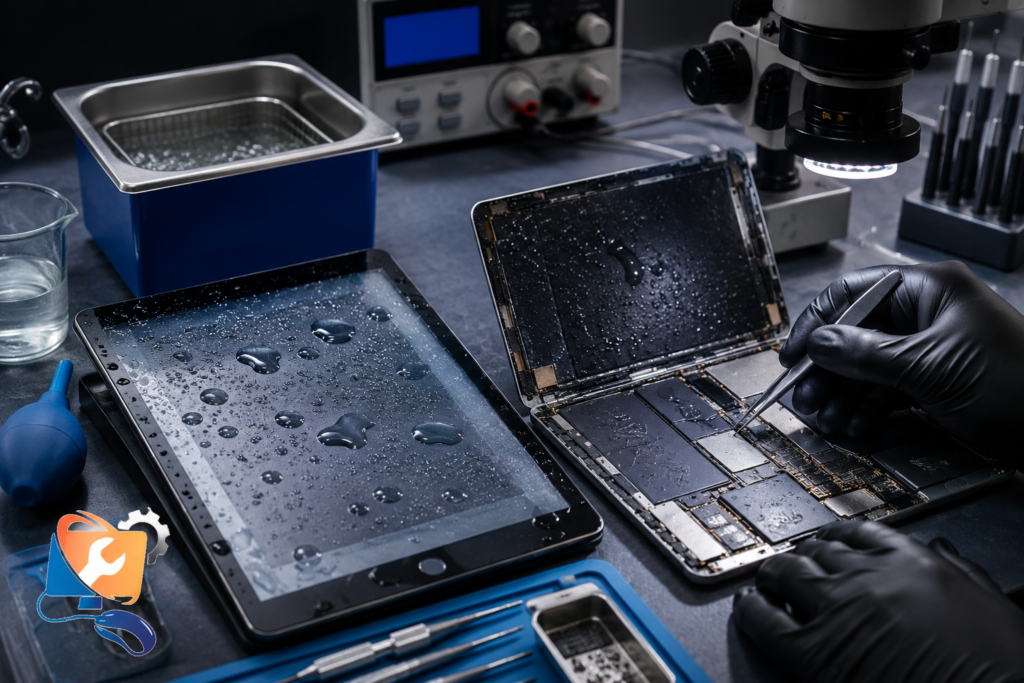
For most liquid damage caught early, repair is far cheaper than replacing the device — and it’s the only route that saves your data:
| Factor | Repair the iPad | Buy New / Refurbished |
|---|---|---|
| Cost | From AED 350 (standard) to AED 950+ (Pro / board) | AED 1,400 to 6,000+ |
| Your data | Recovered / preserved | Lost unless already backed up |
| Setup | None — same device back | Fresh setup and restore |
| Environmental impact | Low — device reused | High — device discarded |
| Best when | Damage is localised and caught early | The CPU/critical IC is destroyed or the iPad is very old |
Replacement only makes sense when the board is beyond economical repair or the iPad is very old. If your iPad simply won’t power on after the spill, start with iPad Not Turning On Repair Dubai — a dead screen doesn’t always mean a dead device.
How to Prevent Future Water Damage
Once your iPad is working again, a few habits keep it that way:
- Use a water-resistant case or pouch with a stated IP rating if you use the iPad near pools, the beach, or the kitchen — sold at most Dubai electronics stores.
- Keep drinks and liquids away from the iPad, and never leave it near the edge of a sink, tub, or poolside.
- Don’t charge it in humid areas or with any moisture near the port — power plus moisture is what causes shorts.
- Clean the ports gently with dry compressed air; never insert metal objects.
- Consider AppleCare+ if you’re accident-prone — it covers accidental liquid damage for a set fee per incident.
If it does get wet, the rule is simple: power off, don’t charge, don’t use rice, and bring it in fast.
iPad Models We Service
We handle liquid damage on the full line-up, older and newest:
- iPad (standard): all generations, both Lightning iPad and newer USB-C iPad models.
- iPad Mini: all generations, including the USB-C Mini 6.
- iPad Air: Air 2 through the latest M2 Air.
- iPad Pro: 9.7″, 10.5″, 11″, and 12.9″/13″ — from the iPad Pro 12.9 (2021) to the M2 iPad Pro and M4 iPad Pro, whose densely packed boards make liquid repair the most intricate.
Older iPads on A-series chips (A14 Bionic, A16) and the newest M-series models are all serviceable. Liquid can affect any part of these boards — the power management IC, display connector, Touch IC, and charging circuitry — which is why we diagnose the whole board rather than a single component.
iPad Air vs iPad Pro — repair complexity: both are only splash-resistant, so neither is safe from a real spill. iPad Pro boards are more tightly packed and layered, so board-level liquid repair is more intricate and priced slightly higher; the diagnostic and cleaning approach is the same for both.
How iPad Water Damage Repair Works at RepairZone
Getting an emergency water damage repair in Dubai is fast and simple. Here’s how it works:
| Step 1 | Step 2 | Step 3 |
|---|---|---|
| 📋 Call or Book Immediately Contact us via phone, WhatsApp, or the booking form. We’ll arrange same-day collection anywhere in Dubai. | 🔧 We Collect & Clean Our technician collects your iPad fast, runs a free diagnostic, then disassembles and ultrasonically cleans the board. | 📦 Repaired & Returned After corrosion treatment, repair, and testing, your iPad is returned — with your data recovered wherever possible. |
Same-Day Service, Warranty & Free Pickup
Emergency & same-day: Water damage is time-sensitive, so we run same-day emergency diagnostics and prioritise liquid jobs above routine repairs. We collect fast from anywhere in Dubai — homes, offices, hotels — which matters for tourists on limited time and visitors near Dubai Mall or the airport who can’t wait days. Cleaning-stage recovery often starts the same day; component-level and board repairs typically take 1 to 3 days.
Warranty & Apple coverage: Repairs are backed by up to a 12-month warranty on parts and labour. Note that liquid damage voids Apple’s standard warranty, but AppleCare+ does cover accidental liquid damage for a service fee — if yours is active, that route is worth checking. Independent board-level repair is the best value once AppleCare+ has lapsed, and it keeps your original device and data.
Free pickup & delivery: Door-to-door collection and return is free across Dubai. Given how much speed matters with liquid damage, booking a pickup the moment it happens is the single best thing you can do. Your data is treated with strict privacy throughout.
Book Your iPad Water Damage Repair in Dubai Today
With liquid damage, every hour lowers the odds — corrosion doesn’t wait. Book your iPad Water Damage Repair Dubai now for a same-day emergency diagnostic, ultrasonic corrosion cleaning, board-level microsoldering, OEM-quality parts, data recovery, and up to a 12-month warranty. We tell you honestly whether it’s saveable before you spend anything, and we fix the real damage the first time.
- Call or WhatsApp (emergency): +971 56 123 1466
- Email: [email protected]
- Visit: Aspin Commercial Tower, 106 Sheikh Zayed Road, Trade Centre 1, Dubai
- Free same-day pickup anywhere in Dubai — we collect, clean, repair, and return.
Why Customers Trust RepairZone for iPad Water Damage Repair
RepairZone has repaired Apple devices in Dubai since 2014, and liquid damage is among the most demanding work we do. Our approach is repair-first and honest: we tell you what’s realistically recoverable before you commit, and we never promise a fix we can’t guarantee. What that looks like in practice:
- Experienced Apple-device technicians with 10+ years working on iPads specifically
- Board-level repair specialists — the skill liquid damage actually requires
- Ultrasonic cleaning on every liquid job, not just a surface wipe
- Microsoldering to restore damaged components and traces on the logic board
- OEM-quality replacement parts for anything the liquid destroyed
- Data recovery-first approach — we prioritise saving your photos and files
- Up to a 12-month warranty on parts and labour
- Free pickup & delivery across Dubai, fast when it matters most
- Transparent diagnostics and pricing — the quote is confirmed before work begins
- No Fix, No Fee — if we can’t recover it, you don’t pay for the repair
We set realistic expectations from the first inspection: some spills are simple cleans, others need extensive board work, and a small number aren’t economical to save. You’ll always know which before deciding.
iPad Water Damage Repair FAQ – Dubai & UAE
How much does iPad water damage repair cost in Dubai?
It depends mainly on the model and how far corrosion spread. Standard iPad, iPad Mini and iPad Air models start from AED 350, while iPad Pro models range from AED 650 up to AED 950+ for heavier board-level work. Cleaning-only cases sit at the lower end. You get a firm quote after a free diagnostic, and No Fix, No Fee.
Can a water-damaged iPad be repaired?
In most cases, yes — especially if it was powered off quickly and brought in fast. Success depends on the liquid type, how long corrosion sat, and whether the device was switched on while wet. Our free diagnostic tells you honestly if it’s repairable.
Should I put my iPad in rice?
No. Rice can’t pull moisture from deep inside a sealed iPad, works too slowly to stop corrosion, and leaves starch and dust in the ports. It’s one of the most damaging myths — bring the iPad in instead.
Can I dry my iPad with a hair dryer?
No. Heat can warp components, damage the battery, and push moisture deeper into the board. Never apply direct heat to a wet iPad.
Can I charge my iPad after it got wet?
No. Charging forces current through a board with liquid on it, causing shorts that destroy components cleaning could have saved. Keep it off the charger until it’s professionally cleaned.
Can I turn my iPad on to see if it works?
No. Powering on a wet iPad is the most common way a recoverable device becomes unrecoverable. Leave it off until a technician has cleaned the board.
How long should I wait before getting it repaired?
Don’t wait — bring it in immediately. Corrosion starts within minutes and spreads for days, so the sooner the board is cleaned, the higher the recovery rate.
How do I dry an iPad charging port safely?
Power the iPad off, gently shake out excess liquid with the port facing down, and let air do the work — no heat, no cotton buds pushed inside, no charging. Then have the port professionally checked for corrosion.
Why does salt water cause more damage than fresh water?
Salt water conducts electricity much better, so it shorts live circuits instantly, and salt crystals keep corroding the board after it dries. Seawater and pool water are among the most urgent cases.
Is a coffee or soft-drink spill worse than water?
Yes. Sugar leaves a sticky, conductive residue and acids attack solder joints, so sugary and acidic spills corrode faster than clean water and always need proper cleaning, not just drying.
What is corrosion inside an iPad?
Corrosion is the chemical breakdown of metal contacts and solder joints as liquid reacts with them. It looks like a green or white crust and destroys connections if not cleaned quickly.
What is oxidation?
Oxidation is the reaction of exposed metal with oxygen and moisture, forming a resistive layer that blocks the tiny currents the board needs — causing the intermittent, worsening faults typical of liquid damage.
How can I tell if the water damage is permanent?
Only an internal inspection confirms it. We examine the board under magnification and test each component. Many faults are fixable by cleaning or repair; only a destroyed CPU or critical IC makes an iPad uneconomical to repair.
Can water damage the iPad’s motherboard?
Yes — the logic board is the most serious casualty. Corrosion bridges or destroys components, which we treat with ultrasonic cleaning and microsoldering. Board-level component repair starts from AED 350 — see iPad Motherboard Repair Dubai.
Can water damage the battery?
Yes. Liquid can corrode the battery contacts or cause swelling, which is a safety risk. The battery is often replaced during a liquid repair, starting from AED 250.
Can water damage the charging port?
Yes — the port is among the first parts to corrode, causing “not charging” and “Accessory Not Supported” errors. It’s cleaned or replaced as needed, with port replacement starting from AED 250.
Can water damage Face ID or Touch ID?
It can. These sensors are security-paired to the device, so corrosion here sometimes can’t be restored. We assess the damage and tell you honestly what’s recoverable.
Can water damage Apple Pencil charging?
Yes. Corrosion on the charging port or wireless charging circuit can stop the Apple Pencil pairing or charging. This is repairable in many cases.
Can I recover my data from a water-damaged iPad?
Often, yes — if the storage chip survived. We prioritise stabilising the iPad enough to back up. Because iPad storage is encrypted to the board, we recover data by repairing the board, which is why fast repair helps your data too. Data recovery starts from AED 400.
Will fixing water damage void my remaining Apple warranty?
Liquid damage already voids Apple’s standard warranty. An independent repair on an out-of-warranty iPad has no further warranty impact, and our own repair carries up to a 12-month warranty.
Does AppleCare+ cover water damage in the UAE?
Yes — AppleCare+ covers accidental liquid damage for a set service fee per incident. If yours is active it’s worth using; without it, independent repair is cheaper and saves your data.
Does Apple repair water-damaged iPads?
Apple generally doesn’t repair liquid damage at component level — the authorised route is a paid whole-unit replacement, which means losing your original device and data.
Is it cheaper to repair or buy a refurbished iPad?
For localised damage caught early, repair (from AED 350) is far cheaper than a refurbished or new iPad (AED 1,400+), and only repair saves your data. Replacement makes sense only if the board is beyond economical repair.
What is ultrasonic cleaning?
Ultrasonic cleaning submerges the logic board in a special solution and uses high-frequency waves to lift corrosion and residue from places no brush can reach, including beneath chips. It’s the core of a proper liquid repair.
What is microsoldering and why is it needed?
Microsoldering is repairing or replacing components smaller than a grain of rice on the logic board, under a microscope. Water damage often destroys individual ICs or traces, and microsoldering restores them without replacing the whole board.
Do you offer same-day water damage repair?
Yes. We run same-day emergency diagnostics and start cleaning the same day. Component-level and board repairs typically take 1 to 3 days, with data recovery usually about a day where the storage survived.
Do you offer emergency repair for tourists in Dubai?
Yes. We prioritise urgent cases for visitors on limited time, with fast pickup from hotels and areas including Dubai Mall and near the airport. Contact us the moment it happens.
Do you offer bulk water damage repair for businesses?
Yes. We handle iPad fleet and bulk liquid repairs for Dubai companies, including Media City businesses, with scheduled collection and volume pricing. Send us your device count and models.
Are there affordable options for students?
Yes. We keep liquid-repair pricing accessible for students and offer campus pickup, including Dubai International Academic City. Ask about student rates when you book.
What’s the success rate of water damage repair?
It varies by case — a fresh-water spill cleaned within hours has a high success rate, while salt water left for days is lower. Speed is the biggest factor. We give you a realistic assessment after the free diagnostic.
How can I prevent future water damage?
Keep the iPad away from pools, sinks, and drinks, use a protective case, and never charge it if there’s any chance moisture is present. If it does get wet, power it off and bring it in immediately.
iPad Water Damage Repair Across Dubai – Free Pickup & Delivery
RepairZone provides emergency water-damaged iPad repair across all major areas of the city with free pickup & delivery. Wherever you are, we collect fast and return your device after repair.
Major Dubai Areas We Cover
Free Same-Day Pickup & Delivery Available Across Dubai
| Area 1 | Area 2 | Area 3 |
|---|---|---|
| Dubai Marina | Jumeirah Beach Residence (JBR) | Downtown Dubai |
| Business Bay | Sheikh Zayed Road | Jumeirah 1, 2 & 3 |
| Palm Jumeirah | Jumeirah Lake Towers (JLT) | Al Barsha (1, 2 & South) |
| Al Quoz (Industrial & Residential) | Dubai Silicon Oasis | Dubai Internet City |
| Dubai Media City | Dubai Knowledge Park | Motor City |
| Sports City | Arabian Ranches | Mirdif |
| International City | Al Nahda (Dubai) | Deira |
| Bur Dubai | Karama | Oud Metha |
| Festival City | DIP 1 & 2 | Dubai International Academic City |
✅ Searching for iPad water damage repair near me? RepairZone offers free same-day pickup and delivery across Dubai, so you don’t need to visit a repair shop. From Dubai Marina and Business Bay to Deira, Al Quoz, and Palm Jumeirah, our technicians collect your iPad fast, clean and repair the liquid damage, and return it safely.
Related iPad Repairs
RepairZone also provides professional iPad repair services for:
- iPad Repair Dubai
- iPad Screen Replacement Dubai
- iPad Battery Replacement Dubai
- iPad Charging Port Repair Dubai
- iPad Motherboard Repair Dubai
- iPad Not Turning On Repair Dubai
EXCELLENT Based on 10 reviews Posted on Google suhael uk21/06/2026Trustindex verifies that the original source of the review is Google. Quick and fast fix for laptop service with home.pick and drop appreciate the supportPosted on Google Zak “ZZR27016” rafique16/06/2026Trustindex verifies that the original source of the review is Google. They fixed my ps5 which had a problem loading certain games now it works fine definitely recommend for console repairsPosted on Google Chris Cain15/06/2026Trustindex verifies that the original source of the review is Google. Excellent and speedy service.Posted on Google shuvendu kumar06/06/2026Trustindex verifies that the original source of the review is Google. My Nintendo Switch was completely dead and wouldn't turn on. RepairZone diagnosed and fixed the issue quickly. Great communication, fair pricing, and excellent service. Highly recommended for Nintendo Switch repairs in Dubai!Posted on Google Fairuz M.A.05/06/2026Trustindex verifies that the original source of the review is Google. Amazing doorstep service! Did a nintendo switch repair. Repair outcome was good. Excellent work. Fairly pricedPosted on Google Djé T.13/05/2026Trustindex verifies that the original source of the review is Google. Amazing service, fast and reliable. Highly recommended.Posted on Google farhan ahmad23/04/2026Trustindex verifies that the original source of the review is Google. Cooperative, kind and very helpingPosted on Google Julian Smyth27/01/2026Trustindex verifies that the original source of the review is Google. Rang them at 1.00pm and they were at my home by 4.00pm. Thorough review of my wi-fi system and corrected it all. Excellent service.Posted on Google Mirza Shoaib13/01/2026Trustindex verifies that the original source of the review is Google. We recently used RepairZone for a professional WiFi installation in Damac Hills 2, and the service was outstanding from start to finish. We have upgraded to a Google Nest WiFi Pro mesh system with 4 nodes for our 4-bedroom villa. The technician carried out a detailed site assessment, positioned each node strategically, and ensured seamless WiFi coverage throughout the villa. Internet speed, stability, and coverage have improved significantly, with zero dead zones. Extremely professional, punctual, and knowledgeable service. I highly recommend RepairZone for anyone looking for premium WiFi setup and support in Damac Hills 2.Posted on Google Haider Butt13/01/2026Trustindex verifies that the original source of the review is Google. Excellent WiFi service in Dubai marina! They installed and optimized our home WiFi perfectly. The technician arrived on time, fixed our weak signal issues, and ensured strong coverage in every room. Highly recommend for anyone looking for reliable WiFi service in Dubai marina
