PS5 Overheating Repair Dubai
PS5 Overheating Repair Dubai | Thermal Paste & Liquid Metal Replacement
Is your PlayStation 5 overheating, shutting down during gameplay, or running with an unusually loud fan? RepairZone provides professional PS5 overheating repair in Dubai — thermal paste replacement, liquid metal replacement, cooling system diagnostics, fan servicing and internal dust removal. We identify the exact cause before recommending any repair, so you never pay for parts your console doesn’t need.
✓ Same-Day Repair
✓ Free Pickup & Delivery
✓ 3-Month Warranty
✓ No Fix, No Fee
Whether your PS5 overheats after long gaming sessions, turns off unexpectedly, or struggles to maintain stable performance, we offer fast diagnostics, quality replacement parts where required, and same-day repair for most overheating issues — with free pickup and delivery across Dubai from our service centre on Sheikh Zayed Road.
Key Takeaways
Free inspection — every PS5 gets a professional overheating diagnosis before any repair is quoted.
Thermal paste & liquid metal replacement — expert servicing for restored cooling performance.
Fan servicing & dust removal — complete internal cleaning to restore proper airflow.
Shutdown & warning fixes — solutions for consoles that power off while gaming or show temperature alerts.
Same-day repair — most overheating and cooling issues fixed the same day, with free pickup & delivery in Dubai.
3-month warranty — plus a No Fix, No Fee policy on every eligible repair.
Why Is My PS5 Overheating?
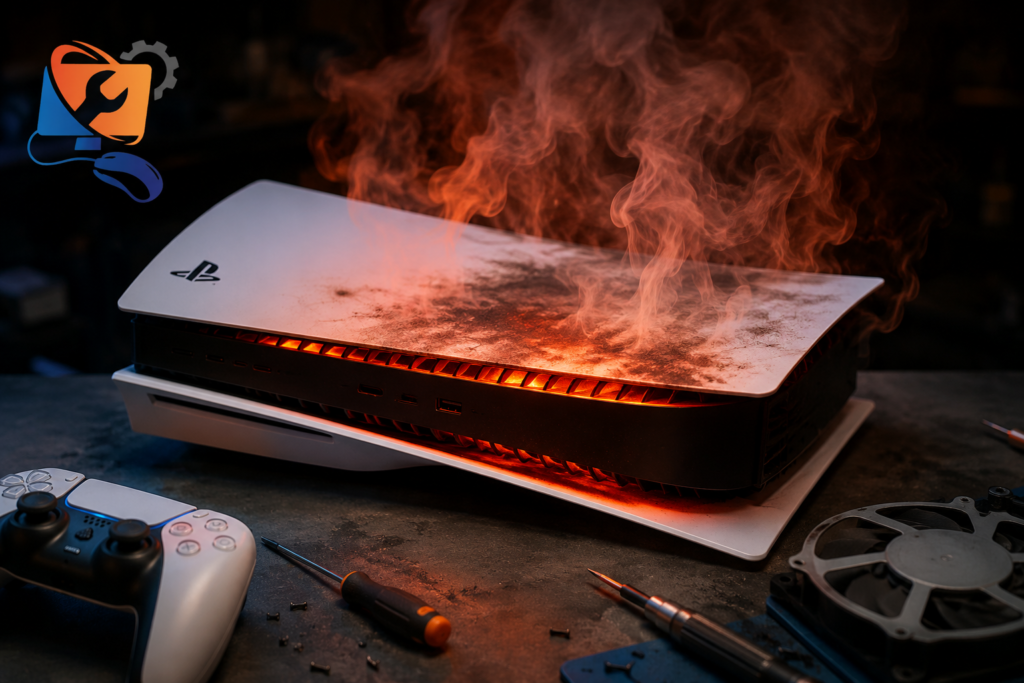
The PlayStation 5 is designed with an advanced cooling system that combines a large heatsink, a high-performance cooling fan, and a liquid metal thermal interface to transfer heat away from the processor efficiently. Under normal conditions, the console handles extended gaming sessions without overheating. However, over time, dust accumulation, restricted airflow, worn thermal interface material, cooling fan wear, or hardware faults can reduce cooling efficiency and cause the console to run at higher temperatures.
Many customers assume overheating automatically means the liquid metal needs replacing, but this is not always the case. Some consoles simply require professional internal cleaning, while others need fan servicing, liquid metal replacement, cooling system repairs, or motherboard diagnostics. At RepairZone, every PS5 undergoes a complete cooling system inspection before any repair is recommended, allowing us to identify the actual cause rather than replacing parts unnecessarily.
Did You Know?
Sony uses liquid metal instead of conventional thermal paste on the PS5 processor to improve heat transfer and cooling performance. While highly effective, the cooling system still requires proper maintenance — dust buildup, airflow restrictions, fan wear, or deteriorating thermal interface material can eventually lead to overheating.
Common Signs Your PS5 Needs Overheating Repair
Overheating usually develops gradually rather than occurring suddenly. Recognising the early warning signs can prevent more serious hardware damage and help extend the lifespan of your PlayStation 5.
| Symptom | Possible Cause |
|---|---|
| PS5 shuts down while gaming | Cooling system unable to dissipate heat effectively. |
| High temperature warning | Excessive internal temperatures or airflow restriction. |
| Loud fan noise | Dust buildup, fan wear, or increased cooling demand. |
| Console becomes extremely hot | Reduced cooling efficiency or degraded thermal interface. |
| Performance drops or game crashes | Thermal throttling caused by excessive heat. |
| Fan runs constantly at maximum speed | Cooling system working harder to reduce internal temperatures. |
If your PlayStation 5 shows one or more of these symptoms, continuing to use it without diagnosis may place additional stress on internal components. Our technicians perform a complete cooling system inspection to determine whether the issue can be resolved with professional cleaning, fan servicing, liquid metal replacement, or a more advanced hardware repair. For other console faults such as HDMI, disc drive, or power issues, see our main PS5 repair Dubai page.
PS5 Thermal Paste & Liquid Metal Replacement
One of the most common causes of PS5 overheating is reduced heat transfer between the processor and the cooling system. Sony designed the PlayStation 5 with liquid metal instead of conventional thermal paste because it provides superior thermal conductivity and allows the processor to operate at lower temperatures during demanding gaming sessions. However, after years of continuous use, exposure to dust, high ambient temperatures, poor ventilation, accidental movement, or previous improper repairs can affect the efficiency of the cooling system.
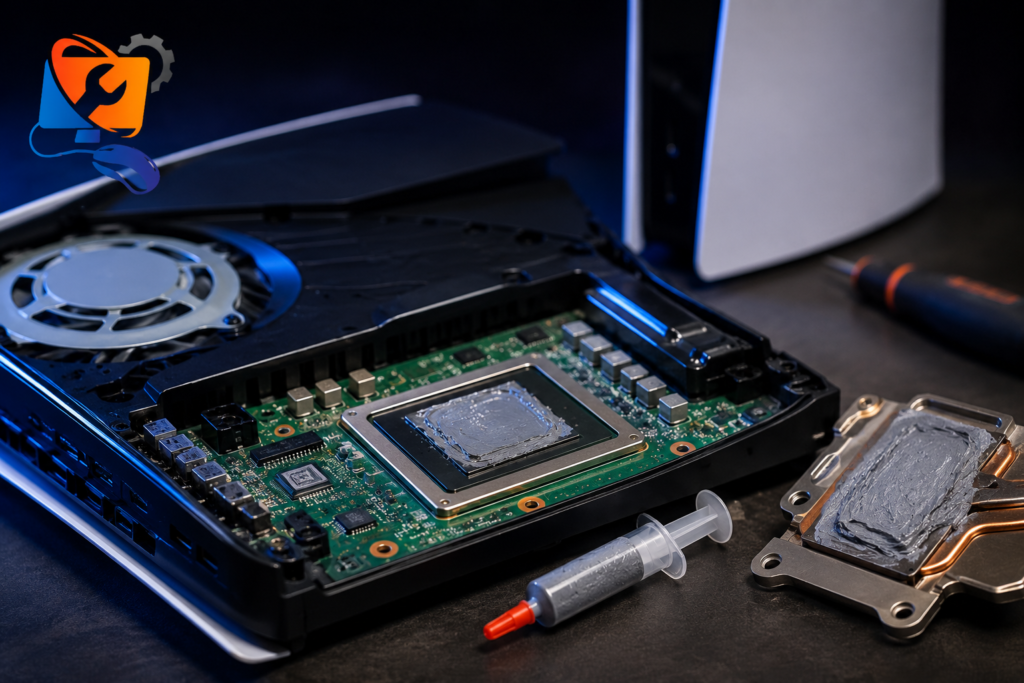
If your PS5 frequently displays temperature warnings, becomes unusually hot, shuts down while gaming, or the cooling fan constantly runs at maximum speed, the console may require professional inspection of its thermal interface material. At RepairZone, we carefully inspect the cooling assembly before recommending liquid metal replacement, thermal paste servicing, or any other repair. Our goal is to restore cooling performance while preserving the reliability of your PlayStation 5.
When Does a PS5 Need Thermal Paste or Liquid Metal Replacement?
Liquid metal doesn’t automatically need replacement after a certain number of years — in many cases it continues performing well for the lifetime of the console. However, certain symptoms indicate the cooling system should be professionally inspected:
PS5 overheats after only a short gaming session.
High temperature warning appears frequently.
Console shuts down unexpectedly while gaming.
Cooling fan runs continuously at high speed.
Internal temperatures remain high even after cleaning.
A previous repair was performed incorrectly, or there are visible signs of liquid metal migration.
If these symptoms are ignored, excessive heat may place unnecessary stress on the processor, memory, voltage regulators, and other motherboard components. Early diagnosis often prevents more expensive repairs later.
Thermal Paste vs Liquid Metal — What’s the Difference?
Many people use the terms thermal paste and liquid metal interchangeably, but they are different thermal interface materials.
| Thermal Paste | Liquid Metal | |
|---|---|---|
| Commonly used on | Laptops, desktop processors and older gaming consoles. | The PlayStation 5 processor (chosen by Sony). |
| Thermal conductivity | Lower — adequate for most devices. | Significantly higher, for superior heat transfer. |
| Application | Straightforward to apply. | Requires specialist tools, precision and experience. |
| Electrical conductivity | Non-conductive (most formulations). | Electrically conductive — improper application can damage components. |
Because liquid metal is electrically conductive, improper application can damage internal components. For this reason, replacement should always be carried out by experienced technicians using the correct cleaning procedures and application techniques.
PS5 Internal Cleaning & Cooling System Service
Dust accumulation is one of the biggest contributors to overheating, especially in environments where fine airborne dust is common. As dust builds up inside the cooling fan, heatsink and ventilation channels, airflow becomes restricted — the cooling system works harder while losing its ability to remove heat from the processor. The fan becomes louder, performance may decrease, and the console can eventually display overheating warnings or shut down unexpectedly.
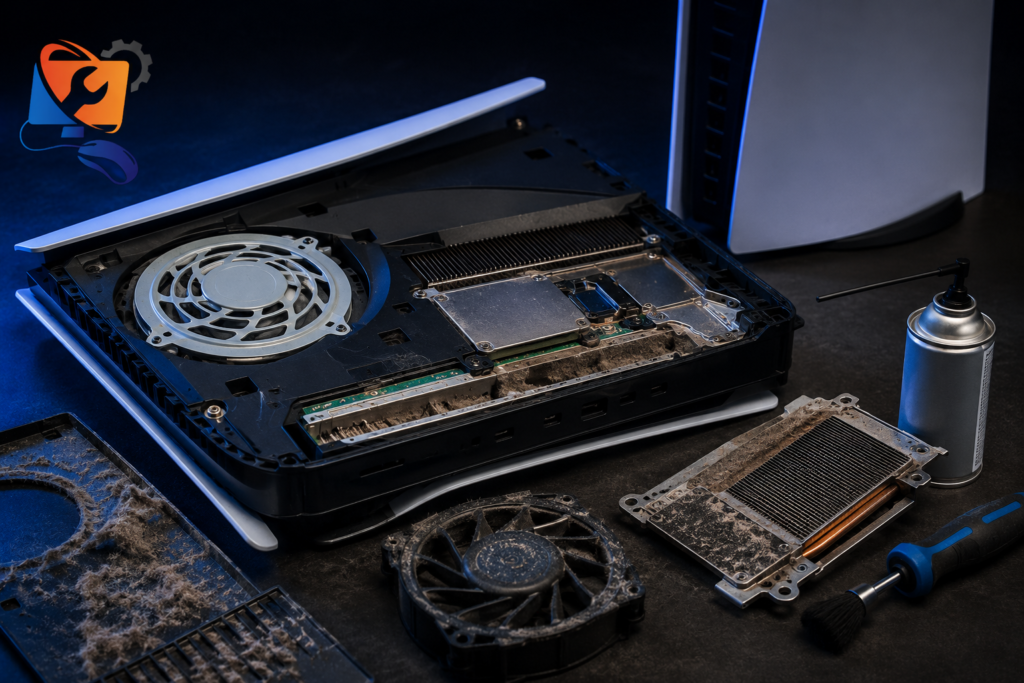
Our professional PS5 internal cleaning service restores proper airflow by removing compacted dust using specialist tools while protecting sensitive electronic components. Every console is carefully disassembled, inspected and cleaned before being reassembled and tested for stable cooling performance.
Our PS5 Cooling System Service Includes:
- ✓ Complete internal dust removal
- ✓ Cooling fan inspection and professional cleaning
- ✓ Heatsink and air vent cleaning
- ✓ Airflow and ventilation inspection
- ✓ Liquid metal / thermal interface inspection (where required)
- ✓ Thermal performance testing after reassembly
- ✓ Free overheating diagnosis
Professional cleaning is often enough to restore normal temperatures when dust accumulation is the primary cause of overheating. If cleaning alone does not resolve the issue, we continue with a complete diagnosis to determine whether the console requires liquid metal replacement, fan replacement, cooling system repair or motherboard-level servicing — and we explain the available options before carrying out any work.
Why Does My PS5 Shut Down While Gaming?
One of the most common symptoms of overheating is a PlayStation 5 that suddenly powers off during gameplay. This safety feature is designed to protect the processor and motherboard from excessive temperatures — rather than allowing permanent damage, the console automatically shuts down once critical temperature limits are reached.
Unexpected shutdowns don’t always mean the console has a serious hardware fault. In many cases the issue is caused by restricted airflow, heavy dust buildup, degraded liquid metal, cooling fan problems or blocked ventilation. Less commonly, power delivery faults or motherboard issues may also contribute to overheating.
| Symptom | Likely Next Step |
|---|---|
| PS5 shuts down after 20–30 minutes | Cooling system inspection and internal cleaning. |
| PS5 turns off while playing demanding games | Thermal performance diagnosis and cooling system repair. |
| Temperature warning before shutdown | Inspect airflow, liquid metal and cooling fan. |
| Console becomes hot immediately after startup | Complete hardware diagnosis to identify the root cause. |
Ignoring repeated shutdowns may eventually place additional stress on internal components. Early diagnosis is usually faster, safer and more cost-effective than waiting for a complete hardware failure.
If your console overheated and now will not turn on at all, the damage may have spread to the power circuitry. Our PS5 Not Turning On Repair Dubai service covers PSU replacement and motherboard power repair for consoles that fail to start after overheating.
Why PS5 Consoles Overheat Faster in Dubai
Dubai’s climate presents unique challenges for gaming consoles. High ambient temperatures, fine airborne dust and extended gaming sessions all place additional demand on the PlayStation 5 cooling system. While Sony designed the PS5 to operate efficiently under normal conditions, these environmental factors can gradually reduce cooling performance if the console isn’t maintained regularly.
Dust particles accumulate inside the cooling fan and heatsink, reducing airflow and causing the fan to work harder to maintain safe operating temperatures. Consoles placed inside enclosed TV cabinets, entertainment units or poorly ventilated shelves also struggle to dissipate heat efficiently — a common setup in many Dubai apartments and villas.
Tips to Reduce PS5 Overheating
- ✓ Keep the console in a well-ventilated area.
- ✓ Avoid placing the PS5 inside enclosed cabinets.
- ✓ Clean external air vents regularly.
- ✓ Schedule professional internal cleaning if you game frequently.
- ✓ Stop using the console if temperature warnings appear repeatedly.
- ✓ Don’t ignore loud fan noise or unexpected shutdowns.
If your PlayStation 5 continues overheating after basic cleaning and proper ventilation, professional diagnosis is recommended. Our technicians can determine whether the issue is caused by dust accumulation, cooling fan failure, liquid metal degradation, power delivery problems or motherboard faults — ensuring the correct repair is carried out the first time.
Our PS5 Overheating Repair Process
Every overheating PlayStation 5 is diagnosed individually because multiple faults can produce similar symptoms. Rather than replacing parts immediately, our technicians follow a structured inspection process to identify the exact cause of the overheating before recommending any repair.
Initial Diagnosis
Visual inspection, overheating symptoms and system behaviour.
Internal Inspection
Cooling fan, heatsink, ventilation channels and internal dust.
Cooling Assessment
Liquid metal condition, thermal interface and cooling efficiency.
Fixed Quotation
We explain the exact problem and confirm the price before starting.
Testing & QC
Stress testing, temperature monitoring and final verification.
We Repair the Cause — Not Just the Symptoms
Many overheating problems can look identical, but the solution isn’t always the same. Some consoles only require professional cleaning, while others need fan servicing, liquid metal replacement or advanced motherboard diagnostics. We only recommend repairs that your PlayStation 5 genuinely needs.
PS5 Overheating Repair Cost in Dubai
The cost of repairing an overheating PlayStation 5 depends on the underlying cause. Some consoles only require professional internal cleaning, while others may need thermal paste replacement, liquid metal replacement, fan replacement or advanced cooling system repairs. Every PlayStation 5 receives a free diagnosis, and we confirm the final repair cost before any work begins.
| Service | Typical Price | Turnaround |
|---|---|---|
| PS5 Cooling System Diagnosis | FREE | 30–60 Minutes |
| PS5 Internal Cleaning (incl. fan & heatsink) | AED 200–250 | Same Day |
| PS5 Thermal Paste Replacement — Standard (Fat) Model | AED 350 | Same Day |
| PS5 Thermal Paste Replacement — Slim Model | AED 450 | Same Day |
| PS5 Liquid Metal Replacement — Standard (Fat) Model MOST REQUESTED | AED 350-380 | Same Day |
| PS5 Liquid Metal Replacement — Slim Model | AED 450 | Same Day |
| PS5 Fan Replacement | AED 250–350 | Same Day |
| PS5 Overheating Repair (Complex / Motherboard) | From AED 500 | 24–48 Hours |
Transparent Pricing. No Hidden Charges.
Not every overheating PS5 requires liquid metal or thermal paste replacement. Some consoles only need professional internal cleaning, while others require fan replacement or cooling system repairs. Every PlayStation 5 receives a free diagnosis, and we’ll explain the exact cause before starting any repair. You’ll always know the final repair cost before we begin.
Why Choose RepairZone for PS5 Overheating Repair?
Since 2014
Experienced technicians specialising in PlayStation console repairs for over a decade.
Diagnose First
Professional cooling system diagnosis before replacing any parts — you only pay for what your console needs.
Same-Day Service
Most overheating repairs completed the same day, with genuine quality parts and correct liquid metal handling.
Sheikh Zayed Road
Convenient service centre at Aspin Commercial Tower, Trade Centre 1 — plus free pickup & delivery across Dubai.
3-Month Warranty
Every eligible repair backed by our repair warranty and No Fix, No Fee policy.
Transparent Pricing
Fixed quotation confirmed before any work begins — no hidden charges, ever.
RepairZone vs Sony Authorised Service Centre
Both RepairZone and Sony authorised service centres have their advantages depending on your situation. If your PlayStation 5 is still covered by the manufacturer’s warranty, contacting Sony may be the best option. For consoles no longer under warranty, many customers choose RepairZone for faster turnaround, free pickup and delivery, transparent pricing and component-level repair solutions that may help avoid unnecessary console replacement.
| RepairZone | Sony Service Centre | |
|---|---|---|
| Diagnosis | Free | May vary |
| Pickup & Delivery | Free across Dubai | Limited |
| Same-Day Repairs | Available for most issues | Depends on repair |
| Warranty on Repair | 3 Months | Manufacturer policy |
Book Your PS5 Overheating Repair Today
If your PlayStation 5 is overheating, shutting down unexpectedly or displaying temperature warnings, don’t wait until the problem becomes more serious. Get a free diagnosis, free pickup & delivery across Dubai and a 3-month warranty on repairs.
Frequently Asked Questions
Why is my PS5 overheating?
Overheating is commonly caused by restricted airflow, excessive dust accumulation, cooling fan issues, degraded liquid metal, or cooling system faults. A professional diagnosis identifies the exact cause before any repair is recommended.
Why does my PS5 shut down while gaming?
If your PlayStation 5 powers off during gameplay, it may be reaching a critical temperature. The console automatically shuts down to protect internal components from heat damage.
Can overheating permanently damage my PS5?
Continued overheating may reduce the lifespan of internal components. Early diagnosis and repair help prevent unnecessary hardware damage and more expensive repairs.
Does every overheating PS5 need liquid metal replacement?
No. Many overheating issues are resolved through professional internal cleaning or cooling fan servicing. Liquid metal replacement is only recommended when inspection confirms it is necessary.
How much does PS5 overheating repair cost in Dubai?
The repair cost depends on the underlying cause and console model. Professional internal cleaning starts from AED 200. Thermal paste replacement is AED 350 for the standard PS5 and AED 450 for the PS5 Slim. Liquid metal replacement is AED 350–380 for the standard PS5 and AED 450 for the PS5 Slim. Complex motherboard-level repairs start from AED 500. Every repair begins with a free diagnosis and a confirmed quotation.
How long does PS5 overheating repair take?
Most overheating repairs, including cleaning, fan servicing and thermal interface replacement, are completed on the same day. Complex motherboard repairs may require 24–48 hours.
+ Show More FAQs
How do I know if my PS5 needs thermal paste or liquid metal replacement?
Persistent overheating, temperature warnings, repeated shutdowns and poor cooling performance after cleaning may indicate the thermal interface should be professionally inspected.
Is liquid metal better than thermal paste?
Yes. Sony uses liquid metal on the PS5 processor because it transfers heat more efficiently than conventional thermal paste. However, it requires specialist handling during servicing.
Can I replace the liquid metal myself?
We don’t recommend it. Liquid metal is electrically conductive and improper application may damage the motherboard or processor.
Can dust really make my PS5 overheat?
Yes. Dust blocks airflow through the cooling fan and heatsink, making it harder for the console to dissipate heat efficiently. This is especially common in Dubai due to fine airborne dust.
Why is my PS5 fan so loud?
A constantly loud cooling fan usually indicates the console is working harder to reduce internal temperatures because of dust buildup, restricted airflow or excessive heat.
Will cleaning fix PS5 overheating?
If dust is the primary cause, professional internal cleaning may completely resolve the issue. If overheating continues, additional diagnostics are recommended.
Can poor ventilation cause overheating?
Yes. Placing the console inside enclosed cabinets or against walls restricts airflow and may increase operating temperatures.
Do you offer free diagnosis?
Yes. Every PS5 overheating repair begins with a free diagnosis so we can identify the actual cause before recommending any repair.
Do you provide pickup and delivery in Dubai?
Yes. RepairZone offers free pickup and delivery throughout Dubai for PS5 overheating repairs. You can also visit our service centre at Aspin Commercial Tower, Sheikh Zayed Road, Trade Centre 1.
Do you provide a warranty?
Yes. All eligible repairs are covered by our 3-month repair warranty for additional peace of mind.
Should I stop using my PS5 if it keeps overheating?
Yes. Continuing to use an overheating console may place additional stress on internal components. We recommend switching it off and arranging a professional inspection.
Can overheating affect gaming performance?
Yes. Excessive temperatures may cause thermal throttling, resulting in reduced performance, game crashes or unexpected shutdowns.
Do you repair Digital Edition, Disc Edition and PS5 Slim consoles?
Yes. We repair overheating issues on all PlayStation 5 models, including the Digital Edition, Disc Edition, PS5 Slim and PS5 Pro.
Can older PS5 consoles overheat more often?
As consoles age, dust buildup, normal wear and cooling system degradation may increase the likelihood of overheating if regular maintenance is not performed.
– Show Less FAQs
Need Professional PS5 Overheating Repair in Dubai?
Whether your PlayStation 5 is overheating, shutting down during gameplay, displaying temperature warnings or producing excessive fan noise, RepairZone is ready to help. Our technicians provide professional diagnostics, thermal paste and liquid metal replacement, cooling system repairs, fan servicing and internal cleaning using proven repair procedures — all from our service centre at Aspin Commercial Tower, 106 Sheikh Zayed Road, Trade Centre 1, Dubai.
We also handle every other PlayStation fault, from HDMI port and disc drive issues to power problems — visit our PS5 repair Dubai page, or explore our full range of gaming console repair services in Dubai.
Contact RepairZone today on WhatsApp +971 56 123 1466 to schedule your free diagnosis and enjoy free pickup & delivery anywhere in Dubai, transparent pricing and a 3-month repair warranty.