iPad Charging Port Repair Dubai
iPad Charging Port Repair Dubai | Same-Day Service & Warranty
Is your iPad refusing to charge, charging only when you hold the cable at an angle, or showing “Accessory Not Supported”? These are the classic signs of a worn or damaged charging port. RepairZone provides professional iPad Charging Port Repair Dubai for every model — Lightning and USB-C, from the standard iPad to the iPad Pro 12.9″ — using OEM-quality port assemblies and board-level microsoldering when the fault runs deeper. Most port repairs are completed the same day, and you keep your device and your data.
We offer FREE pickup & delivery across Dubai and the UAE, so you can fix a dead charging port without visiting a service centre. Prices start from AED 150, confirmed after a free diagnostic — you approve the quote before any work begins.
✅ Every iPad Charging Port Repair Dubai job includes a free diagnostic, OEM-quality parts, warranty on parts and labour, and full charge-and-data testing before your iPad is returned.
iPad Charging Port Repair Dubai – Quick Answer
iPad Charging Port Repair Dubai is a service for iPad owners whose device won’t charge, charges intermittently or only at an angle, isn’t recognised by a computer, or shows an “Accessory Not Supported” error. RepairZone repairs and replaces both Lightning and USB-C charging ports on every iPad model — iPad, iPad Mini, iPad Air, and iPad Pro — including board-level charging IC faults that require microsoldering. Repairs use OEM-quality parts, start from AED 150, and are backed by up to a 12-month warranty. Most iPad charging port repairs in Dubai are completed the same day within 2 to 4 hours, with free pickup and delivery across the city and a free diagnostic before any work starts. Your data is never touched.
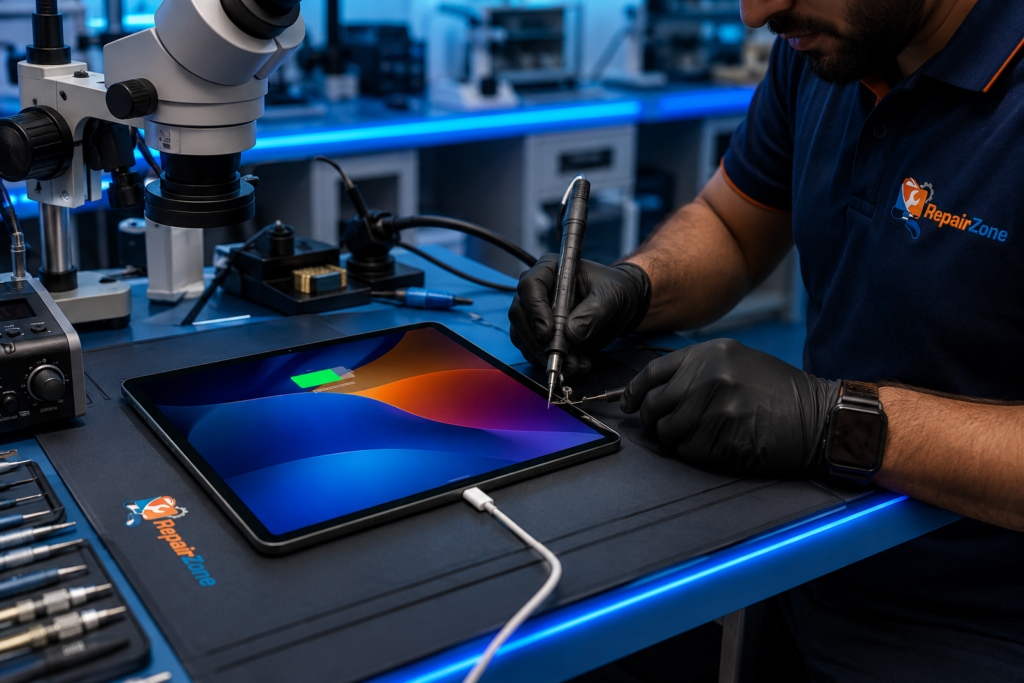
⭐ Why Choose RepairZone for iPad Charging Port Repair in Dubai?
- Free pickup & delivery across Dubai & UAE — no need to visit a shop
- Experienced technicians who repair both Lightning and USB-C ports daily, including board-level charging IC microsoldering
- Same-day repair for most port faults (2–4 hours)
- OEM-quality charging port assemblies — correct pinout, stable charge and data, no loose bargain parts
- Free diagnostic first, so you never pay to replace a port when a clean or a cable was the real fix
- Transparent pricing with no hidden charges — quote confirmed before repair begins
- Up to a 12-month warranty on all parts and labour
- No Fix, No Fee — if we can’t solve it, you don’t pay for it
Serving Dubai since 2014. If you’re not sure the port is the problem, our iPad Repair Dubai team can assess the whole device first.
Signs Your iPad Charging Port Needs Repair
A charging fault isn’t always the port — but these symptoms point strongly to a port that needs cleaning, repair, or replacement:
- The cable feels loose or falls out of the port easily
- It only charges at a certain angle — you have to prop or push the cable to keep it charging
- No charging at all, even with a known-good cable and adapter
- Slow charging that takes far longer than it used to
- Intermittent charging — the charging icon appears, then disappears
- “Accessory Not Supported” or “This accessory may not be supported” pop-ups
- The iPad isn’t recognised by your computer when connected by cable
- Bent or damaged connector pins visible inside the port
- Dust, lint, or sand packed inside the port — very common in Dubai
- Signs of water damage or corrosion around the port
- The battery drains while plugged in because the port can’t deliver steady power
- The area around the port gets hot while charging
Two or more of these together almost always means the port itself needs attention rather than a new cable.
Is My Charging Port Broken or Is It Just the Cable?
Before paying for any repair, rule out the cheapest causes first. A frayed cable or a failing adapter mimics a broken port, and so can a software glitch. Here’s how to tell them apart:
| Symptom | Likely the Cable / Adapter | Likely the Charging Port |
|---|---|---|
| Charges fine with a different cable | ✔ Replace the cable | — |
| Fails with every cable you try | — | ✔ Port fault |
| Charges only when held at an angle | — | ✔ Loose / worn port |
| Cable is visibly frayed or bent | ✔ Replace the cable | — |
| Debris or lint visible inside the port | — | ✔ Cleaning or replacement |
| “Accessory Not Supported” appears | Sometimes (non-certified cable) | Often (port or board) |
| Not detected by computer, but still charges | Try a data cable first | ✔ Damaged data pins |
Quick self-test: try a second Apple-certified cable and a different wall adapter, restart the iPad, and inspect the port under a light for lint. If it still won’t charge reliably, the port needs professional attention. A loose port can also feel like a dead battery — if you’re unsure which it is, our free diagnostic settles it, and if the cell turns out to be the issue we’ll point you to iPad Battery Replacement Dubai instead.
Common iPad Charging Port Problems We Fix
Our technicians handle every charging fault, from a two-minute clean to board-level microsoldering:
| Problem | What It Usually Means |
|---|---|
| Dust, lint or sand in the port | Blocked contacts stop the cable seating properly. Cleaning often restores charging with no part needed. |
| Bent or broken connector pins | The port assembly is replaced — pins are never bent back, as they fracture. |
| Corrosion / water damage | Moisture corrodes the contacts. We clean and, if needed, replace the port; deeper cases need board work. |
| Loose or worn port | Repeated plugging wears the connector so it charges only at an angle. A new port fixes it. |
| Charging IC failure | The chip managing charge on the logic board has failed — this needs microsoldering, not just a port swap. |
| Dead data connection | The iPad charges but isn’t seen by a computer — damaged data pins, restored by replacing the port. |
Charging Port Cleaning vs Replacement
Not every charging fault needs a new port. In Dubai’s dusty, sandy climate, a surprising number of “dead” ports are simply clogged. The right fix depends on what the diagnostic finds:
| Situation | The Fix |
|---|---|
| Lint, dust, or sand packed in the port; contacts intact | Professional cleaning — often restores charging with no replacement |
| Worn, loose, or bent connector; charges only at an angle | Port replacement — a new OEM-quality assembly |
| Corrosion or liquid inside the port | Clean + inspect; replace if contacts are damaged |
| No power reaches the port at all | Board-level diagnosis — likely a charging IC fault |
Is it safe to clean an iPad charging port at home? Gently, yes — power the iPad off, and use a wooden or plastic toothpick or a burst of dry compressed air to lift out lint. Never use metal pins, water, or alcohol inside the port, and don’t scrape hard, as you can bend the delicate contacts and turn a free clean into a paid repair. If a careful clean doesn’t fix it, stop and let us inspect it — our port cleaning and diagnostic are free with any confirmed repair.
Lightning Port vs USB-C Port Repair
Older iPads use a Lightning connector; newer models moved to USB-C. Both are fully repairable at RepairZone, but they differ in cost and complexity:
| Factor | Lightning Port | USB-C Port |
|---|---|---|
| Found on | iPad 5th–8th Gen, older Mini & Air | iPad 9th/10th Gen, Mini 6, Air M1/M2, all iPad Pro |
| Repair cost | from AED 150 | from AED 200 |
| Complexity | Simpler assembly — quicker swap | Tighter, more delicate — more precise work |
| Data speed | USB 2.0 | Faster USB-C (Thunderbolt on Pro models) |
| Typical turnaround | Same day | Same day |
USB-C ports on the iPad Pro and Air sit on tightly packed logic boards, so they take more care to replace cleanly — which is why our iPad Pro USB-C port repairs are priced slightly higher than a straightforward Lightning swap.
Charging Port vs Charging IC Failure
Can an iPad Charging Port Be Repaired?
Yes. In most cases, an iPad Charging Port Repair Dubai service can repair or replace a damaged Lightning or USB-C charging port without replacing the entire iPad. Common symptoms include a loose charging cable, intermittent charging, charging only at an angle, slow charging or the device not charging at all. If the charging issue is caused by a faulty charging IC or motherboard rather than the charging port itself, board-level microsoldering may be required. At RepairZone, every device undergoes a professional diagnostic to identify the exact fault before any repair is recommended.
Sometimes the port looks fine but the iPad still won’t charge — because the fault is on the logic board, not the connector. The charging port is the physical socket the cable plugs into. The charging IC (and the power management IC beside it) is the chip that controls how power flows from that port into the battery.
If a new cable, a clean port, and a fresh port assembly all fail to restore charging, the charging IC is the likely culprit. That’s a board-level repair requiring microsoldering under a microscope — reflowing or replacing a component smaller than a grain of rice. We diagnose this precisely before quoting, so you never pay for a port when the board is the real issue, or vice versa. For confirmed logic-board faults we handle it in-house — see iPad Motherboard Repair Dubai.
iPad Charging Problems Explained
Why does my iPad only charge at an angle?
The connector inside the port has worn loose, so the cable only makes contact when pushed or tilted. This is mechanical wear, not a software issue — propping the cable is a temporary workaround, but the port needs replacing to charge reliably again. Left alone, it usually stops charging entirely.
Why does my iPad say “Accessory Not Supported”?
This error means the iPad can’t establish a clean connection with the cable. The three common causes are a non-certified (non-MFi) cable, debris bridging the port contacts, or a damaged port or charging board. We start by cleaning and testing with a certified cable; if the message persists, the port or its board circuitry needs repair.
Why isn’t my iPad detected by my computer?
A charging port carries both power and data on separate pins. If the iPad charges but doesn’t appear on your Mac or PC, the data pins are damaged or dirty while the power pins still work. Replacing the port restores the data connection, so you can sync and transfer files again.
Why does my iPad get hot or drain while plugged in?
A damaged port or failing charge circuit can draw unstable current, so the iPad runs warm and the battery loses charge faster than the port replaces it. A proper diagnostic separates a port fault from a tired battery before any part is fitted.
What Causes iPad Charging Port Damage in Dubai
Charging ports fail from a mix of environment and daily use — and Dubai adds a couple of local accelerants:
- Dust and fine sand — the biggest local factor. Airborne sand works into the port and packs around the contacts, blocking the cable and grinding the connector over time.
- Moisture and humidity — coastal humidity and accidental spills corrode the contacts. If your iPad has met water, the port and board both deserve inspection — see iPad Water Damage Repair Dubai.
- Cheap or non-certified cables — poorly made connectors wear the port faster and can deliver unstable current.
- Drops and impact — a knock while the cable is plugged in can bend pins or crack the port loose from the board.
- Everyday wear — thousands of plug-in cycles eventually loosen any connector.
How to Prevent Charging Port Damage
A few habits dramatically extend the life of a charging port — worth doing after any repair:
- Keep the iPad out of sandy, dusty environments, and check the port under a light every few weeks.
- Blow out lint gently with dry compressed air — never poke with metal.
- Use Apple-certified (MFi) cables and a quality adapter; avoid the cheapest market cables.
- Insert the cable straight, not at an angle, and don’t use the iPad heavily while it charges on a short cable that tugs the port.
- Don’t charge in a case that forces the plug sideways, and keep liquids away from the port.
OEM-Quality vs Cheap Charging Ports
The replacement part matters as much as the labour. A charging port carries power and data on tiny contacts, and a poorly made one causes exactly the problems you came in to fix:
| Port Type | Quality & Safety | Best For |
|---|---|---|
| OEM-quality (what we fit) | Correct pinout, snug fit, stable charge and data, durable under daily use. | A reliable repair that lasts. |
| Cheap aftermarket | Loose fit, data dropouts, “Accessory Not Supported” errors, early failure. | Nothing — the saving becomes a repeat repair. |
A bargain port may charge on day one and fail within weeks, or refuse to carry data at all. We fit OEM-quality assemblies because a charging port is only worth replacing once.
Our iPad Charging Port Repair Process
iPads are glued and shielded inside, and the charging port sits low on a densely packed logic board. A careful, staged process is what separates a clean repair from a cracked screen or a damaged board:
- 1. Free diagnostic — we test the cable, adapter, port, and battery, and inspect the port under magnification to find the true cause before quoting.
- 2. Cleaning first — if debris or light corrosion is the issue, a professional clean often restores charging with no replacement.
- 3. Controlled opening — gentle, even heat releases the display adhesive on an ESD-safe, anti-static workstation.
- 4. Port replacement or board repair — we fit an OEM-quality port, or perform charging IC microsoldering if the fault is board-level.
- 5. Reseal & reassemble — fresh adhesive restores the original seal and splash resistance as far as the design allows.
- 6. Full testing — we confirm charging to 100%, verify the data connection to a computer, check for heat, and calibrate before returning the iPad.
This is why we advise against DIY: the tools, heat control, and board-level work are exactly where home repairs turn a small fault into a costly one.
iPad Charging Port Repair Cost in Dubai
The cost of iPad Charging Port Repair Dubai depends on the port type (Lightning or USB-C), the model, and whether the fault is the port itself or the charging IC on the board. Prices below are starting estimates — every quote is confirmed after a free diagnostic, and you approve it before any work begins.
| Service | Estimated Price (AED) | Typical Turnaround |
|---|---|---|
| Charging Port Cleaning & Inspection | Free with repair | Same day |
| Lightning Port Replacement | From 150 | Same day (2–4 hrs) |
| USB-C Port Replacement | From 200 | Same day (2–4 hrs) |
| Charging IC / Board-Level Repair (microsoldering) | From 350 | 1–3 business days |
| Full Diagnostic | Free with repair | 30–60 minutes |
Starting price by iPad model:
| iPad Model (Connector) | Charging Port Repair (starting) |
|---|---|
| iPad 5th–8th Gen (Lightning) | from AED 150 |
| iPad 9th–10th Gen & iPad Mini 6 (USB-C) | from AED 200 |
| iPad Air (M1 / M2, USB-C) | from AED 250 |
| iPad Pro 11-inch (all generations, USB-C) | from AED 250 |
| iPad Pro 12.9″ / 13″ (all generations, USB-C) | from AED 300 |
💡 Prices are starting estimates and may vary with model, port type, and parts availability. Final quote confirmed before any repair begins — no surprises. Turnaround is from point of collection in Dubai.
RepairZone vs Apple-authorised: Apple typically doesn’t repair the port at component level — the authorised route is usually a whole-unit swap with a flat out-of-warranty fee that runs far higher than an independent port repair, and can take longer if there’s no nearby centre. Board-level and port-level repair keeps your original device and costs a fraction of a replacement.
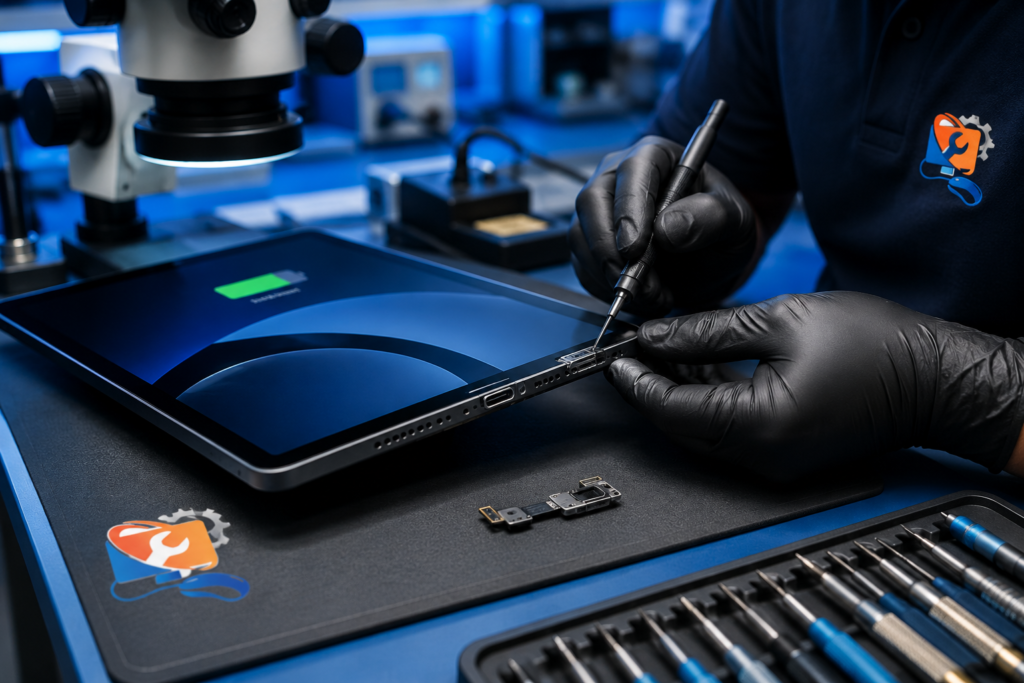
iPad Models We Service
We repair charging ports across the full line-up, both Lightning and USB-C, including older hardware many shops turn away and the newest M-series models:
- iPad (standard): 5th through 10th generation — Lightning on 5th–8th Gen, USB-C on 9th/10th Gen.
- iPad Mini: all generations, including the USB-C iPad Mini 6.
- iPad Air: Air 2 through the latest USB-C M2 Air.
- iPad Pro: 9.7″, 10.5″, 11″, and 12.9″/13″ — all USB-C, including the tightly packed M-series iPad Pro boards.
Repair the Port or Buy a New iPad?
For a single charging fault, repair wins almost every time. A port repair costs between AED 150 and AED 300; a board-level IC repair sits higher but still far below a new device. A new entry-level iPad starts well above AED 1,400, and Pro models run several times higher.
| Factor | Repair the Charging Port | Buy a New iPad |
|---|---|---|
| Cost | AED 150 – 300 (port) / from 350 (board) | AED 1,400 to 5,000+ |
| Your data | Untouched — stays on the device | Must be backed up and restored |
| Setup | None — you get your same iPad back | Fresh setup, sign-ins, app downloads |
| Downtime | Same day (port) / 1–3 days (board) | Shopping, transfer, configuration |
| Environmental impact | Low — device reused | High — a working iPad discarded early |
| Best when | The iPad works well apart from charging | The device is very old or has multiple faults |
Replacement only makes sense when the iPad is very old, no longer updates, or has several failing parts at once. If your iPad won’t power on at all after a port failure, start with iPad Not Turning On Repair Dubai; if a drop also cracked the screen, see iPad Screen Replacement Dubai.
How iPad Charging Port Repair Works at RepairZone
Getting your iPad charging port repaired in Dubai is simple and hassle-free. Here’s how it works:
| Step 1 | Step 2 | Step 3 |
|---|---|---|
| 📋 Book Online or Call Us Tell us your issue and iPad model via our booking form, WhatsApp, or phone. We’ll confirm your collection slot — same day available. | 🔧 We Collect & Repair Our technician collects your iPad from your door anywhere in Dubai. We run a free diagnostic, then clean, repair, or replace the port. | 📦 Delivered Back to You Once repaired and tested for charge and data, your iPad is delivered safely back to your home or office — fully working. |
Same-Day Service, Warranty & Free Pickup
Same-day & on-site: Most iPad charging port repairs in Dubai are completed the same day within 2 to 4 hours — cleaning, Lightning, and USB-C port replacements included. Board-level charging IC repairs need 1 to 3 business days for careful microsoldering. We prioritise urgent jobs for tourists on limited time, business travellers, and professionals like illustrators who can’t be without their iPad, and offer on-site collection to fit around your schedule.
Warranty & your Apple coverage: Every repair is backed by up to a 12-month warranty on parts and labour. An independent repair doesn’t affect an out-of-warranty iPad. If your device is under AppleCare+, note that Apple usually handles a port fault as a whole-unit swap rather than a component repair — tell us the model and purchase date and we’ll point you to the cheapest legitimate path. Your data is never accessed during a charging port repair, and we follow strict handling for privacy.
Free pickup & delivery: You don’t have to travel. Our door-to-door courier service collects your iPad from home, office, or hotel anywhere in Dubai at no charge, repairs it, and returns it fully tested. Book a pickup by phone or WhatsApp and choose a time that suits you.
iPad Charging Port Repair FAQ – Dubai & UAE
How much does iPad charging port repair cost in Dubai?
Prices start from AED 150 for Lightning ports and AED 200 for USB-C ports, with board-level charging IC repair from AED 350. The exact figure depends on your model and the fault, and you get a firm quote after a free diagnostic before any work begins.
Why won’t my iPad charge even with a good cable?
If a known-good cable and adapter still won’t charge it, the fault is usually the port (debris, bent pins, or a worn connector) or the charging IC on the board. A quick diagnostic pinpoints which, so you only pay for what’s actually needed.
My charger connects loosely — does that mean the port is broken?
Usually yes. A loose fit or charging only at an angle means the Lightning or USB-C connector has worn or been damaged. Replacing the port restores a firm, reliable connection.
Why does my iPad show “Accessory Not Supported”?
That error means the iPad can’t get a clean connection — from a non-certified cable, debris bridging the contacts, or a damaged port or charging board. We clean and test with a certified cable first; if it persists, the port or its circuitry needs repair.
Is it safe to clean an iPad charging port at home?
Gently, yes. Power the iPad off and use a wooden or plastic toothpick or dry compressed air to lift out lint. Never use metal, water, or alcohol inside the port. If a careful clean doesn’t fix it, let us inspect it — cleaning is free with any confirmed repair.
How long does an iPad charging port repair take in Dubai?
Most port repairs are same-day, typically 2 to 4 hours. Board-level charging IC repairs take 1 to 3 business days. We confirm realistic timing when you book.
Will replacing the charging port erase my data?
No. Charging port repair is hardware-only and doesn’t touch your storage. Your apps, photos, and settings stay intact. We still recommend a quick backup before any repair as insurance.
Why is my iPad only charging at a certain angle?
The connector inside the port has worn loose, so the cable only makes contact when tilted. Propping it is a temporary fix; the port needs replacing to charge reliably again.
Why isn’t my iPad recognised by my computer?
A port carries power and data on separate pins. If it charges but isn’t detected on a Mac or PC, the data pins are damaged or dirty. Replacing the port restores syncing and file transfer.
Can water damage in the charging port be cleaned, or does it need replacement?
Minor moisture can often be cleaned, but corrosion on the contacts usually means the port must be replaced. Deeper liquid damage needs board-level inspection — we assess the actual damage before quoting.
Does charging port repair come with a warranty?
Yes — up to 12 months on the replacement port and our labour, covering any fault with the parts we fit.
Will third-party repair void my Apple warranty?
An independent repair doesn’t affect an out-of-warranty iPad. If you’re within Apple warranty or AppleCare+, Apple may handle it under their terms — usually as a whole-unit swap. Tell us your model and purchase date and we’ll advise the best route.
Does AppleCare+ cover iPad charging port repair?
Sometimes, but Apple generally swaps the whole device rather than repairing the port. If AppleCare+ is active it’s worth checking that route first; once it’s lapsed, independent repair is faster and far cheaper.
Why doesn’t Apple just repair the charging port?
Apple’s authorised process usually replaces the iPad with a refurbished unit instead of fixing the port at component level. That’s often more expensive and slower than an independent board-level repair.
How do I know if it’s the port or the battery?
A worn port can feel like a dead battery. We run a full diagnostic — battery health plus port inspection — to isolate the cause. If the cell is the issue, we’ll point you to battery replacement instead.
Do you repair both Lightning and USB-C ports?
Yes. We service Lightning ports on older iPads and USB-C ports on newer iPad, Mini, Air, and all iPad Pro models. USB-C assemblies are more delicate, so they’re priced slightly higher.
Can you fix a bent Lightning or USB-C connector?
Bent pins are replaced by swapping the port assembly. We don’t bend pins back, as they fracture — a new connector is the only reliable fix.
Why is my iPad charging slowly?
With a proper cable and adapter, slow charging often points to a degraded battery (common in Dubai’s heat) rather than the port. Our tests isolate whether the battery should be replaced.
Why does my iPad get hot or drain while plugged in?
A damaged port or failing charge circuit can draw unstable current, so the iPad runs warm and loses charge faster than it gains. A diagnostic separates a port fault from a tired battery.
Do you offer same-day and express repair for tourists or urgent cases?
Yes. Most port repairs are same-day, and we prioritise urgent jobs for travellers on limited time and professionals who need a fast turnaround, with pickup from homes, offices, and hotels.
Do you offer free pickup and delivery across Dubai?
Yes. Door-to-door collection and return is free anywhere in Dubai — Marina, JLT, Downtown, Deira, Al Quoz, Academic City, and beyond. Book by phone or WhatsApp.
Do you offer bulk charging port repair for schools or businesses?
Yes. We handle fleet and bulk iPad repairs for Dubai schools, offices, and businesses, with scheduled collection, volume pricing, and service-level agreements. Send us your device count and models for a quote.
Are there student discounts for iPad charging port repair?
We keep pricing affordable for students and offer campus pickup, including Dubai International Academic City. Ask when you book and we’ll confirm current student rates.
Should I replace the port and battery at the same time?
Not usually — each is a separate fault. If your iPad is older, mention the battery and we’ll test it; occasionally both need attention, but we won’t replace a healthy part.
Is DIY charging port replacement a good idea?
We strongly advise against it. iPads are glued and shielded inside, and the port sits on a packed logic board. Without the right tools and heat control, DIY commonly cracks the screen or damages the board — turning a small repair into a major one.
What causes an iPad charging port to fail early?
Dust and fine sand (very common in Dubai), moisture, cheap cables, drops while plugged in, and thousands of plug-in cycles all wear the port. Regular gentle cleaning and certified cables extend its life.
Book Your iPad Charging Port Repair in Dubai Today
A failing charging port only gets worse — the angle you need to hold the cable narrows until it stops charging altogether. Book your iPad Charging Port Repair Dubai now and get a reliable connection back the same day: a free diagnostic, OEM-quality parts, board-level microsoldering when needed, and up to a 12-month warranty on parts and labour. We fix the real problem the first time, so you’re not back in a month.
- Call or WhatsApp: +971 56 123 1466
- Email: [email protected]
- Visit: Aspin Commercial Tower, 106 Sheikh Zayed Road, Trade Centre 1, Dubai
- Free pickup & delivery anywhere in Dubai — we collect, repair, test, and return.
iPad Charging Port Repair Across Dubai – Free Pickup & Delivery
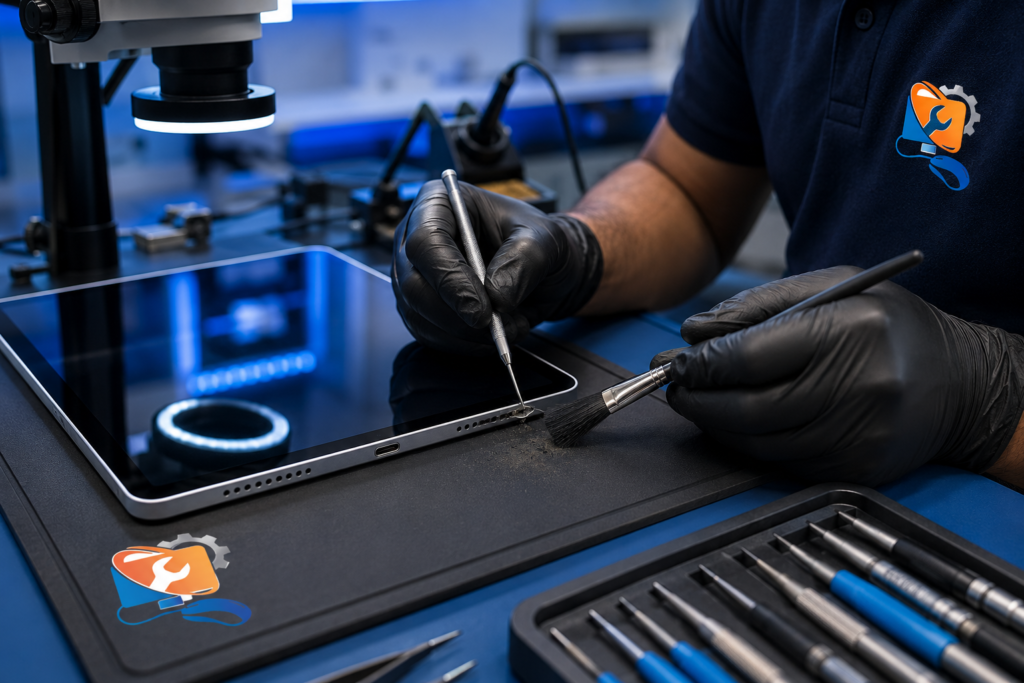
RepairZone provides iPad Charging Port Repair Dubai across all major areas of the city with free pickup & delivery. Wherever you are, we ensure safe collection and timely return of your device after repair.
Major Dubai Areas We Cover
Free Pickup & Delivery Available Across Dubai
| Area 1 | Area 2 | Area 3 |
|---|---|---|
| Dubai Marina | Jumeirah Beach Residence (JBR) | Downtown Dubai |
| Business Bay | Sheikh Zayed Road | Jumeirah 1, 2 & 3 |
| Palm Jumeirah | Jumeirah Lake Towers (JLT) | Al Barsha (1, 2 & South) |
| Al Quoz (Industrial & Residential) | Dubai Silicon Oasis | Dubai Internet City |
| Dubai Media City | Dubai Knowledge Park | Motor City |
| Sports City | Arabian Ranches | Mirdif |
| International City | Al Nahda (Dubai) | Deira |
| Bur Dubai | Karama | Oud Metha |
| Festival City | DIP 1 & 2 | Dubai International Academic City |
✅ Looking for iPad charging port repair near me? RepairZone offers free pickup and delivery across Dubai, so you don’t need to visit a repair shop. From Dubai Marina and Business Bay to Deira, Al Quoz, and Palm Jumeirah, our technicians collect your iPad, repair the charging port, and return it quickly and safely.
Related iPad Repairs
RepairZone also provides professional iPad repair services for:
- iPad Repair Dubai
- iPad Screen Replacement Dubai
- iPad Battery Replacement Dubai
- iPad Water Damage Repair Dubai
- iPad Motherboard Repair Dubai
- iPad Not Turning On Repair Dubai
EXCELLENTTrustindex verifies that the original source of the review is Google. Quick and fast fix for laptop service with home.pick and drop appreciate the supportPosted on GoogleTrustindex verifies that the original source of the review is Google. They fixed my ps5 which had a problem loading certain games now it works fine definitely recommend for console repairsPosted on GoogleTrustindex verifies that the original source of the review is Google. Excellent and speedy service.Posted on GoogleTrustindex verifies that the original source of the review is Google. My Nintendo Switch was completely dead and wouldn't turn on. RepairZone diagnosed and fixed the issue quickly. Great communication, fair pricing, and excellent service. Highly recommended for Nintendo Switch repairs in Dubai!Posted on GoogleTrustindex verifies that the original source of the review is Google. Amazing doorstep service! Did a nintendo switch repair. Repair outcome was good. Excellent work. Fairly pricedPosted on GoogleTrustindex verifies that the original source of the review is Google. Amazing service, fast and reliable. Highly recommended.Posted on GoogleTrustindex verifies that the original source of the review is Google. Cooperative, kind and very helpingPosted on GoogleTrustindex verifies that the original source of the review is Google. Rang them at 1.00pm and they were at my home by 4.00pm. Thorough review of my wi-fi system and corrected it all. Excellent service.Posted on GoogleTrustindex verifies that the original source of the review is Google. We recently used RepairZone for a professional WiFi installation in Damac Hills 2, and the service was outstanding from start to finish. We have upgraded to a Google Nest WiFi Pro mesh system with 4 nodes for our 4-bedroom villa. The technician carried out a detailed site assessment, positioned each node strategically, and ensured seamless WiFi coverage throughout the villa. Internet speed, stability, and coverage have improved significantly, with zero dead zones. Extremely professional, punctual, and knowledgeable service. I highly recommend RepairZone for anyone looking for premium WiFi setup and support in Damac Hills 2.Posted on GoogleTrustindex verifies that the original source of the review is Google. Excellent WiFi service in Dubai marina! They installed and optimized our home WiFi perfectly. The technician arrived on time, fixed our weak signal issues, and ensured strong coverage in every room. Highly recommend for anyone looking for reliable WiFi service in Dubai marina