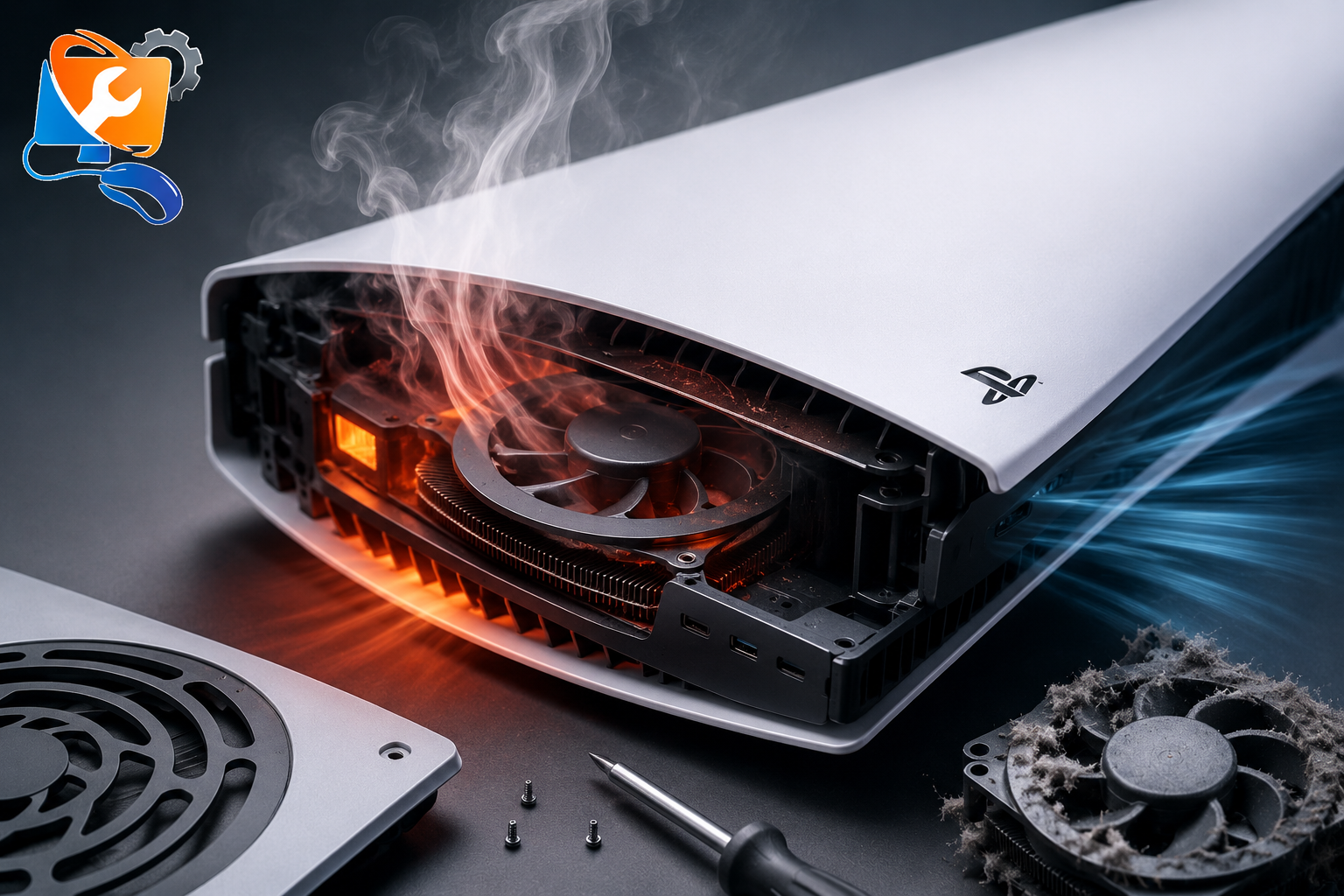
How to Fix PlayStation Overheating – PS5 & PS4 Troubleshooting Guide
Is your PlayStation overheating, displaying a temperature warning, making excessive fan noise or shutting down during gameplay? Overheating is one of the most common problems affecting both the PlayStation 5 (PS5) and PlayStation 4 (PS4). While some issues can be resolved with simple maintenance, others require professional repair to prevent permanent hardware damage.
This guide explains the most common causes of PlayStation overheating, practical troubleshooting steps you can try at home and when it’s time to seek professional help. Whether your console becomes extremely hot after a few minutes of gaming or repeatedly displays a “PS5 is too hot” warning, this guide will help you understand the problem and choose the right solution.
If your PlayStation continues overheating after cleaning the vents and improving airflow, the problem may be caused by dried thermal paste, degraded liquid metal, a faulty cooling fan or internal hardware damage. Our PS5 Overheating Repair Dubai service includes professional diagnostics, internal cleaning, thermal paste replacement, liquid metal servicing and cooling system repairs.
What Causes PlayStation Overheating?
A PlayStation generates heat whenever it’s running demanding games. Under normal conditions, the internal cooling system keeps temperatures within a safe operating range. However, if airflow is restricted or the cooling system cannot dissipate heat efficiently, temperatures rise rapidly, triggering warning messages or automatic shutdowns.
Some causes are easy to fix, while others require professional attention.
| Cause | Description |
|---|
| Dust Build-up | Blocks airflow through the heatsink and cooling fan. |
| Faulty Cooling Fan | Reduces airflow, causing temperatures to rise. |
| Dried Thermal Paste | Reduces heat transfer between the processor and heatsink. |
| Liquid Metal Degradation (PS5) | Can reduce cooling efficiency over time. |
| Poor Ventilation | Prevents hot air from escaping the console. |
Common Signs Your PlayStation Is Overheating
Recognising the early warning signs can help prevent expensive repairs later. Many users ignore these symptoms until the console begins shutting down repeatedly or refuses to complete long gaming sessions.
- PS5 temperature warning appears on screen.
- Console shuts down while gaming.
- Cooling fan becomes unusually loud.
- Hot air constantly blows from the rear vents.
- Games begin lagging or freezing unexpectedly.
- The console feels excessively hot to the touch.
- Performance drops after extended gameplay.
Don’t Ignore Temperature Warnings
Repeated overheating can damage the processor, motherboard and storage components. If your PlayStation regularly displays temperature warnings or switches off automatically, stop using the console until the cause has been identified.
How to Fix PlayStation Overheating
Start with the simplest solutions before considering hardware repairs. Many overheating problems are caused by restricted airflow or dust accumulation and can be resolved with regular maintenance.
1. Clean the Air Vents and Cooling Fan
Dust is one of the biggest causes of PlayStation overheating. Over time, dust blocks the heatsink and cooling fan, reducing airflow and trapping heat inside the console.
Use compressed air and a soft anti-static brush to remove dust from the air vents. Avoid using water or blowing directly into the console with your mouth, as moisture can damage sensitive electronic components.
2. Improve Airflow Around the Console
Your PlayStation needs adequate ventilation to cool itself efficiently.
- Leave at least 10–15 cm of space around the console.
- Avoid placing it inside enclosed cabinets.
- Keep the rear vents unobstructed.
- Operate the console in a cool, well-ventilated room.
3. Position the Console Correctly
Place the PlayStation on a stable, flat surface where air can circulate freely. Avoid placing it on carpets, beds or other soft surfaces that block the ventilation openings.
4. Replace Thermal Paste or Liquid Metal
As PlayStation consoles age, the thermal interface material between the processor and heatsink can deteriorate. On PS5 consoles, the liquid metal cooling compound may also require professional servicing if cooling performance has significantly decreased.
Replacing thermal paste or servicing liquid metal requires complete disassembly of the console and should only be performed by experienced technicians using the correct tools and procedures.
If your PS5 continues overheating even after cleaning, our PS5 Overheating Repair Dubai service includes professional thermal paste replacement, liquid metal servicing and complete cooling system diagnostics.
5. Repair or Replace a Faulty Cooling Fan
The cooling fan is responsible for drawing cool air into the console and expelling hot air from the heatsink. If the fan is damaged, clogged with dust or rotating at an incorrect speed, your PlayStation may quickly overheat during gameplay.
Common signs of a faulty cooling fan include:
- Loud grinding or rattling noises.
- Fan not spinning consistently.
- Very little airflow from the rear vents.
- Overheating warnings even after cleaning the console.
- Console shutting down after only a short gaming session.
If these symptoms continue after cleaning the console, the cooling fan may need professional inspection or replacement.
RepairZone provides professional PS5 Overheating Repair Dubai, including cooling fan replacement, internal cleaning and complete cooling system diagnostics.
6. Update the System Software
Although most overheating issues are hardware-related, outdated firmware can occasionally cause abnormal fan behaviour or system instability. Keeping your PlayStation updated ensures the latest performance improvements and thermal management updates are installed.
- Install the latest PlayStation system software.
- Restart the console after updating.
- Rebuild the database using Safe Mode if system performance remains unstable.
If your PlayStation continues displaying temperature warnings after updating, the issue is more likely related to the cooling system than the software.
When DIY Solutions Aren’t Enough
Basic maintenance such as cleaning the vents and improving airflow can resolve minor overheating problems. However, if your PlayStation continues shutting down, displaying temperature warnings or producing excessive fan noise after these steps, the problem is likely inside the console.
Professional diagnosis is recommended if you experience any of the following:
- Repeated “PS5 is too hot” warning messages.
- Console shuts down while gaming.
- Very loud cooling fan after internal cleaning.
- Overheating returns shortly after cleaning.
- Burning smell or unusually high temperatures.
- Thermal paste or liquid metal has deteriorated.
Opening a PlayStation without the correct tools and experience can damage the motherboard, cooling system or internal connectors. Professional servicing helps identify the root cause before additional damage occurs.
Professional Recommendation
If your PS5 continues overheating after cleaning, don’t keep using the console. Persistent overheating can shorten the lifespan of the processor, storage components and motherboard. A professional inspection can identify whether the issue is caused by dust build-up, dried thermal paste, degraded liquid metal or a faulty cooling fan.
How to Prevent PlayStation Overheating
Regular maintenance is the best way to prevent overheating and extend the lifespan of your PlayStation.
- Clean the air vents every few months.
- Keep the console in a well-ventilated area.
- Avoid placing the console inside enclosed cabinets.
- Do not block the rear air vents.
- Take short breaks during extended gaming sessions.
- Keep pets and dust away from the console.
- Have the cooling system professionally serviced if overheating continues.
Frequently Asked Questions
Why is my PS5 overheating so quickly?
The most common causes are dust accumulation, blocked airflow, dried thermal paste, degraded liquid metal or a failing cooling fan. Professional diagnosis can identify the exact cause if basic cleaning does not resolve the problem.
Can overheating permanently damage my PlayStation?
Yes. Continuous overheating can damage the processor, motherboard, storage components and power circuitry. Ignoring repeated temperature warnings may result in more expensive repairs.
Is thermal paste replacement worth it?
Yes. If the original thermal paste has dried out or the PS5 liquid metal requires servicing, replacing the thermal interface material can significantly improve cooling performance when carried out correctly.
Why is my PS5 fan so loud?
Excessive fan noise is usually caused by dust build-up, restricted airflow or the cooling system working harder because of rising internal temperatures.
Can I repair PlayStation overheating myself?
Basic cleaning and improving ventilation are safe for most users. However, replacing thermal paste, servicing liquid metal or repairing internal hardware should be left to experienced technicians.
Need Professional PS5 Overheating Repair in Dubai?
If your PlayStation continues overheating after trying the troubleshooting steps in this guide, professional repair is the safest solution. RepairZone provides expert PS5 Overheating Repair Dubai services, including internal cleaning, cooling fan replacement, thermal paste replacement, liquid metal servicing and complete cooling system diagnostics.
Every repair begins with a free diagnosis, followed by transparent pricing before any work starts. We also offer free pickup & delivery across Dubai and provide a 3-month warranty on eligible repairs for added peace of mind.
Related PlayStation Repair Services